First Bank Missouri unable to connect or download transactions

tdub
tdub Quicken Windows Subscription Member ✭✭✭

For First Bank Missouri/Illinois, Quicken has been unable to connect or download transactions for a couple days now. First Bank updated their website and mobile app 2 weekends ago (3/28-3/29), so I wonder if this is related to their update? I don't think I had tried downloading transactions since then until this week.

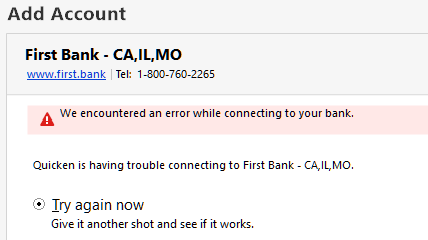
I tried resetting the account in the account "Online Services" tab, and it DOES prompt me for the 2-factor verification method which is required by First Bank, but then Quicken is unable to finish connecting. It just says, "We encountered an error while connecting to your bank".

I'm on Quicken for Windows Version R66.28, Build 27.1.66.28

Comments

  • NotACPA
    NotACPA Quicken Windows Subscription SuperUser ✭✭✭✭✭

    @tdub When you do TOOLS, Account List … what shows in the "Financial Institution" column across from your account in Q?

    Because I couldn't find a "First Bank Missouri" in FIDIR.TXT, which is a Quicken file that records all of the banks that have download arrangements with Q.

    Q user since February, 1990. DOS Version 4
    Now running Quicken Windows Subscription, Business & Personal
    Retired "Certified Information Systems Auditor" & Bank Audit VP

  • tdub
    tdub Quicken Windows Subscription Member ✭✭✭

    "First Bank - CA, IL, MO" …sorry I should have been more specific.

  • UKR
    UKR Quicken Windows Subscription SuperUser ✭✭✭✭✭

    Have you tried this yet?
    If your bank recently changed their website or password requirements, please read and follow instructions here:

    Windows:  Quicken Uses Incorrect URL for Online Banking

    Mac: Quicken Mac uses incorrect URL for Online Banking

    For online billers please see if you can manage (remove and re-add or repair) the online biller, to see if their profile has already been updated.


    If that doesn't resolve the issue:


    • It is the bank's or biller's contractual obligation to notify their Quicken download service provider, Intuit Inc., of any changes to their websites and download functions in a timely manner before the change is implemented. Intuit needs a sufficient amount of lead time to review, change and test their programs, to adapt to the changes the bank makes.

    • The bank also needs to notify their customers of this change in a timely fashion and provide instructions for any actions that might be required by the customer to regain access after the change was introduced.

    • If they didn't do that, complain to your bank's or biller's office of the president.

    • You also need to contact Quicken Support via phone at https://www.quicken.com/support#contact-support during posted hours of operation and report this as an Online Banking issue, so that Quicken Support can escalate this issue to Intuit Inc. Ultimately, however, the bank or biller must initiate the call and work together with Intuit on solving this update issue.

    Please let us know if you were able to get this issue resolved (or not).