Has there been a fix for this?
FDRXX account continues to not download…was working fine then disappeared, reappeared briefly, and now gone for months, never to return.
All other Fidelity accounts are working fine.
[Edited Readability]
I have the same issue with FRGXX. Transactions for that security don't download. Have to enter them manually.
I have the same issue with FDRXX. Does not download.
Hello @gasmanjoe, @RickO, & @Mike805,
Thank you for letting us know you're seeing this issue. To help troubleshoot, please provide more information:
I look forward to your response!
Probably a month or two ago. Not counted as cash. Buy transactions are missing and have to be entered manually.
Thank you for your reply,
If you haven't already done so, please try these steps from our article on missing transactions/transactions not downloading:
Be sure to follow these steps in order:
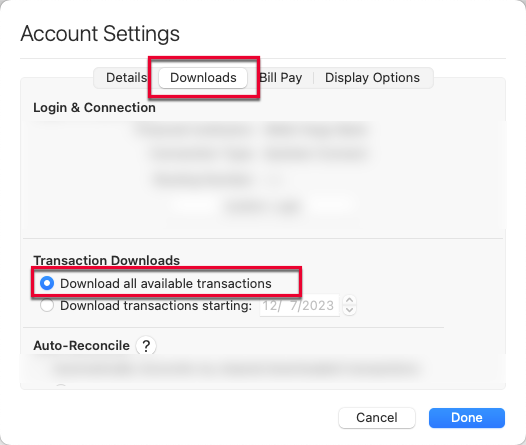
1. In the affected account, click the Settings icon in the bottom right corner of the screen. Go to the Downloads tab and, under Transaction Downloads, confirm Download all available transactions is enabled.
2. Refresh your online account information by clicking on the Update Icon, located on the upper left-hand side of Quicken. Follow any on-screen instructions to complete the account update.
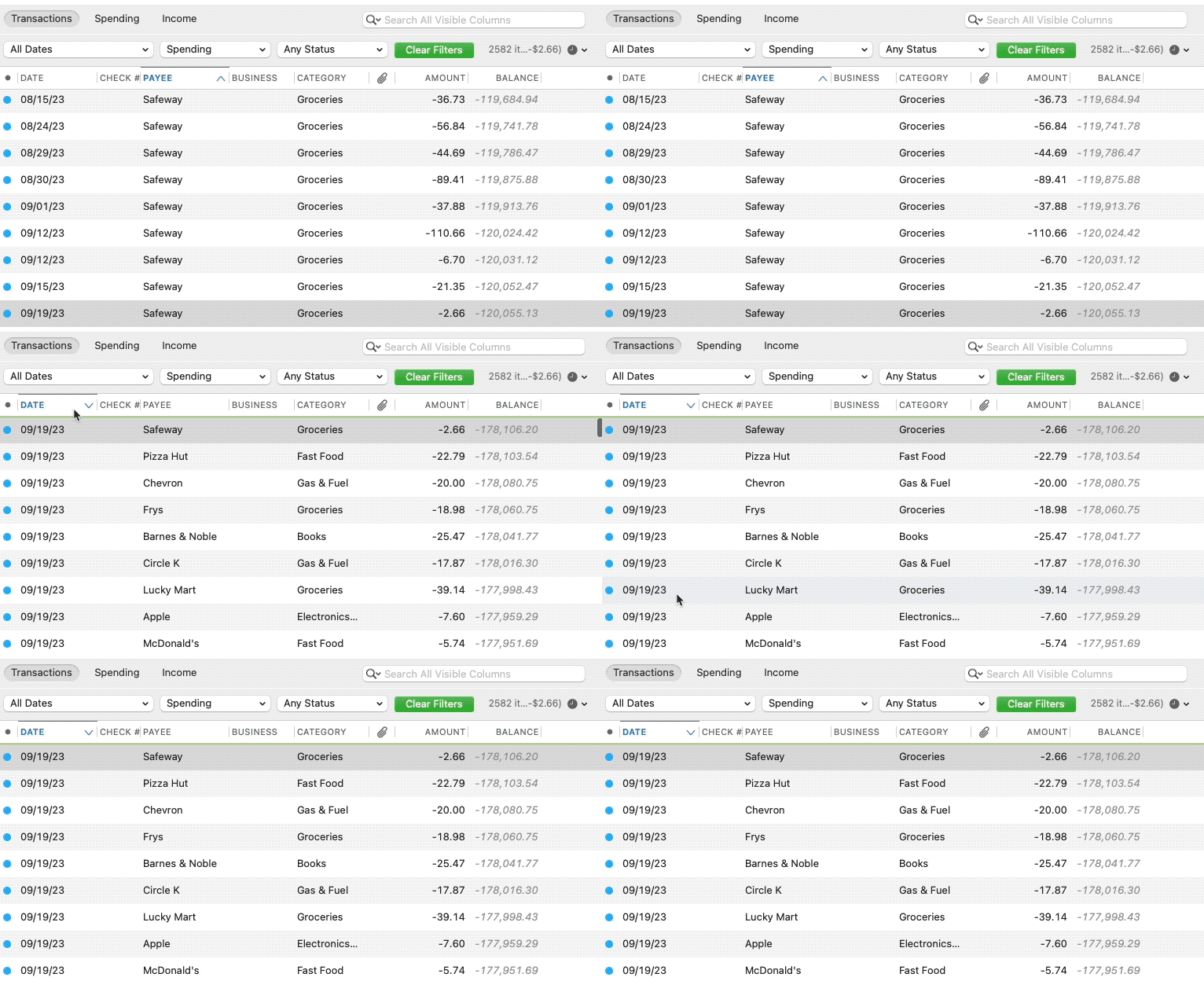
3. Confirm that the Sort Order in your account is by Date; just click the top of the Date column in your account register. It's possible the transactions are in your register, but not where you thought they'd be.
4. Click Columns in the bottom right of the register, then check the Statement Payee box. This will allow you to search for the downloaded Payee name to confirm that a transaction was not renamed unexpectedly.
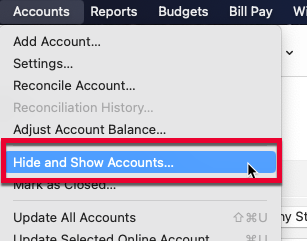
5. Go to Accounts > Hide and Show Accounts…. You can confirm if missing transactions have been downloaded into a hidden account by unchecking the Hide In Lists box next to the account that is marked as hidden.
Please let me know how it goes!
All steps completed. No joy.
I looked into it and found out that currently, FDRXX and FRGXX should be treated as cash in Quicken for Mac (CTP-16430). They were treated as securities for a while, but were changed back to cash due to customer demand.
You mentioned that buy transactions are failing to download. Are there other transactions for FGRXX downloading?
Thank you!
Yes, today a sell transaction did not download for FRGXX.
Yes, FRGXX is considered cash available by Fidelity. However, it is shown in the Fidelity online portfolio as a security holding. It is not reflected in the cash balance either on Fidelity.com nor in the Quicken register. When a check or withdrawal is made on the account, this results in a negative cash balance in the Quicken register. There should be a corresponding sell transaction to bring the cash balance back to zero. The sell transaction does show up in the Fidelity.com Activity & Orders, but it does not download to Quicken. Therefore, I have to enter it manually in Quicken to make Quicken agree with Fidelity.com. Here's what the transactions look like on the Fidelity website:
I will add that this is not a Fidelity Cash Management account. It's a regular brokerage account.
Hi @RickO,
Thank you for providing those additional details; that’s very helpful.
I’ve reviewed your account, and I don’t see any error messages on our end. At this point, I recommend reaching out to Quicken Support directly for further assistance. They’ll be able to walk you through real-time troubleshooting and escalate the issue if necessary.
You can find the Quicken Support phone number here: Support Home | Quicken. Phone support is available Monday through Friday, from 5:00 AM PT to 5:00 PM PT.
Please let me know if you have any other questions.