One Amex Card Stopped Updating C-901 Quicken Subscription Issue

dnshome
dnshome Quicken Windows Subscription Member ✭✭✭

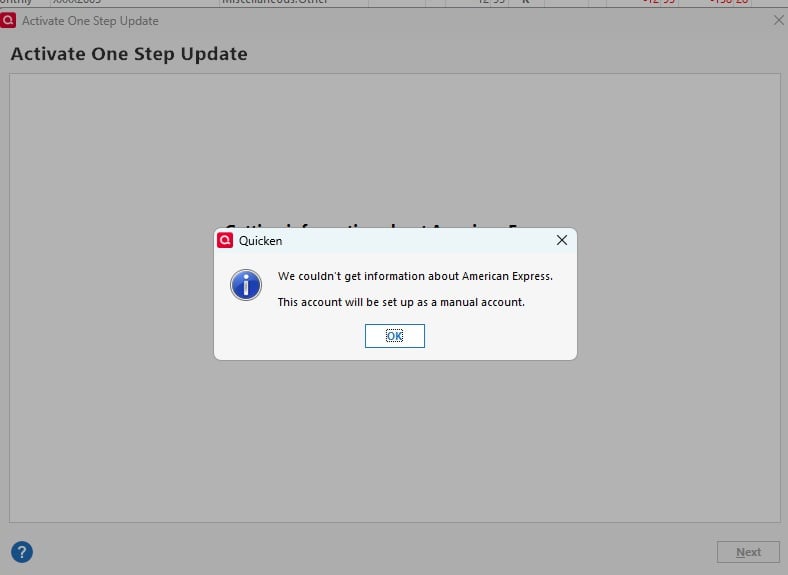
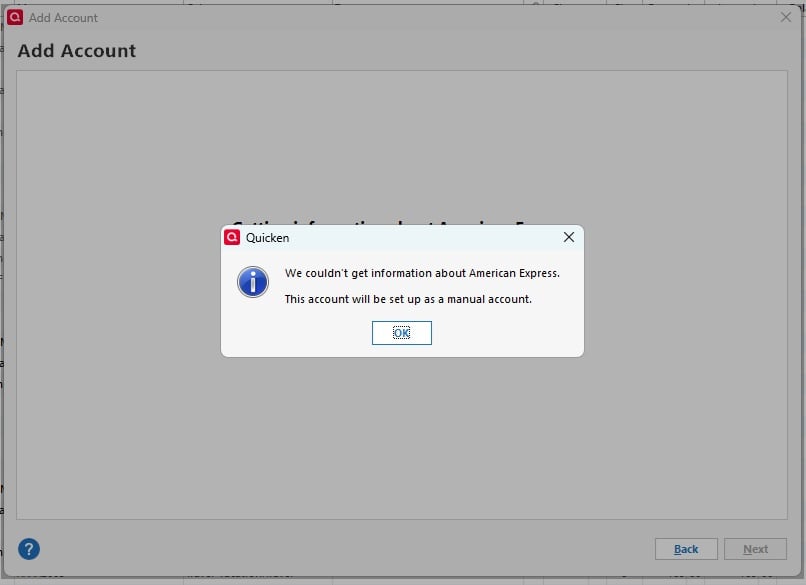
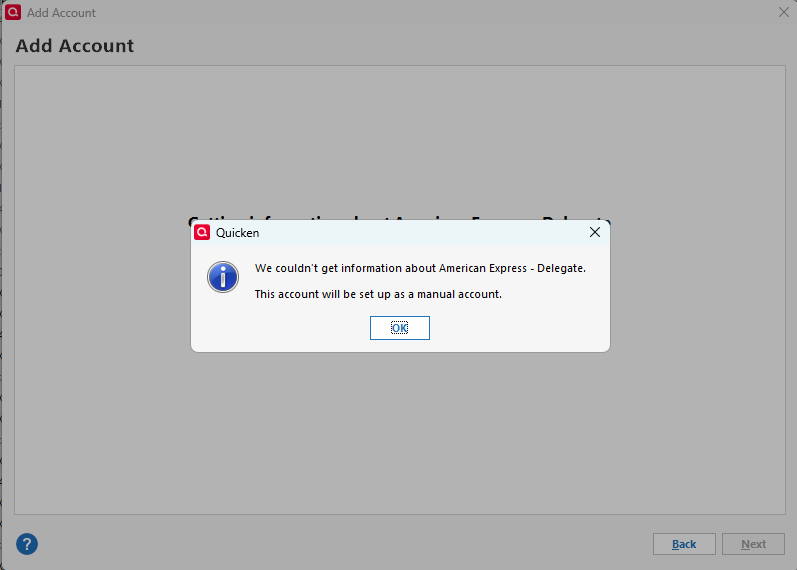
On 4/15/26, my Amex card stopped updating while the other separate one kept working, with a different Amex user ID. Tried several ways to get this working again, including restoring, reauthorizing, and adding a new account. Each time I get a message that Amex can only be added as a manual download account. Any fixes or thoughts about how to get this resolved? This is the one card that has worked flawlessly for 15 years on Quicken through all security and update transitions. Nothing changed with the account on the Amex site, including user ID and password, and it still works fine on my computer and the Amex site.

Running Quicken Desktop on Win 11, Ver R66.28. Desktop says that my subscription expired 01/02/26, online account says subscription renews 1/02/27, yes, payment did go through.

[Edited Reability]

Comments

  • Quicken Laura
    Quicken Laura Quicken Windows Subscription Moderator mod

    Hi @dnshome,

    Thank you for reaching out and for sharing what you’re experiencing.

    I checked your accounts on our end and found two different error messages, which typically indicate that the accounts need to be reauthorized. However, based on your description, that American Express can only be added as a manual download account, it’s possible that something is preventing Quicken from connecting properly.

    To help me better understand what might be causing this, I have a few questions:

    1. Are you using a VPN, firewall, or antivirus software? If so, please let me know which one(s).
    2. Are you able to sign in to the American Express website without any issues?
    3. When attempting to reauthorize the accounts, are you redirected to the American Express sign-in page in your browser?

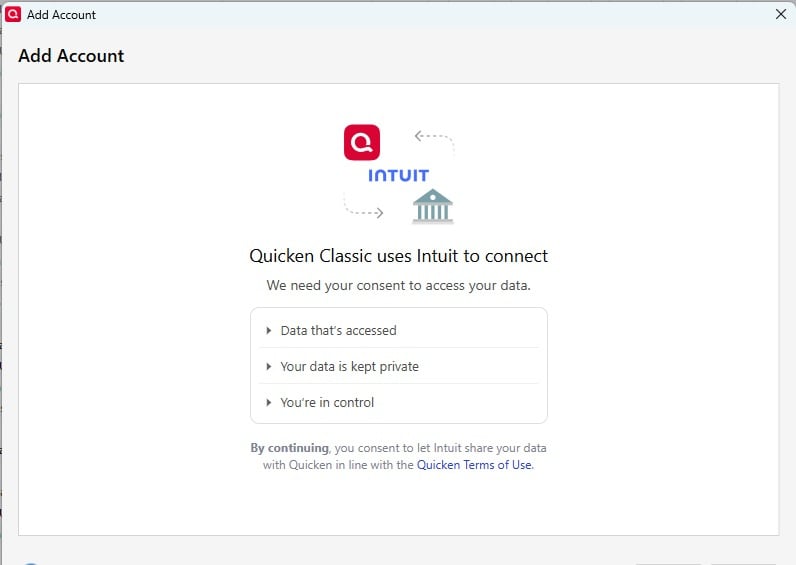
    Additionally, to help us better understand the situation, could you please provide a screenshot of the error message you described receiving? If needed, please refer to this Community FAQ for instructions on how to attach a screenshot. Alternatively, you can also drag and drop screenshots to your response if you are not given the option to add attachments.

    I look forward to your response!

    Quicken Laura

    Make sure to sign up for the email digest to see a round up of your top posts.

  • dnshome
    dnshome Quicken Windows Subscription Member ✭✭✭

    Using Desktop version, Firewall is on, Intuit Update Services checked off to allow going through. Using MS Defender Virus Protection. Nord VPN only for Internet Browser not turned on for desktop system apps. Amex site can be reached via browser with VPN and Amex site is excluded in VPN.

    QContinueScreen.jpg QAAScreen.jpg
  • Quicken Laura
    Quicken Laura Quicken Windows Subscription Moderator mod

    Hi @dnshome,

    Thank you for providing additional details; that’s very helpful.

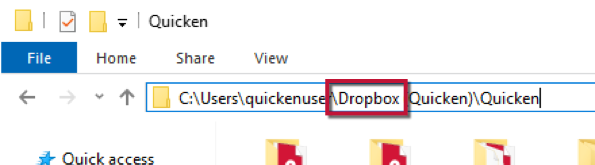
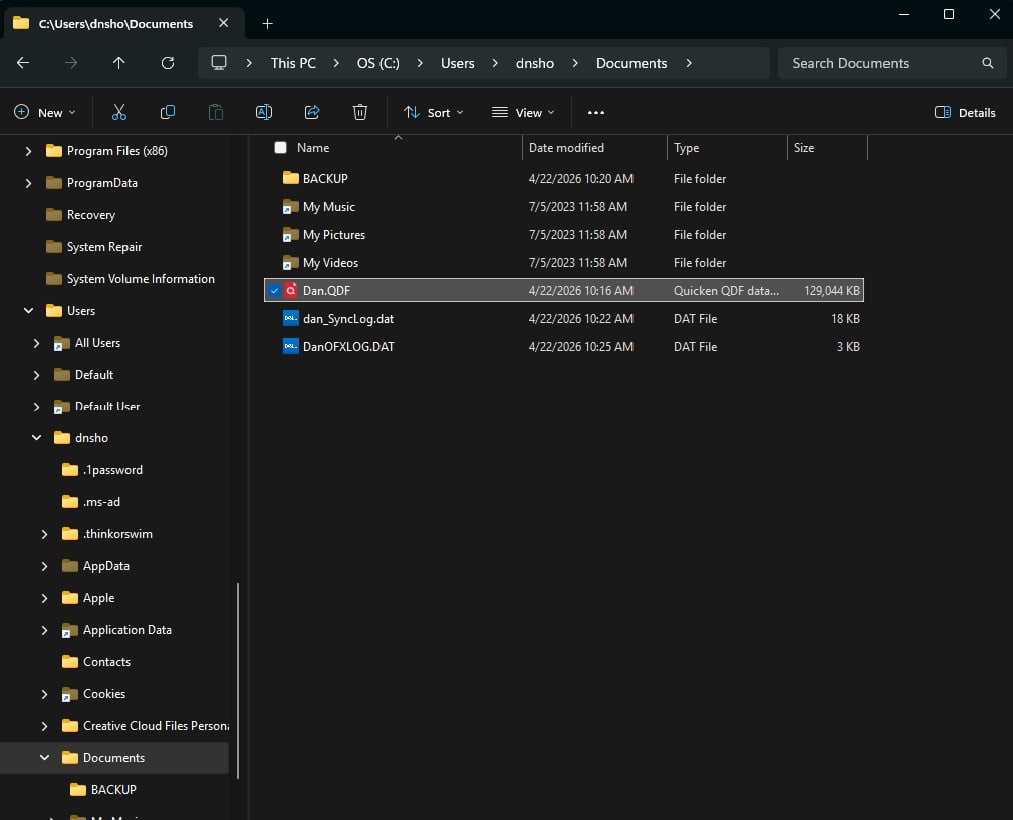
    Please check the location of your Quicken data file, as this issue can occur if the file is stored in a cloud-synced folder such as Dropbox, OneDrive, Carbonite, or another online storage service.

    To check the file location:

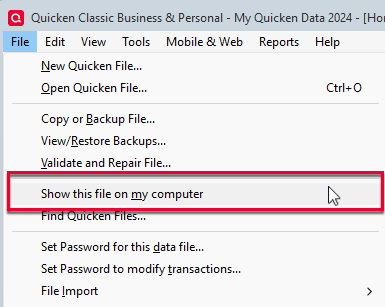
    1. Go to File > Show this file on my computer. image.png
    2. Review the file location path in the bar above the list of files. image.png

    If your file is stored in a cloud folder, please move it to a local folder on your computer. The default and recommended location is:
    - C:\Users\username\Documents\Quicken

    Once done, try connecting your account again.

    If the issue persists, please temporarily disable any security software (such as firewall, antivirus, or VPN) and try again. I recommend starting with the firewall first, then testing again before disabling other protections if needed.

    Please let me know how it goes!

    Quicken Laura

    Make sure to sign up for the email digest to see a round up of your top posts.

  • dnshome
    dnshome Quicken Windows Subscription Member ✭✭✭
    QAA20260422.jpg

    QContinueScreen20260422.jpg

    Dir20260422.jpg

    Hi Laura,

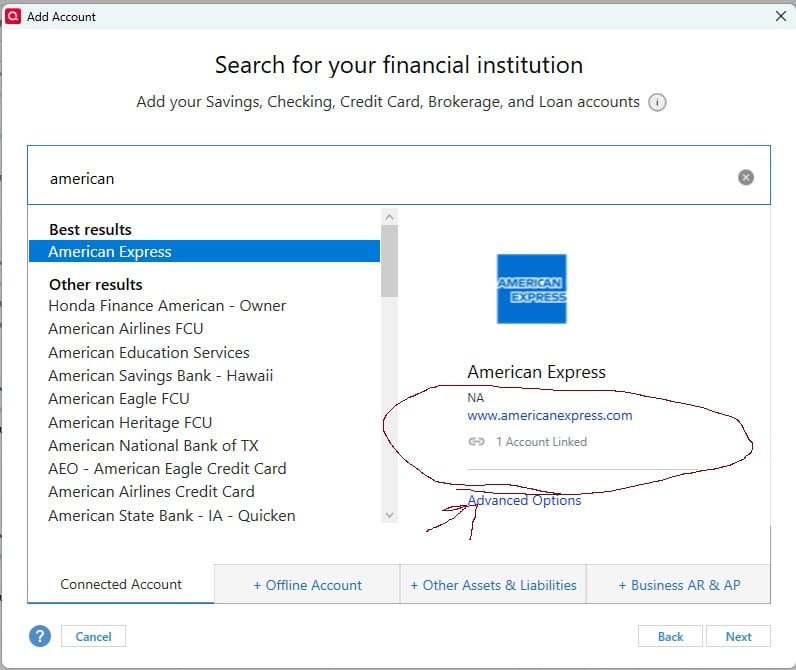
    I did everything requested and still no luck. The file was opened from the new location and then tried to add the account. As you can see in the circled area, the add screen shows there is already one account linked, I don't know if that means anything to you all, but it is just not letting me add another account or request online transaction download.

    Thanks,

    Dan

  • dnshome
    dnshome Quicken Windows Subscription Member ✭✭✭

    One other item, I did remove all firewall and antivirus protections before I ran this last try.

  • UKR
    UKR Quicken Windows Subscription SuperUser ✭✭✭✭✭

    @dnshome ,
    in your data file, is Quicken still showing an incorrect expiration date?

    If so, please do this: Click Help / Refresh Signin

    Once that's been squared away, try adding / authorizing your accounts again.
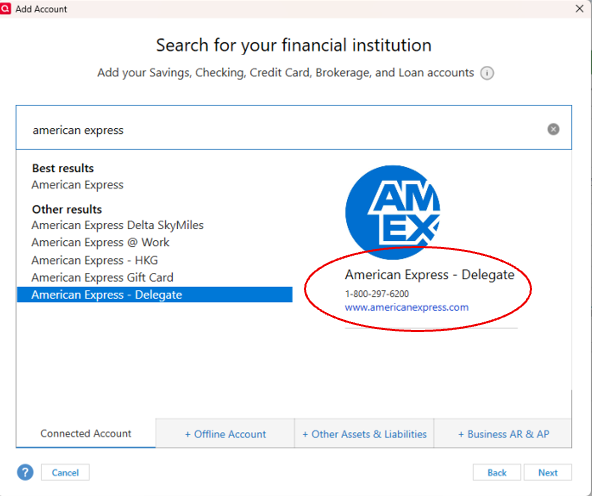
    I'm not sure if that'll work for having two logon IDs with AmEx … I read somewhere that you may want to try adding the 2nd account using bank name "American Express - Delegate".

  • dnshome
    dnshome Quicken Windows Subscription Member ✭✭✭

    not sure where you find the "American Express - Delegate" there's only one option for Amex and won't put me through. Both accounts worked fine up until the 15th, both were added previously no problem. Only thing I can think of is I used the card for a TurboTax transaction, then stopped working in Quicken.

  • dnshome
    dnshome Quicken Windows Subscription Member ✭✭✭

    Yes, the expiration date is showing correctly now, thanks for the info on that.

  • dnshome
    dnshome Quicken Windows Subscription Member ✭✭✭

    So I checked the balances on both Amex accounts, apparently both of them are not updating. Searching on the Amex site for how to set things up properly, clicking on the Accounting Software tab only goes to downloading statements section, nothing about setting up Quicken.

  • Quicken Laura
    Quicken Laura Quicken Windows Subscription Moderator mod

    Hi @dnshome,

    Thank you for trying the previous steps and sharing the results.

    Regarding American Express – Delegate, you should be able to locate it in the Add Account window when searching for your financial institution.

    Screenshot 2026-04-22 at 12.49.32 PM.png

    From what I can see on our end, the account is connected but requires reauthorization. It also appears that you’ve attempted to reconnect and reached the step where a verification code (MFA) is required. Could you please confirm whether you’re able to reach and complete that step successfully?

    Additionally, it would be helpful to know:

    • Are you able to connect any other accounts without issues?
    • When adding an account from a different bank, do you encounter the same error message: “We couldn't get information about [bank name]”, or are other banks working as expected in Quicken?

    Your responses will help narrow down the cause of the issue.

    Looking forward to your update!

    Quicken Laura

    Make sure to sign up for the email digest to see a round up of your top posts.

  • dnshome
    dnshome Quicken Windows Subscription Member ✭✭✭

    I get the same message with adding the Amex delegate. Also, I just tried adding a Chase card and I get the same message that it will be added as a manual account.

    Screenshot 2026-04-22 200454.png
  • dnshome
    dnshome Quicken Windows Subscription Member ✭✭✭

    Both Amex accounts are deactivated on my end. Any account I try to add returns an open as manual account, even for the ones that are still downloading transactions. To reiterate I have made sure the Quicken directory and file are running on local system and there are no cloud versions of files anywhere. I have uninstalled MS security updates back to 4/15/2026, restarted and tested Quicken with VPN off, Firewall off, and Virus protection off with same results. At this point should I just uninstall Quicken, make sure all program files are gone and reinstall? If so, where do you want me to get the file from?

  • Quicken Laura
    Quicken Laura Quicken Windows Subscription Moderator mod

    Hi @dnshome,

    Thank you for following up and for trying all the steps provided.

    At this point, uninstalling Quicken is unlikely to resolve the issue, as this behavior is most likely related to a connection block. If possible, I recommend trying a different network or mobile hotspot to rule out any network-related restrictions.

    If the issue persists, the next best step would be to contact Quicken Support directly. They can walk you through real-time troubleshooting and escalate the issue if needed.

    You can find the Quicken Support phone number here: Support Home | Quicken. Phone support is available Monday through Friday, from 5:00 AM PT to 5:00 PM PT.

    I apologize that I could not provide a more direct solution, but please don’t hesitate to reach out again if you have any other questions.

    Quicken Laura

    Make sure to sign up for the email digest to see a round up of your top posts.