Why does the Balance table in Projected Balances not add the current balance to the table? (Q Mac)

billbillw
billbillw Quicken Windows Subscription Member ✭✭

Hello,

I have used (and still use) Quicken for Windows for more than 15 years, but I bought a Mac Mini last year and started also using QC for MacOS. I use them both now and maintain them separately, at last until I get a Macbook for travel…

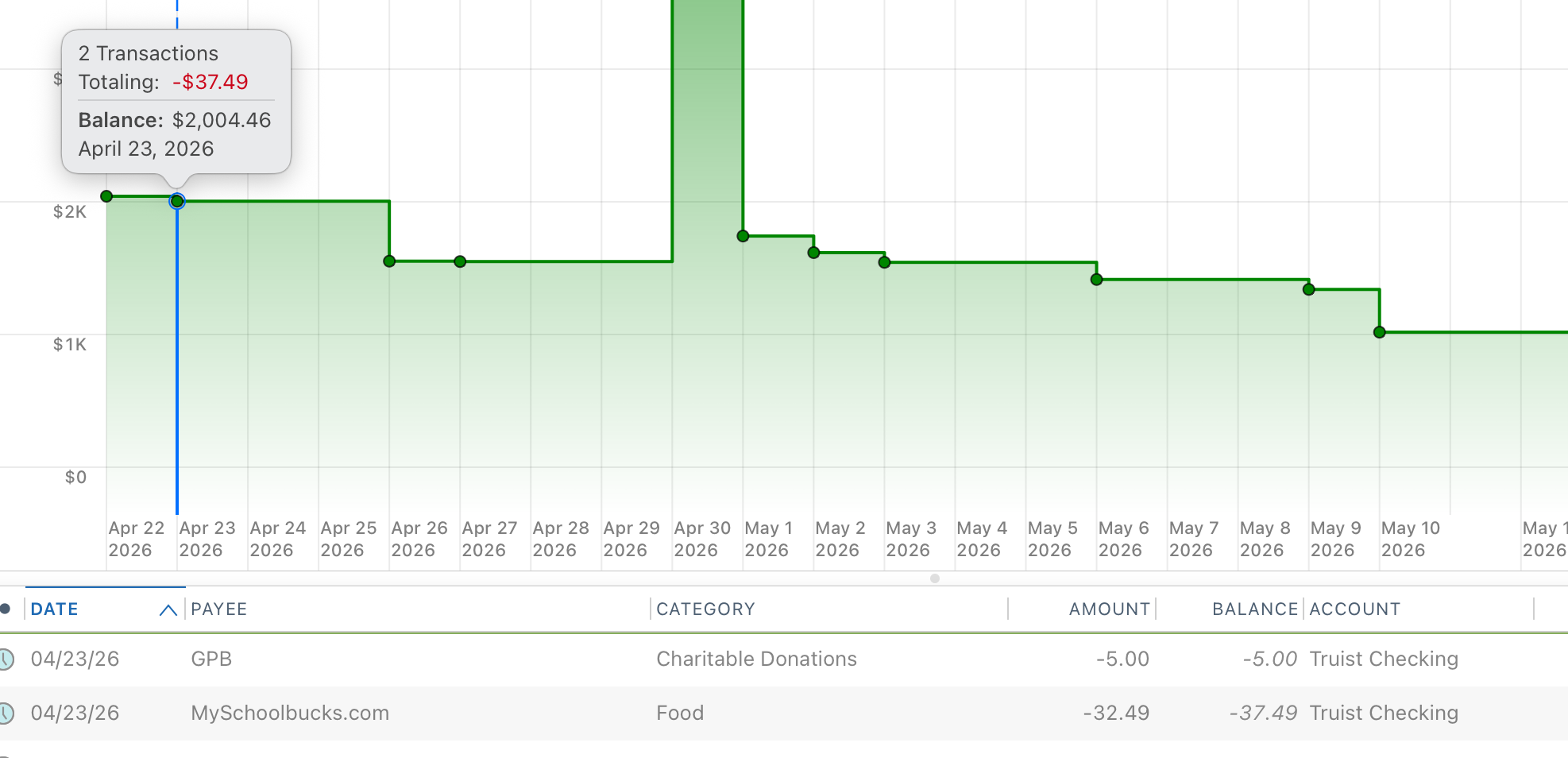
For years, I have used the Bill & Income>Projected Balances table to plan spending and avoid shortfalls. The feature in MacOS and Windows is a different experience. In MacOS, the table at the bottom shows a Balance column, but it is a Net Balance from today, not an actual balance. I have looked all through the software and can't seem to find a way to have this table column show the actual projected balance. Yes, the chart at the top shows the correct balance, but I'd like them to match. It is easier for me to follow the column rather than interpret the graph and have to hover over the predicted points.

Does anyone know a way to have this reflect actual balance? In the Windows version, it does show the actual balance in the table.

See the screenshot. The next two transactions total for $37.49 and the balance table shows that amount instead of the total balance of $2,004.46.

Any help would be appreciated.
Screen Shot 2026-04-22 at 11.55.46 AM.png

Answers

  • Jon
    Jon Quicken Mac Subscription SuperUser, Mac Beta Beta

    It seems that the only way to get the Balance column to show an actual balance (and not just a delta from today's balance) you need to be looking at an individual account. By default that page is set to All Accounts, and if you change it to any of the other All xxx Accounts settings the Balance column behaves the same. But if you change the All Accounts pulldown to an actual account (say, your checking account) then the Balance column shows the projected balance for that account.

  • billbillw
    billbillw Quicken Windows Subscription Member ✭✭
    edited 10:35AM

    That screen shot was from just one account (checking) selected, so that's not fixing it for me. I've tried toggling the various account views and it doesn't change it to show actual balance.

  • Jon
    Jon Quicken Mac Subscription SuperUser, Mac Beta Beta

    I guess you're right. I thought I was seeing the actual balance displayed for one account, but going back & looking again I'm not seeing it now.

  • John_in_NC
    John_in_NC Quicken Mac Subscription SuperUser, Mac Beta Beta

    That Projected Balances view will only show the sum of those scheduled transactions.

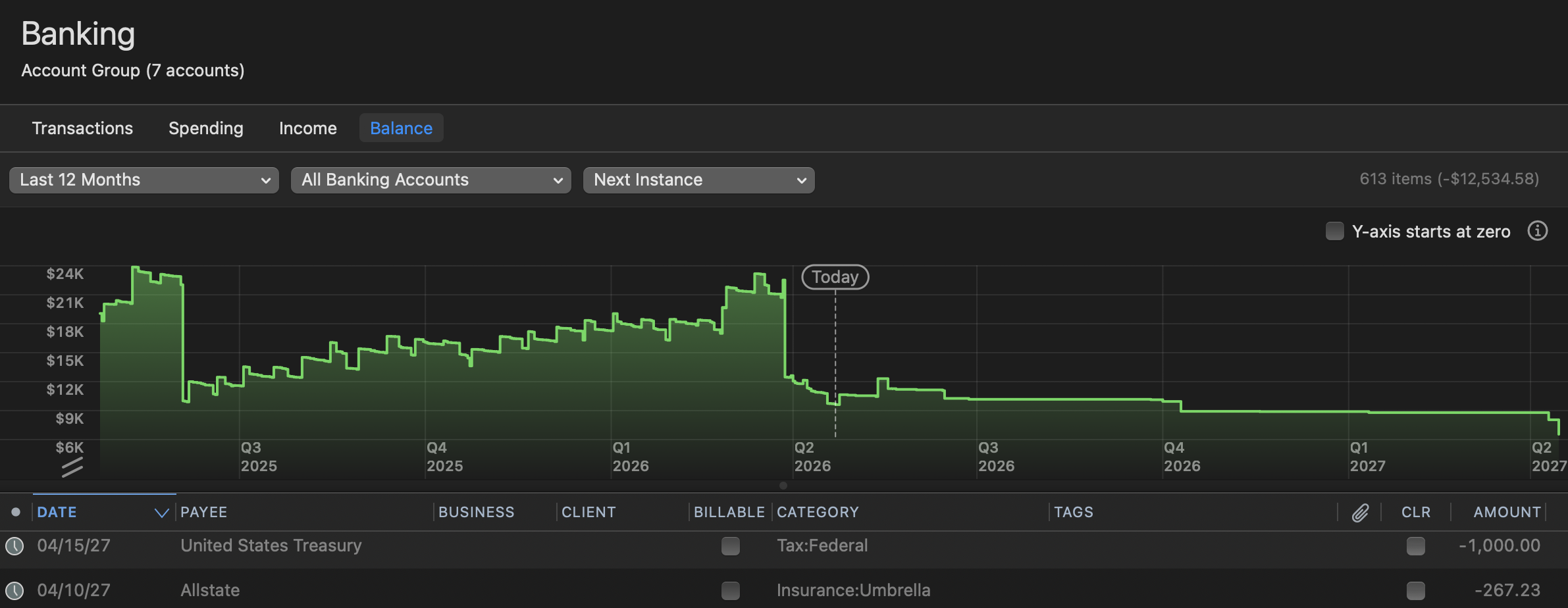
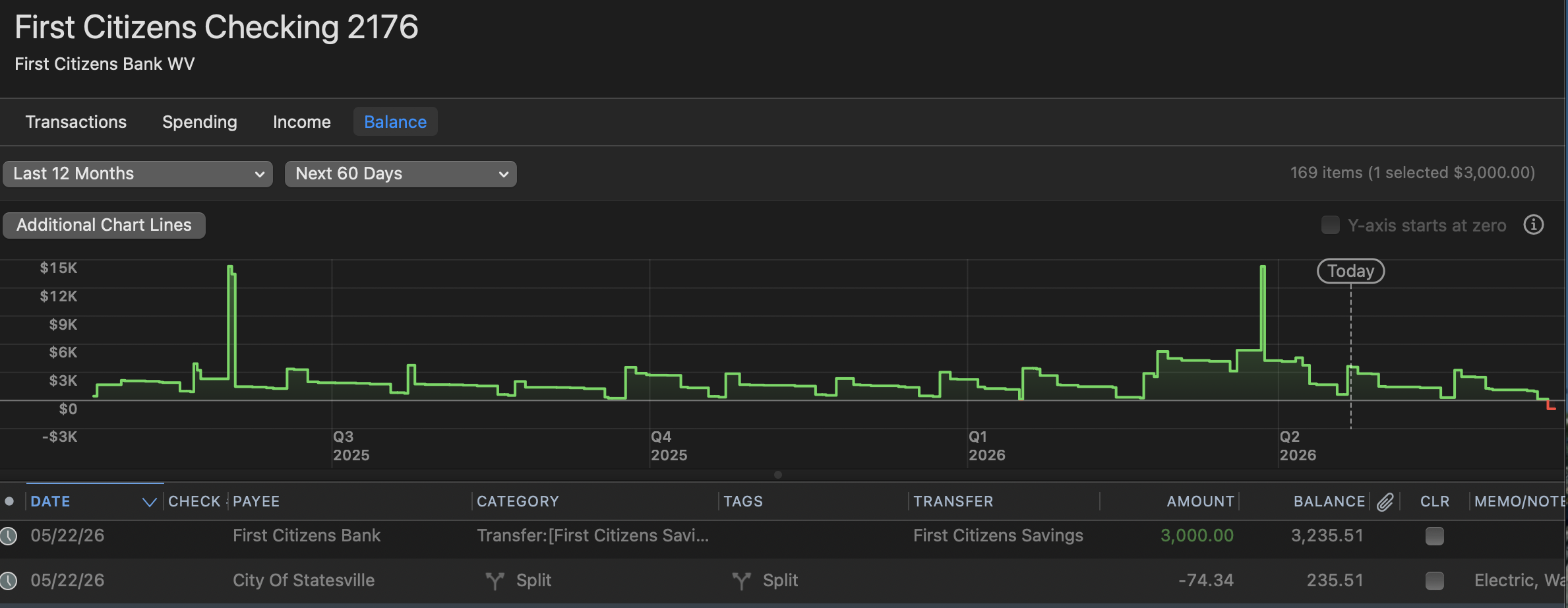
    While you can only do this for banking accounts (not investments, but that shouldn't matter as you won't have schedtransx in those accounts), I think you want to be looking at the "Balance" graph in either each account or in an account grouping like "Banking". This will graph the total.

    You can adjust the filters to suit your needs such as showing next 60 days instead of next instance.

    Will that work?

    Screenshot 2026-04-22 at 5.56.17 PM.png Screenshot 2026-04-22 at 6.02.26 PM.png