I entered 6 entries on a recent trip in the mobile app. 3 of them did not sync with the desktop.
I have the most current version of the Quicken Classic for Windows. I tried syncing the desktop and mobile apps several times. The account these transactions had the same ending balance which is odd as the desktop app was missing these 3 transactions. Following trouble shooting in Quicken I reset the cloud data, which was a mistake, as I did not realize it would just overwrite the mobile app to match the desktop app, so I have lost those three translations. Is there a way to get those three transactions back? How should I resolve this issue if I have it in the future so I do not lose data?
Answers
-
Hello @Riverrunner,
Thank you for letting us know you encountered this issue. Unfortunately, if you reset the cloud and those transactions were in the mobile app but not in the desktop app, they can't be recovered. Quicken sees the desktop app as the master copy. When you reset the cloud, it deletes the data in the cloud and replaces it with the data in your desktop app that you opted to sync.
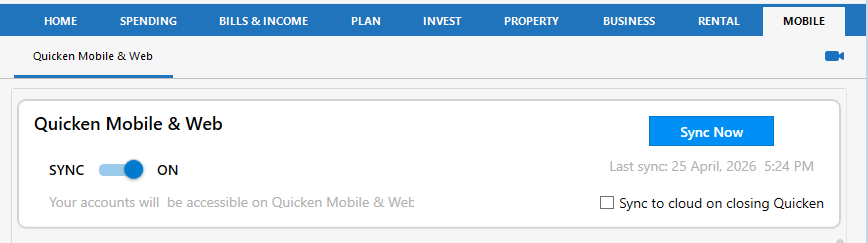
If this happens again, try pulling the transactions into your desktop app by going to the Mobile tab and clicking the Sync Now button.
This will sync with the cloud without resetting it.
For more information on using and syncing the mobile app, please review this FAQ:
I hope this helps!
Quicken Kristina
Make sure to sign up for the email digest to see a round up of your top posts.
0 -
The three transactions that you lost during Sync …
Were they going into an account that was set up to be synced?
Was it a banking account in US Dollar or some other currency?BTW, were you able to download these transactions from the bank using One Step Update or Update Now?
0