Can't see the One Step Update buttons on the popup window
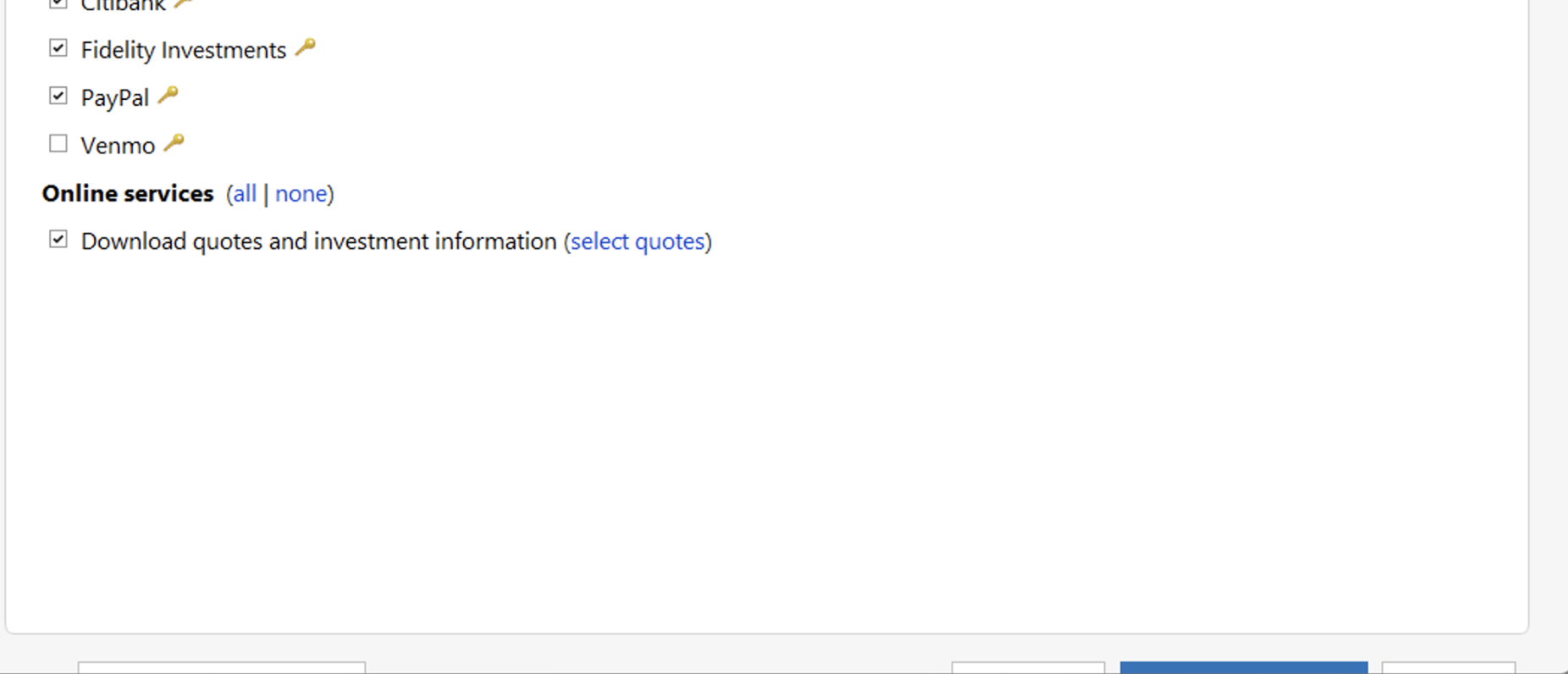
Only the tops of the bottom 3 buttons are visible. I have 13 institutions accounts to download. You can see the top of the middle button in Blue that has been selected. I know this because of muscle memory for update now.
Also noticed in another discussion - why have this Settings popup when you launch it - the first time on upon Vault password entry, it goes right in to update. Having this popup with buttons just adding extra clicks.
I am on R67.7 Build 27.1.67.7 on Windows.
Comments
-
Hi @ym9415,
Thank you for reaching out. I understand how frustrating this can be, especially since the update process previously worked more seamlessly.
Let’s start by addressing the first issue:
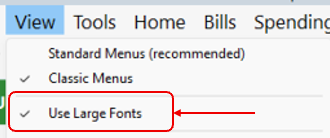
- Go to View
- If Use Large Fonts is checked, please uncheck it
- Try updating your accounts again
Regarding the second issue, where the One Step Update Settings window appears each time you update, there is currently an Idea post requesting the option to bypass it. You’re welcome to add your vote there. Our Development and Product teams regularly review these submissions to help improve Quicken and prioritize new features based on customer feedback.
If you have any questions or need further assistance, please feel free to reach out.
Quicken Laura
Make sure to sign up for the email digest to see a round up of your top posts.
0 -
Thanks! Disabling Use Large Fonts got the buttons back — but I have been using Large Fonts for about 2 years now and the 3 buttons were never a problem until one of the recent updates. I've been a Windows Quicken user for almost 30 years and the eyes aren't what they used to be 😎. Please continue to raise this as an issue for your bug fix team. Thanks!
0 -
I’m glad to hear that worked!
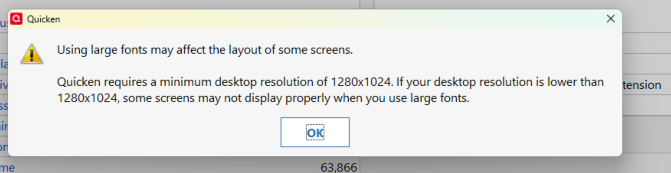
I did some testing on my end and found that when using Large Fonts, certain screens may not display properly if the recommended resolution of 1280 × 1024 is not being used. Using this resolution should allow Large Fonts to display correctly.
If you have any additional questions or need further assistance, please don’t hesitate to reach out—I’m happy to help.
Quicken Laura
Make sure to sign up for the email digest to see a round up of your top posts.
0