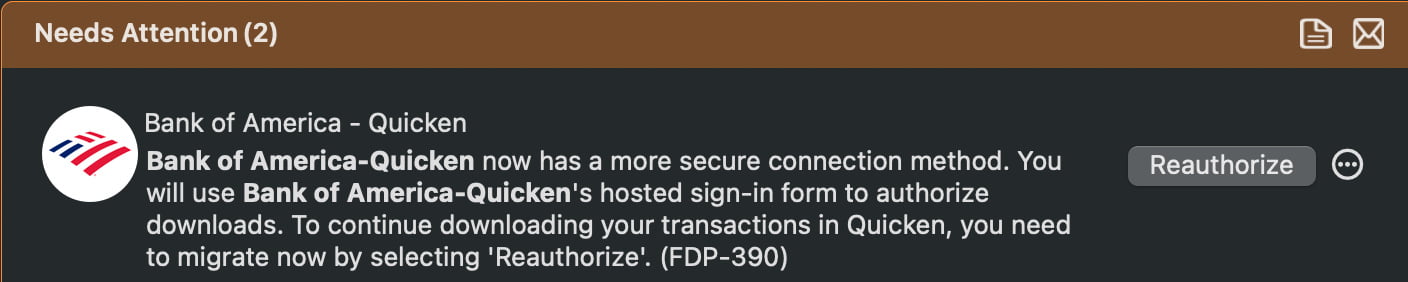
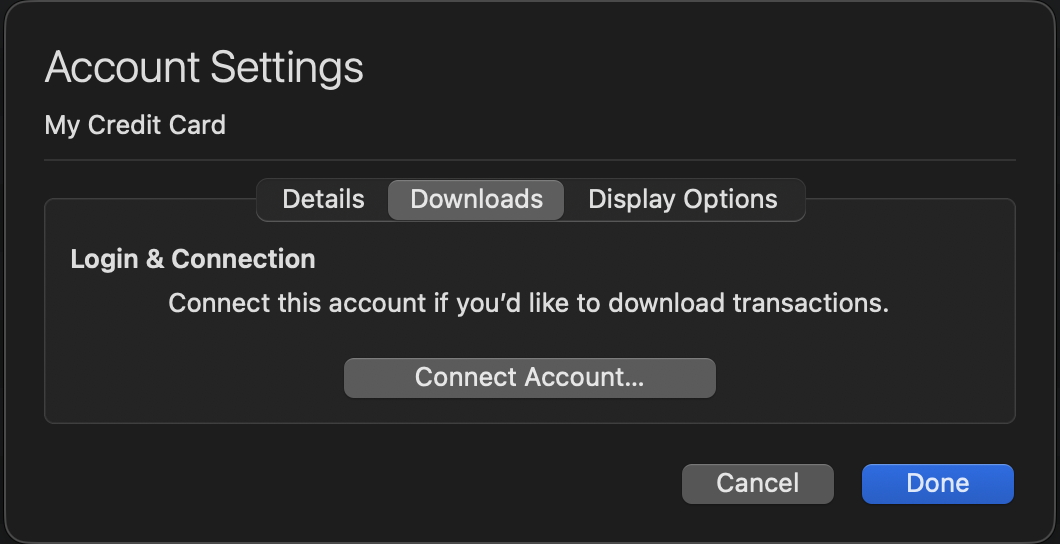
This morning I'm again unable to update my BA accounts. I know Reauthorizing in the past has not worked. Has the BA issue been resolved?
Please advise
I keep being told I have to reauthorize in order to update my four accounts with PNC Bank. Nothing I've tried has succeeded. What are the possible reasons/corrections?
Exactly Corinne. This has been going on a long time and BA has especially been a problem.
Quicken temporarily resolved it by letting us go back to the prior connection method, which worked, but it appears BA has stopped it
What is the plan to resolve connection issues?
Hello @Frank DeMello,
Thank you for reporting the issue you are running into.
I have moved your post to a more appropriate category.
I reviewed your connections internally, and it appears you have one or more accounts still connected to the old zzz-Bank of America instance in Quicken. This is the instance that was used before the migration.
I recommend doing the following:
1. Save a Backup. Steps can be found in this article if needed.
2. Disconnect ALL Bank of America accounts in Quicken. Here are the steps on how to do that.
3. Check for Old/Hidden Accounts and disconnect any that are connected to Bank of America.
4. Revoke Quickens Third-Party Access from the Bank of America website.
5. Add accounts back into Quicken.
Once back in Quicken, you will want to make sure you choose the "LINK to existing" option for all accounts that are already in Quicken.
Let us know how it goes!
@Corinne Chafey,
If you are having issues with PNC and would like assistance, please start a new thread.
Thank you!
Hello Alyssa - I have gone through all those steps numerous times with no luck. I am not sure if you recall but Quicken moved us back to the old connection method since the new one was not working. See below Community Alert:
I suspect if I go through your steps I will have the same negative result unless you guys have resolved this with BA. And if not resolved can you get BA to allow the old connection method again while this is worked on? Seems like it expired
Thank you for your help
Also see this post, which was the precursor to the Community Alert:
[Edited - Enabled Link]
Thank you for your replies,
You should be able to connect your accounts to one of the active connection options (Bank of America - Quicken is one of the connection options that's being retired). If you encounter issues, please let us know.
And if not resolved can you get BA to allow the old connection method again while this is worked on?
Quicken doesn't have direct control over that, but if widespread issues are still happening, Bank of America may choose to re-enable the connections again.
Hello - what is the new/preferred BA connection option?
I am happy to report that this time the connection with BA worked. So it appears these issues have been resolved . Thanks so much for the help!
Thank you for the follow-up,
I'm glad to hear it worked!
If you need further assistance, please feel free to reach out!
Hello - sorry to report I had an issue today. Updating accounts this AM I encountered errors on all 7 accounts I linked yesterday. The error is attached:
I began the process of Reconnecting these accounts. You would think it would do all 7 in that one pass. But it only Reconnected the account I clicked on. So I literally had to run through the process 7 times. In most cases it knew it was linked to an account. In 2 cases it didn't
We'll see what happens tomorrow but I thought you guys should know
Thank you for the update,
If the issue persists, please let us know!
@Frank DeMello,
Just checking in, we haven't heard back from you in a while.
Do you still need assistance, or were you able to get this resolved?
Hello again,
Checking in once more before this thread is closed.
Let us know if you still need assistance.
Due to the lack of response, I went ahead and closed this post.
If you still require assistance, please feel free to start a new post.