Sometimes start Quicken, get screen you are current on updates

Divemaster
Divemaster Quicken Windows Subscription Member ✭✭✭✭

Sometimes when I double click on Quicken icon, it acts like it's starting up, then get popup screen that says Quicken is up to date no updates needed and only option is close the popup window, Doesn't happen when I double click again, starts up normal. No big deal, just never had it happen before, but happen twice in the last month. Kind of strange, just thought I report it.

I am on Quicken Classic Deluxe R67.7 Build 27.1.67.7 Windows 10 Pro

Tagged:

Answers

  • NotACPA
    NotACPA Quicken Windows Subscription SuperUser ✭✭✭✭✭

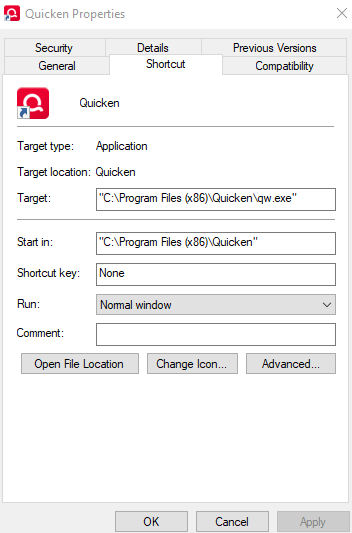
    Please RIGHT-click on that icon you're using and then click on Properties and take a snapshot of the dialog that opens.

    That info will help greatly in diagnosing your issue.

    Q user since February, 1990. DOS Version 4
    Now running Quicken Windows Subscription, Business & Personal
    Retired "Certified Information Systems Auditor" & Bank Audit VP

  • Divemaster
    Divemaster Quicken Windows Subscription Member ✭✭✭✭

    Here is the default property that shows.

    image.png