Can't find either one anyplace on my Community page!!!
Hello @ajcamma,
Thanks for reaching out!
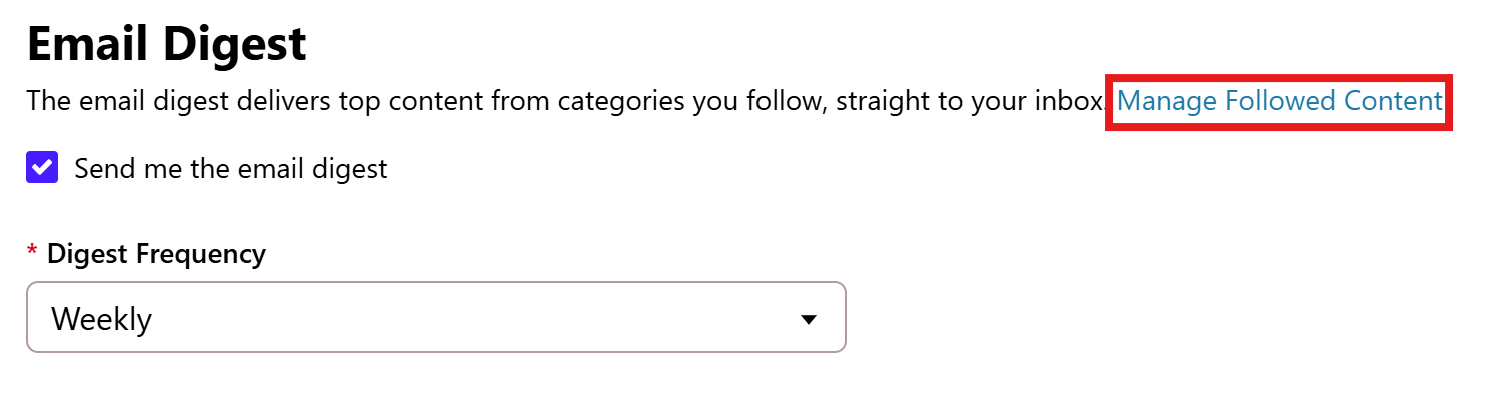
For Email Digest—can you go to your profile settings > Notification preferences and scroll to the bottom where the Email Digest checkbox is located. Make sure it's checked. Then click on Manage Followed Content (see below).
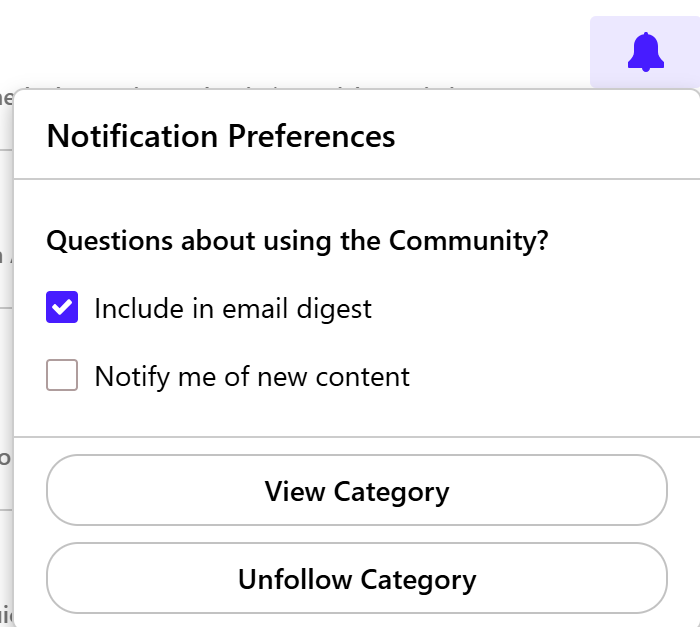
You will see a list of categories you follow, and check to make sure the notification bell for each category you wish to follow is blue.
If it is blue, you can also click on it and make sure the checkbox for "Include in email digest" is selected.
As for the Bookmarks Ribbon—this is located on the same line as the title of every thread (see below).
When you click this ribbon to bookmark a thread, it will turn blue.
From there, you can then navigate to the right side of the screen and find the thread you bookmarked by clicking on My Bookmarks under Quick Links.
Hope this helps!
Hello again,
We haven't heard back from you in a while. Do you still need assistance?
Check back and let us know! Thank you.
Checking in once more before this thread is closed. Let us know if you still need assistance.
Thank you!
Due to the lack of response, I went ahead and closed this post.
If you still require assistance, please feel free to start a new post.