Third Federal Savings & Loan did make some changes to their website, but login information did not change. Quicken reports that my login information is incorrect (CC-503). It is not. I can use the banks website and login without issue.
Hi @dlipetz, Thank you for taking the time to post in the Quicken Community!
If you haven't already, I recommend following the steps outlined in our support article for resolving the CC-503 error.
Verify your bank login on the bank's website
Check for special characters in your password
Please be aware that certain special characters may cause issues in Quicken. These include:
Additionally, while Quicken does not have a password character limit, your financial institution may. If your password contains any of the special characters listed above, I recommend changing it and then trying again.
Update your password in Quicken
If the issue persists, try deactivating and reactivating the affected account(s). Before deactivating and reactivating the affected account(s), I recommend creating a backup of your Quicken data file.
To deactivate an account:
To reactivate the account:
I hope this helps! Please let me know how it goes.
I deactivated and then activated Online Services for the account. I was prompted to receive a code via SMS which worked, and the process went all the way through as described above.
HOWEVER, One Step Update Summary does not show this account despite the dialog box showing that a connection was made. The account IS selected in the One Step Update Settings.
Hi @dlipetz, Thanks for giving those steps a try. I'm glad to hear they resolved the error. To better understand what you're experiencing now, I have a few questions:
I look forward to your reply!
Same One Step Update Summary screen, except mine has all the accounts listed of course (all except for Third Federal).
Data file is store locally.
Hi @dlipetz,
Thanks for your reply!
I recommend trying the following steps:
Let me know how it goes. I look forward to your reply!
I am having the exact same issue, and performed similar troubleshooting - I can log into Third Fed website directly with no issue, no credential changes have been made, all my other FI connections from Quicken work just fine. Since Third Federal recently did a major online banking upgrade, I suspect that some aspect of their integration to Quicken got borked along the way, and they are not yet aware of the issue. I attempted to report it to their customer service…but they were useless…and just insisted I contact Quicken.
Hi @iggirl, Thank you for your reply and for joining this thread!
Just to clarify:
Hi Carlos,
I was initially reluctant to try resetting my connection…I've had problems in the past with account duplication doing that…but based on your comments above I went ahead. My first attempt only gave me the Action option to Add or Don't Add…not LINK…so I scrapped it and tried again. My second attempt worked, I got the Link option, and I'm all set now. Can you give us a root cause on why that was necessary, and whether it likely related to Third Federal's recent upgrade?
Thanks for your reply, @iggirl. I'm glad to hear the steps worked for you and that you were able to link your accounts to the existing ones.
The CC-503 error occurs when the financial institution tells Quicken that your login credentials are incorrect. This error can also occur if the financial institution has recently updated its security or made changes to its connection process. In those situations, disconnecting and reconnecting the account helps establish a fresh connection with the financial institution and ensures your account is connecting through the current server they support.
I also recommend reviewing our Support Article on CC-503 for more information about this error and additional troubleshooting steps.
I hope this helps!
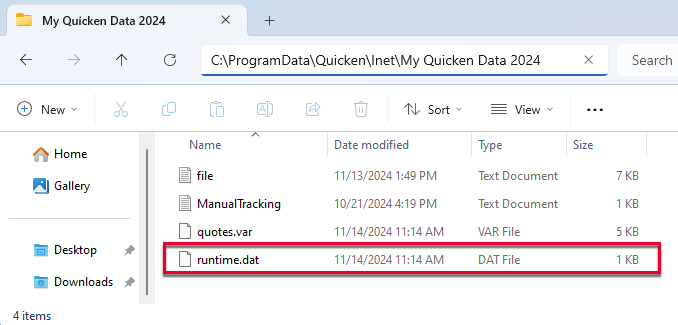
The "Inet" folder is empty.
The folder above includes the Inet folder (empty), my .QDF data file, and 3 .dat files. No runtime.dat file.
All of these files are actually in my G: drive, which is a Google Drive. I am open to relocating the data file and supporting files to my C: drive if you think that will have a positive impact and provide the steps to do so.
My One Step Update Summary still omits Third Federal despite it saying it being included in the One Step Update Progress screen.
@iggirl Can you please confirm whether or not Third Federal Savings & Loan is listed in the One Step Update Summary after completing an online update? During an update, the One Step Update Progress screen shows that Third Federal is being updated, but that account is oddly omitted in the Summary screen. And no transactions download…
Thank you for your reply.
Due to the nature of this issue and the fact that the Inet folder is empty, I recommend contacting Quicken Support for further assistance. They can guide you through additional troubleshooting in real time and, if necessary, escalate the issue for further investigation.
Phone support is available Monday through Friday, from 5:00 AM PT to 5:00 PM PT. Chat support is available seven days a week during the same hours.