Is this true? Popped up this morning. I would be very surprised, but before doing anything, I wanted to check here!
Worth trying to update the connection? Is this a reauth presenting in an odd way? Please advise.
[Edited-Screenshot Size/Readability]
I'm seeing this also. Weird things seem to always happen on weekends. I'm going to give it a couple of days and see if it fixes itself. It usually does.
Thanks for confirming, Dennis. And I agree which is why I am not panicking :) First time I have seen this particular error though and sometimes stopping downloads and reauthorizing fixes it. But not if the bank dropped out of supporting Quicken
I also got the same message for all 3 Citi accounts this morning - will wait a few days to see if this resolves. Checked my Citi cards online account, and Quicken is authorized. I am on Quicken for Mac
[Edited-Readability]
Me too. Hope this gets fixed.
Same. Quicken Mac
Hello All,
Thank you all for reporting this issue.
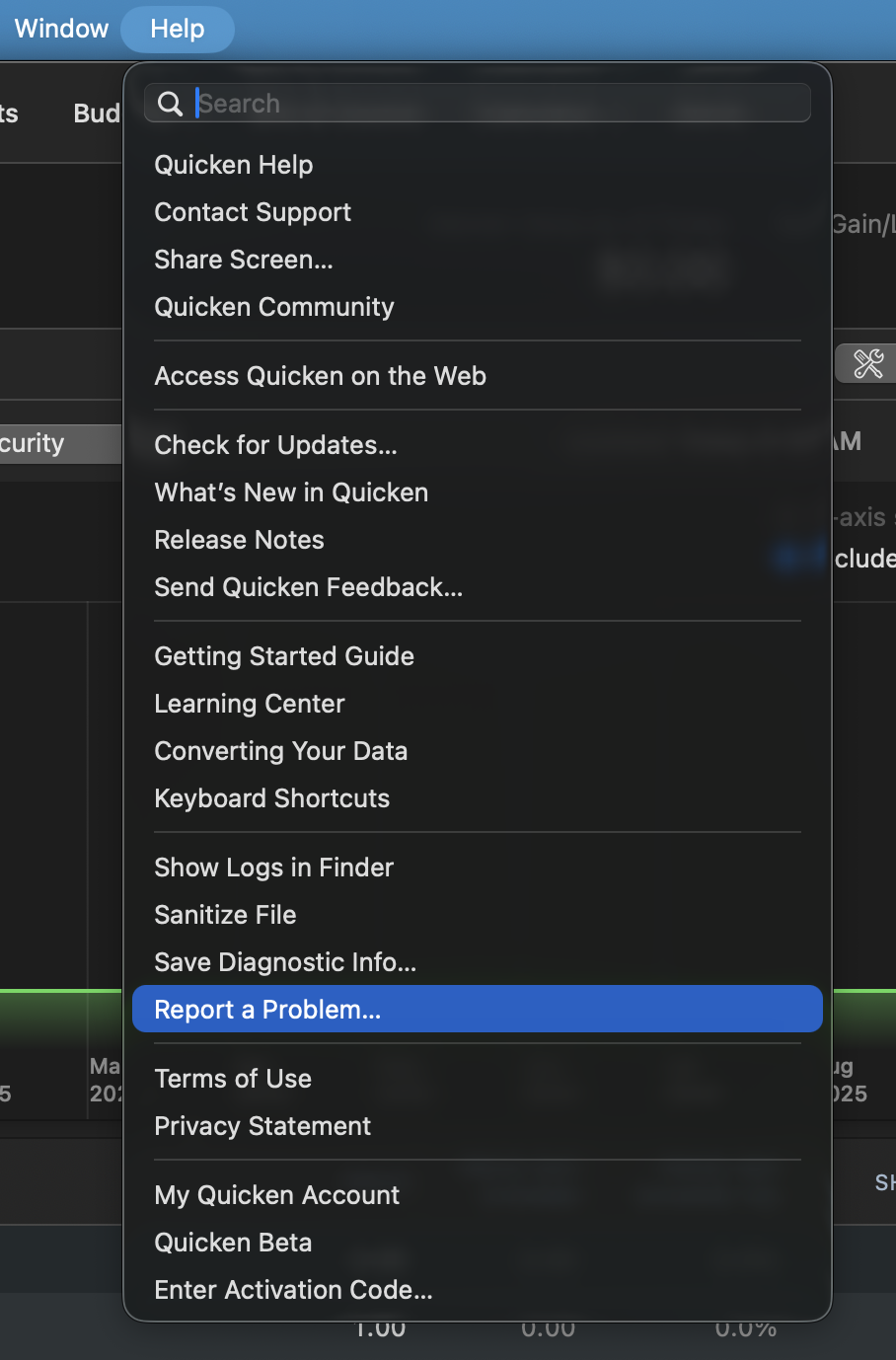
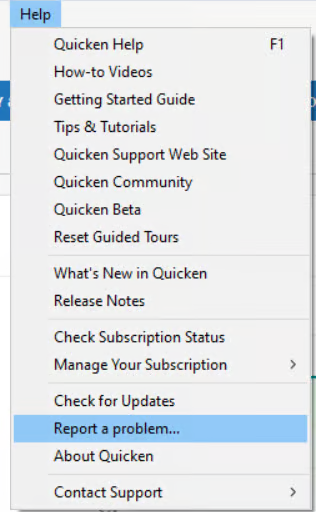
Can I please have you all go to Help>Report a problem, from within your Quicken software, and Send to Quicken?
Mac:
Windows:
We've reported this issue, and your log files will help with the investigation. Once you have sent them over, let me know so I can add them to the ticket.
Thank you!
[CBT-1291]
Having the same issue with 3 cards, but 4th (Best Buy) is working. I cannot believe connectivity is no longer supported.
As far as I can determine, "Citi Cards" as a Financial Institution Name has been removed from the list of supported banks and replaced with just "Citibank".
As a Windows user, I just deactivated my Citi VISA Card (actually it's a Costco card). After that was done, I went to Set up (activate) the account again. This took me thru the new Authorization process and the account reactivated without any problems.
Recommend you do the same. Mac users might want to select "Setup" and choose Citibank
You are likely right. I shall wait until at least one Mac user does this successfully or an official Quicken reply before potentially making anything worse. I appreciate your reply though @UKR
Thank you for adding to this discussion.
This issue has been reported. If you would like to help investigate this issue, go to Help > Report a problem to send your log files.
If you do, let us know so we can add you to the escalation.
Thanks for sharing what worked for you!
I'm sure others will find this information useful as well.
Last three days I've been getting an error on download with Citi Cards (Citibank). It says: "Citi Double Cash Card…. It appears this account is at a bank that no longer supports downloading. You can resolve this by disconnecting to make this a manual account or set up the account at a new bank. (112)
Is this ANOTHER bank that has stopped supporting quicken?
@sackboydad7669,
Thank you for reporting the error you have been seeing. You are not alone in that, and I have merged your post into an existing thread where others are reporting the same.
This issue has been escalated. If you wish to aid in the investigation, steps on how you can do that can be found in my previous post here:
Thanks!
@sackboydad7669 take a look at the comment from @UKR above. That solution may work for you as well.
@UKR's fix worked for me on Quicken Mac.
Interesting that adding a new account by searching for "Citi" gives separate options for Citibank, Costco and Advantage cards.
this worked for me!
Reported.
Worked for me as well. Interesting, the second time in a month or so the Quicken error was really not what the issue was A better worded error message could have made this a bit easier.
The UKR solution seems to have worked for me as well
I have 5 citi cards accounts under 1 login and 1 more under another login. Switching them from "Citi Cards" to "Citibank" seems to have worked for me. (Disconnect each of them, then reconnect 1 from 1 account, make sure you are logged off in the web browser, reconnect the other account).
quicken for mac
-David
Note that the moderators have posted this notice:
But I think the bottom line is that Intuit (Quicken Inc's aggregator) remove the "Citi Cards" entry in the file that tells what financial institutions are valid.
I think "Citi Cards" was always being used for Direct Connect, so maybe Citi finally just pulled the plug on that and wants everyone to be using Quicken Connect/Express Web Connect +.
UKR solution has worked for me as well. Quicken Mac user. Will check again tomorrow to make sure it holds.
I’m going to wait a couple of days before changing anything. All three of my Citi accounts (one Costco and two AAdvantage cards) were affected simultaneously, and Citi still shows Quicken as authorized.
It does appear that the old “Citi Cards” financial institution has disappeared and that Quicken now offers separate entries for “Citibank,” “Costco Anywhere Visa Card by Citi,” and “Citi AAdvantage MasterCard.” Since Quicken has escalated this as CBT-1291, I’d prefer to wait for clarification about which institution each type of card should now use before disconnecting/relinking three established accounts.
Glad to hear that the Citibank workaround has worked for at least one Mac user. I’ll report back if I learn anything further.
I was also able to disconnect my Citi accounts and reconnect using the Citibank option. Seems to be working fine as of today.
UKR solution has worked for me as well. Quicken Mac user.
I submitted logs yesterday.
For me, it's only one of two logins that is failing with Citi Cards. (3 quicken accounts: 2 in one login that failed, 1 in the other login that works)
I was able to use the Citibank option for 2 Advantage and 1 Costco account - seems to work and has resolved the error. I appreciate that we crowdsource solutions!
Thank you for reporting this issue.
I am glad to hear that many of you were able to resolve this by using the Citibank instance in Quicken. We do have an Open Alert for this issue. You can bookmark the alert linked in blue to receive updates as they become available.
We do not have an estimated timeframe for a resolution and we apologize for any inconvenience.
Thanks again!
Looks pretty resolved to me. Except if the error message had said something to the effect:
Citi Cards has changed the name to Citibank for your credit card account. Please disconnect your account under DOWNLOADS then reconnect selecting Citibank and reauthorize and choose link to existing account. Your downloads will then continue to function. Be sure to check the linking in Online Bills for your eBill for Citi credit card accounts and update the link there as well.
You get the drift. Citi no longer supported by Quicken is a needless rise in blood pressure and angst when there is a simple fix.
Same happened last month with another error message that lead to anxiety and had a simple fix. I cannot recall which but could find it. Point being the roughest part of this was the error message itself!
I had the same issue yesterday. I hit the resolve and it had me authenticate my login with Citi again and after that things were fine.
I have gotten the same problem yesterday and today (Sorry for starting new discussion…I had not found this one).
I have submitted screenshot. Will try the resolve and see if that fixes it.
Yes, resolving and resetting up the account did work for me. As commented above, needed to select Citibank for the financial institution when it had previously been Citi card.
I got it to work on the windows Quicken I use bu reauthorizing. But on the Mac side Citibank website keeps saying I'm using the wrong login password/ID even though it worked when I had to reauthorize on the Windows side. I'll try again in a couple of days.
I reconnected both of my Citi cards on my Mac by going into account settings, reconnecting and choosing Citi Costco Anywhere Visa Card as the institution. This brought up Citi authorization web page where I logged in and authorized both accounts. Back on the Quicken side I had to confirm that I was linking an existing account to a different institution. I verified by re-downloading successfully. The settings for my American Airlines card now show Costco Anywhere Visa Card by Citi as the financial institution. I'm fine with that as long as it still works.
I am happy to say that the good suggestions above worked for me also on classic Mac quicken.
In my case, there was a choice to "change connection" - and I chose that and then I chose "Costco Anywhere Visa Card" - and that easily linked to my existing account.
It will be useful to learn from Quicken if it’s preferred to link to the specific Citi card (Costco, Advantage etc) or to the parent Citibank.
Thank you all for chiming in and adding to this discussion.
@SK2020 Quicken does not have a "preference," per se. The financial institution has created or added different instances over time to let customers add the various cards they offer. In the past, if you were adding a Costco card, you needed to choose the Costco instance, or the account wouldn't be found/added to Quicken.
That said, if you can now add all your accounts with one instance, I think it is safe to do so. We may provide further guidance later, after our teams have fully investigated this issue. Switching to a different instance is not yet an "official" fix; it's more of a workaround that one of your fellow Quicken users found. Others tried it and have found success with it as well.
Please keep in mind that there is an Open Alert on this issue. Anyone who hasn't yet, should use the blue text to open that alert and bookmark it, as this is the best way to be notified of progress or changes. We do not have an ETA as to when this issue will be fully resolved, and we appreciate everyone's patience as we work to get to the bottom of this.
Hi Alyssa,
I've been having the same issue over the last couple weeks. I've tried viewing the alert you linked above but I get "You need the Vanilla.Discussions.View permission to do that." How do I get access to the alert?
The alert mentioned has been closed as "resolved" and archived.
Please reread this discussion and follow the suggestions posted early on.
IOW, Citicards is no longer available. Deactivate all your Citibank accounts. Use Tools / Add Account to activate using Citibank. When you get to the list of accounts found at Citibank, be sure to LINK each account found to your already existing account registers