When running one step update my Vanguard accounts don't update. There is no error code . it just says "An error has occurred". I noticed the issues on 11.8.26
Hello @gargiulojj,
Thank you for reaching out! There are a couple of known issues affecting Direct Connect connections with Vanguard. Since you are on version R70.20, it's possible you're being affected by the OL-290 issue. See this Community Alert for more information and for a workaround to that issue:
People are also encountering an OL-295 with Vanguard, even when they've rolled back to the previous version. For more information about that issue, please see this Community Alert.
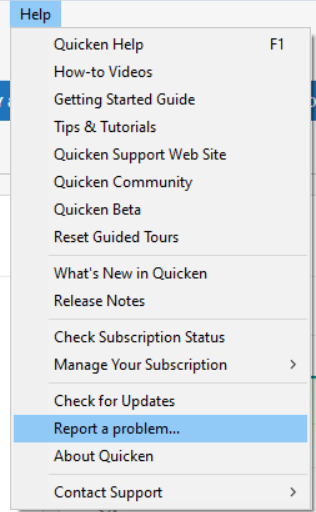
If you would like me to check what error you are getting, please navigate to Help>Report a Problem and send a problem report with the Conn log and OFX log attached.
If you send a problem report, please post to this discussion to let me know.
Thank you!
I've tried downgrading through several R69's all the way to R69.17, download error still occurs in all R69 releases.
I am on version R69.53 and have the same problem. There is NO error code. It just says "an error has occurred", then the messages disappears.
For the last few days, I'm unable to update my Vanguard account. The system does not give an error code, just says it encountered an error.
I have the same problem. Running version R69.53. The last successful download for me was on 11/6. During one step update I briefly see "an error has occurred" message and nothing else. I can successfully log into vanguard.com and see the account activity that should be downloaded.
When running one step update my Vanguard accounts don't update. There is no error code . it just says "An error has occurred". Last successful download 11.7.26. Running version R69.53. i can successfully log into Vanguard
Hello @jjn321, @TheWeaz, & @Otchipwe,
Thank you for letting me know you're seeing this issue and for sending a problem report with log files attached. I reviewed the logs and confirmed that the error message you're getting is consistent with an OL-295 error. This is a known issue that our teams are working to resolve. To track the status of the issue, please bookmark this Community Alert:
Hello @Bonnie217,
Thank you for letting us know you're seeing an issue as well! Without logs, I can't confirm, but it's likely you're encountering one of the known issues.
(Ticket #12671101/CTP-19232)
Same problem. So what do I actually do to fix it or just "wait it out"?
Hello @JoelVP,
Thank you for letting us know you're seeing this issue. There are currently a couple of known issues connecting with Vanguard. It's likely that you're affected by one of them. If you'd like me to review your logs to confirm what error you are getting, please send a problem report with log files attached. For instructions, please see my earlier post.
Hellp @sue.inspired,
Thank you for reaching out! If you're not seeing a specific error code and would like me to check the logs to get more details on the specific issue you're encountering, please send a problem report with log files attached. You can find the instructions in my earlier post (linked above). If you are seeing the OL-290 error, then the workaround is to revert to the previous version of Quicken. The instructions are in the Community Alert:
If you are encountering the OL-295 error, then there isn't any workaround (other than manually entering the information).
I also have the 'error occurred' issue and am running the R70.20 release. One suggestion you have made is to revert to an older release. Before I do that, can someone advise whether this is likely to be successful? Also, and most importantly, the link to the instructions for downloading a patch to an earlier version does not indicate whether re-establishment of downloads for Vanguard or other providers will be necessary. I don't want to do a lot of work, especially if this method doesn't guarantee a fix. I have to state that it is very disappointing to have to deal with this when everything had been working well. Perhaps Quicken needs to test updates more thoroughly.
[Edited - Readability]
From what has been posted elsewhere in the forum, reverting to 69.53 fixes the OL-290 error for many financial companies but for Vanguard it results in a OL-295 error. I am sticking with 70.20 and waiting for a real solution.
Yes, I think your approach is the correct one. Hopefully, it will be resolved in a matter of days - not weeks!
alan14