This discussion was created from comments split from: R70.21 Update Fixes OL-290, but not the OL-295 error with Vanguard [Edited].
Still get Vanguard error OL-295 with 70.22. Get OL-295 with Columbia Threadneedle. Very disappointing.
Hello @StanQkn,
Thank you for reaching out! I moved your post to a new discussion so that we can troubleshoot the Columbia Threadneedle issue without pulling the other discussion off topic.
R70.22 fixes more OL-290 errors with financial institutions, but does not fix the OL-295 error with Vanguard. To track the status of that error, please bookmark this Community Alert:
To troubleshoot the OL-295 error with Columbia Threadneedle, please follow these steps from our article on OL-295 errors:
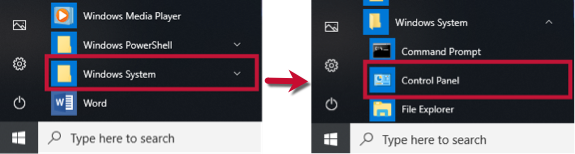
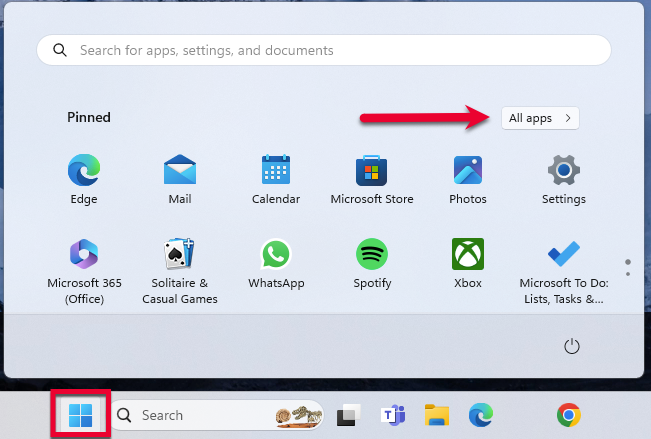
1. Click the Start button and select the Control Panel.
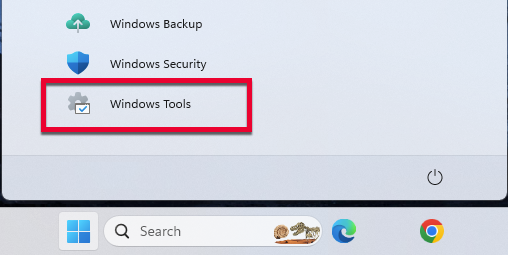
Then, go to Windows Tools and select Control Panel.
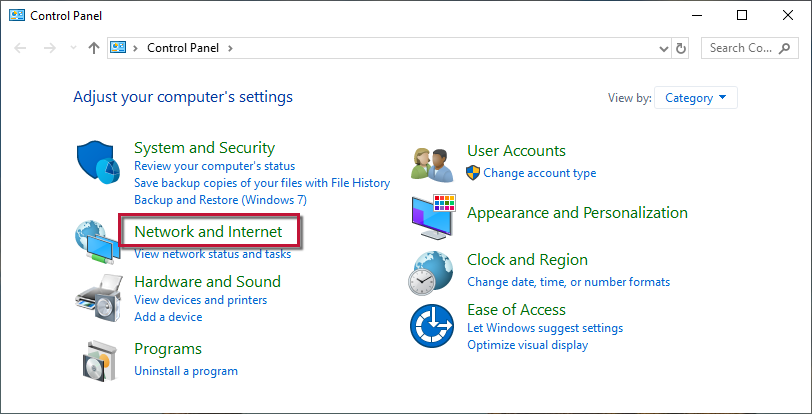
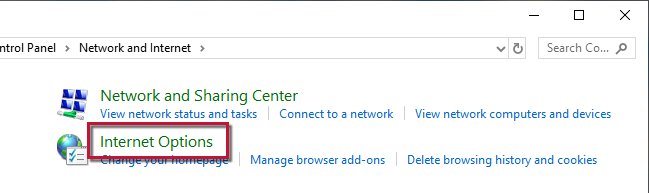
2. Select Network and Internet, then Internet Options.
3. Go to the Advanced tab.
4. Scroll down to the Security Section.
5. Verify TLS 1.2 is checked.
6. Click Apply, then OK.
7. Try your update in Quicken again.
If updating the Advanced settings does not resolve the error, follow the additional steps below.
Check your system date and time settings
Restart your computer
Reconfigure your firewall
If only one bank is showing this error, it's likely a temporary issue; if this is the case, wait until the next business day and then try to update again.
In the meantime, make sure the settings are correct for accepting cookies.
2. Select Network and Internet...
...then Internet Options.
3. Select the Privacy tab.
4. Click on the Advanced button.
5. If available, check the Override automatic cookie handling option.
6. Confirm that First-party and Third-party Cookies are both set to Accept.
7. Press OK, then Apply and OK again.
8. Close Internet Options and try updating Quicken again.
If the issue is not resolved after following the steps above, you will need to contact your financial institution to resolve this issue. Quicken does not have access to the financial institution's servers to correct the problem. This may require you ask to speak with an online services specialist that handles transaction download issues at the financial institution. If your financial institution states they can't assist, an escalation with the financial institution may be necessary.
I hope this helps!