Temporary Fix for "Everything Else" appearing in Budget reports

Until Quicken team can find the root cause of this issue, I have found a fix that removes the "Everything Else" line from my reports:
I noticed that "Everything Else" is appearing in categories where I have some but not all sub-categories selected for budgeting within a given category. To apply a temporary fix:
1)In the Planning tab, there is an option to "Select Categories to Budget". Select that option.
2) If on your Budget report "Everything Else" is a sub-category of a higher level category, make sure all sub-categories including "Other" are checked for budgeting (even if you don't plan on using them).
3) If "Everything Else" on your Budget report is its own category and not a sub-category, select the category immediately preceding "Everything Else" and make sure all sub-categories are checked for budgeting for that category.
This has worked for me in all cases. Its only downside is that when creating / updating a budget there are categories displayed that you may not use. A nuisance to scroll through but the fix seems to work for me.
Here is an example of a category with Everything Else on the budget report and the sub-categories that need to be checked in "Select Categories to Budget"
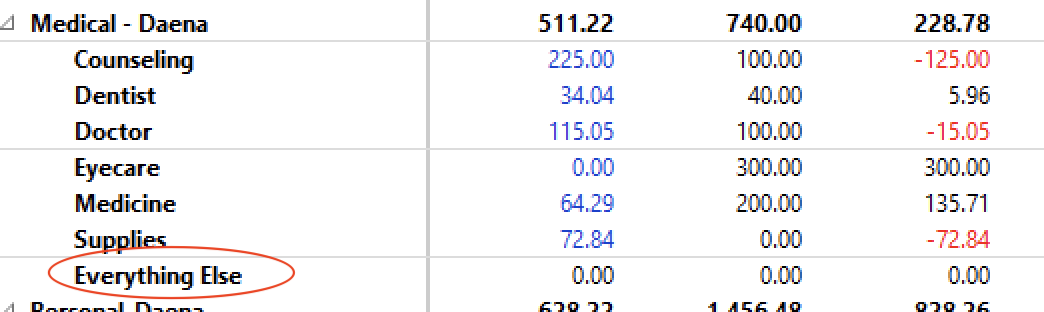
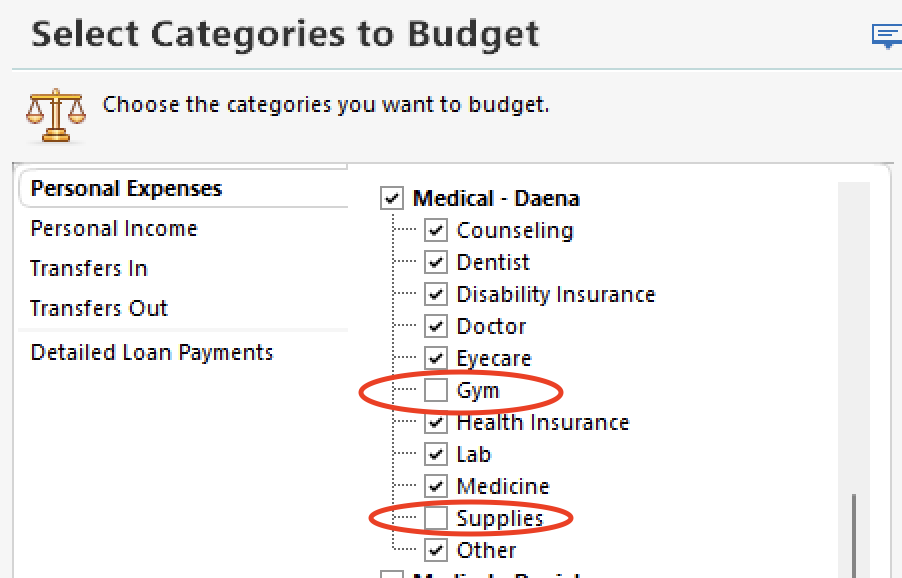
By selecting all sub-categories for budgeting, the "Everything Else" category will be removed from your budget report.
Comments
-
< comment entered in error >
0 -
If you want to eliminate Everything Else from the categories, you need to deselect the parent category and Other. In your example above deselect Medical - Daena and Other. Include the other two categories you have deselected and you should get the correct reporting.
 1
1 -
My fix for this is to Export the Budget Report to an Excel file and have another Excel file that only pulls in the desired categories from the saved Report data file. I have used this workaround for years because there are items I do not like in the generated Budget Report and this method allows me to format the Report as I want.
0 -
Windows Classic: I have done the circumvention: including all subcategories and categories where I can and have eliminated most. But it is a PIA to have multiple extra lines on the report for subcats I don't track (wastes paper), having this code on the printer. A few of the categories has 12 or more subcats and I only am budgeting 4 of them. I find it offensive that Quicken forces on me the Everything Else subcategory, as though everything MUST be accounted for.
Others have stated you can uncheck the main category, leaving only the subcats you want..however that eliminates the nice hierarchy most people use. I don't want to report on subcat House Payment along with subcat Manicure.
Happy to have the cirucumvention, but please Quicken, fix this bad code. Allow the user to delete the Everything Else category, as this would solve the reporting problem and hokey fixes.
2 -
"Others have stated you can uncheck the main category, leaving only the subcats you want..however that eliminates the nice hierarchy most people use. I don't want to report on subcat House Payment along with subcat Manicure."
Not sure what you are seeing… When I set categories as previously stated (shown below):
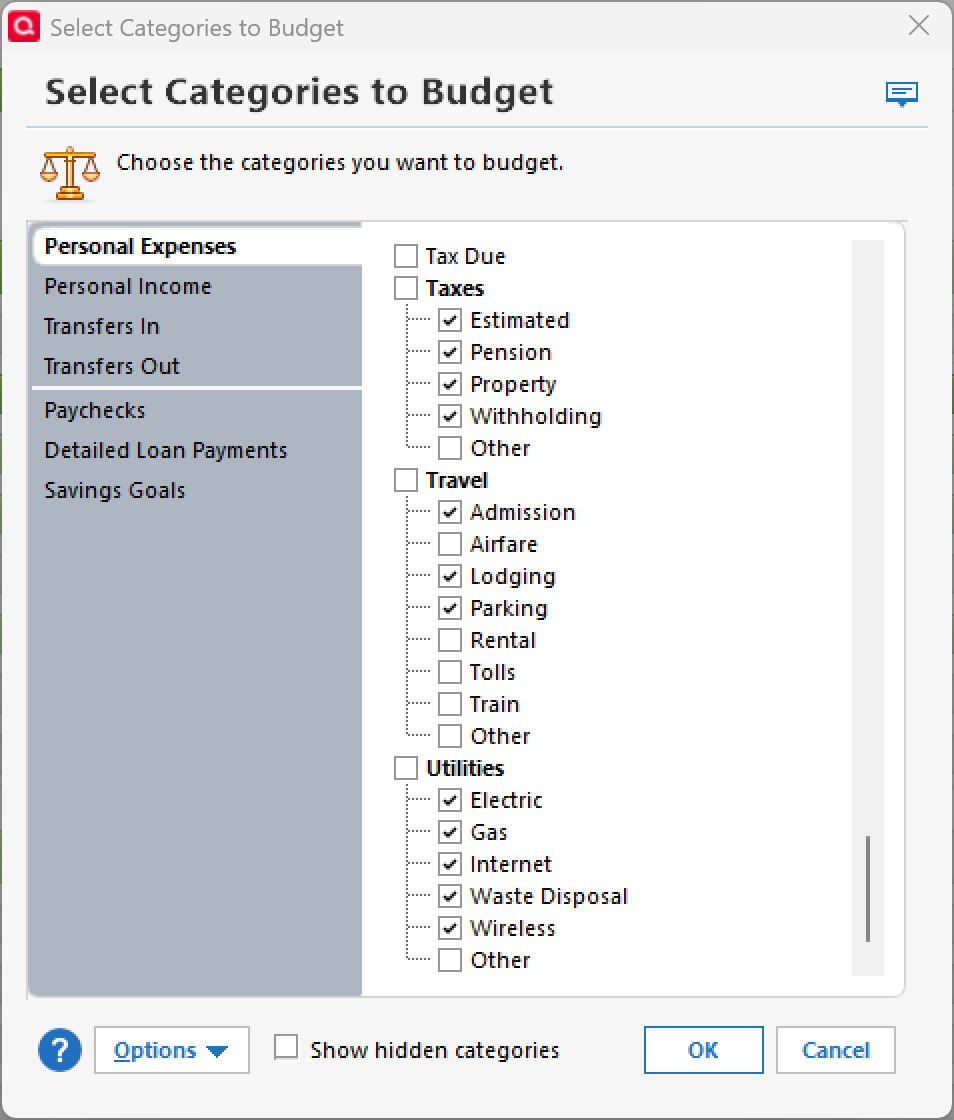
Note that this option is for selecting the categories you want to set a budget for.
The report then shows the format exactly how I intended it to be with no "other" category.
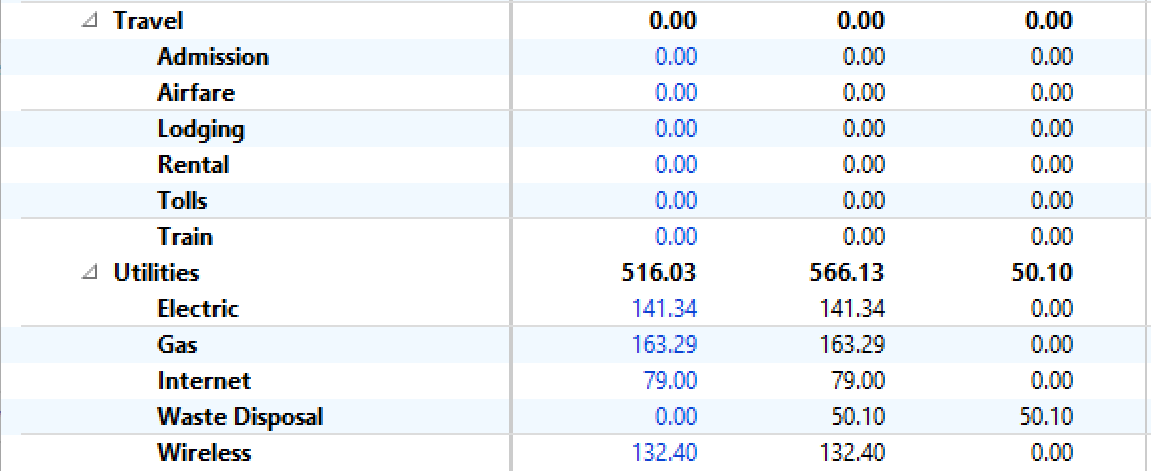
If I don't want to see Airfare or Tolls, I would deselect from the actual report categories as shown here.
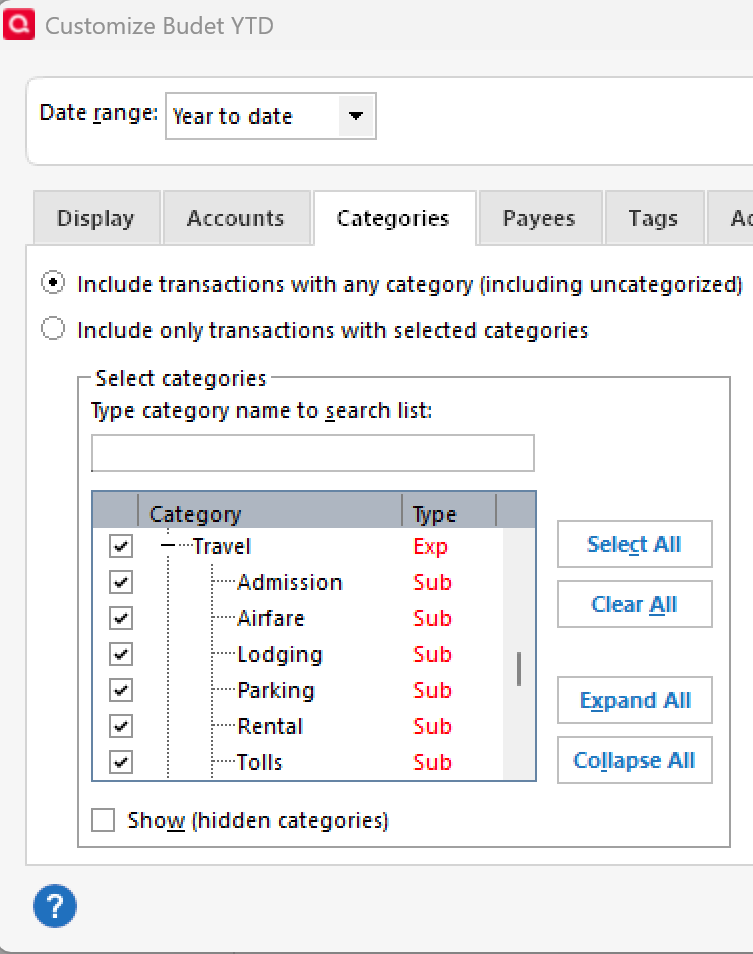 0
0 -
I found the inclusion of unused categories somewhat helpful once I discovered the hidden categories button. BUT, when I did this all of a sudden my budget was off by over 50,000! I had to spend way too much time going category by category to find the errors - some category budgets had just been eliminated all together, some defaulted to averaging year to date spending - a complete mess.
I'm finally back to where I started and am just going to live with Everything Else until Quicken can get their act together! New update installed today 4/18/25 and NO improvement.
2 -
fwiw—I just unselected the top level budget category. this eliminated the "Everything Else" entry that kept showing up in my reports. TY for the fix. and, btw, the top level budget labels still appears in a report.
0 -
Regarding the loss of hierarchy, in the budget page, click on Budget Actions (upper right corner), select View Options, then Show Parent Category Rollup. That should restore the top level.
1 -
The work around solution doesn't completely work for me, as my report is showing a Main Category called "Everything Else", whereas when I go to "Budget Categories" there is no such Category. There are actually numbers in that line that I have no idea where they come from, but they dont add into the totals. This is not just a minor problem so I really hope Quicken can resolve this quickly.
0 -
@mjpmcnulty
If "Everything Else" shows as a main category, in "Planning / Manage Budget Categories" go to the category immediately above where Everything Else shows and select all the subcategories within that category.
1 -
This solution does work. Uncheck parent in planning, and then to enable it back in the view use "
The work around solution doesn't completely work for me, as my report is showing a Main Category called "Everything Else" (as mentioned by folks on this thread).
This solves the problem in reports. THANK YOU !
0

