Wells Fargo one step update not working

Wells Fargo one step update has not been working for at least a month.
I am able to go to the Wells Fargo website and download transactions. When I do that, a window pops up "Connect to Wells Fargo directly through Quicken with One Step Update." I click on "Yes" and "Activate" … "continue," I am then asked to, "Sing in to connect your accounts to Quicken." I enter my username and password and click on "Connect."
I then get the response (in red) Sorry, We encountered an error. (It's not your fault.) Quicken is having trouble connecting to Wells Fargo. "An addtional message from Wells Fargo" "The user has entered an invalid user Id for password…" Obviously I am entering the correct usernam and password because I was on the Wells Fargo site downloading transactions when the message popped up "Connect to Wells Fargo directly through Quicken with One Step Update."
When is this going to get fixed?
Comments
-
@Duncan Merritt - do you get any error codes? Also, in the message from Wells Fargo, does it ask you to sign onto a website to verify your identity?
0 -
I have the same issue. Any updates on this. No error codes just won't update and in the account details there is no online tab. Also when trying to set up a new Wells Fargo account Quicken still doesn't connect
0 -
I have exactly the same problem with the same message and no "error code". It's been like this for over a week now.
0 -
@asemitekol for the account that doesn't have the Online Services tab, on the General tab what does it show for Account Type? How many accounts do you have with Wells Fargo? If you look in your Account List, what connection type in the "Transaction Download" column does it show for your Wells Fargo accounts?
@lewisofarabia How many accounts do you have with Wells Fargo? If you look in your Account List, what connection type in the "Transaction Download" column does it show for your Wells Fargo accounts?
0 -
Same issue - for only one of the accounts at Wells Fargo. I get the same message:
….Sorry, We encountered an error. (It's not your fault.) Quicken is having trouble connecting to Wells Fargo. "An addtional message from Wells Fargo" "The user has entered an invalid user Id for password…"
0 -
I have six accounts with Wells Fargo. Five are brokerage accounts, which all connect and update correctly using direct connect. The last one is a credit card. The credit card updated perfectly until about one month ago. Now when I try to set up transaction download, I get this:
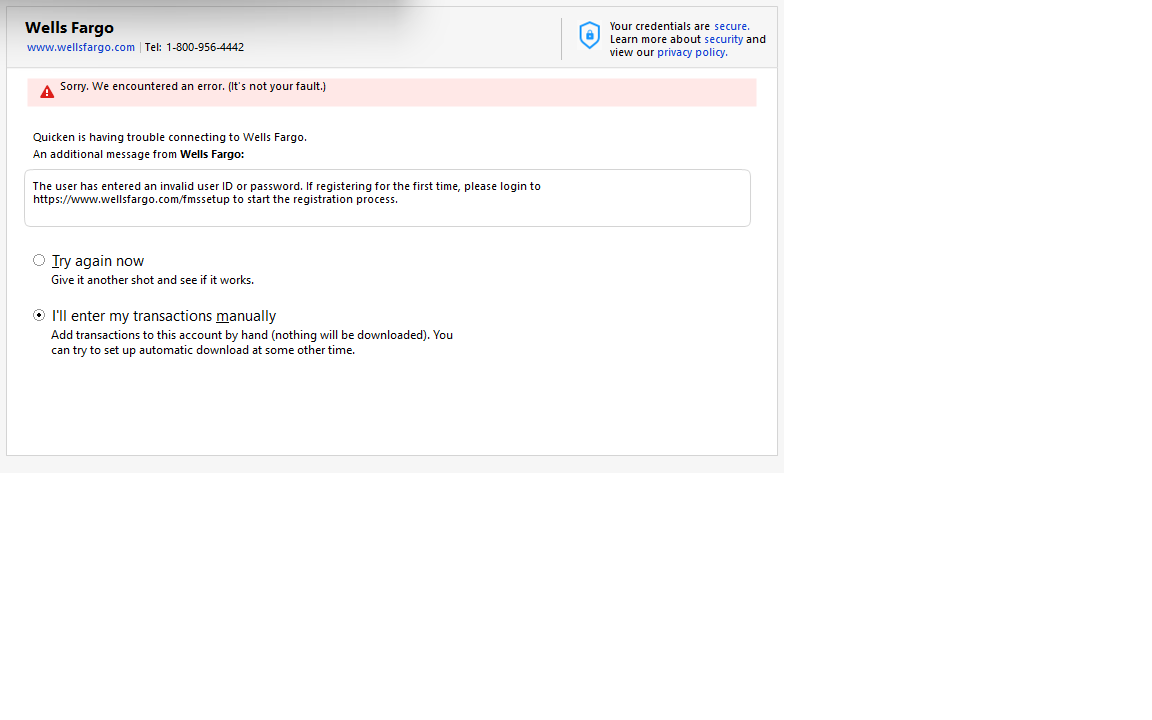
This is a bad problem. Is anyone working on it? When can we expect to have it resolved?
1 -
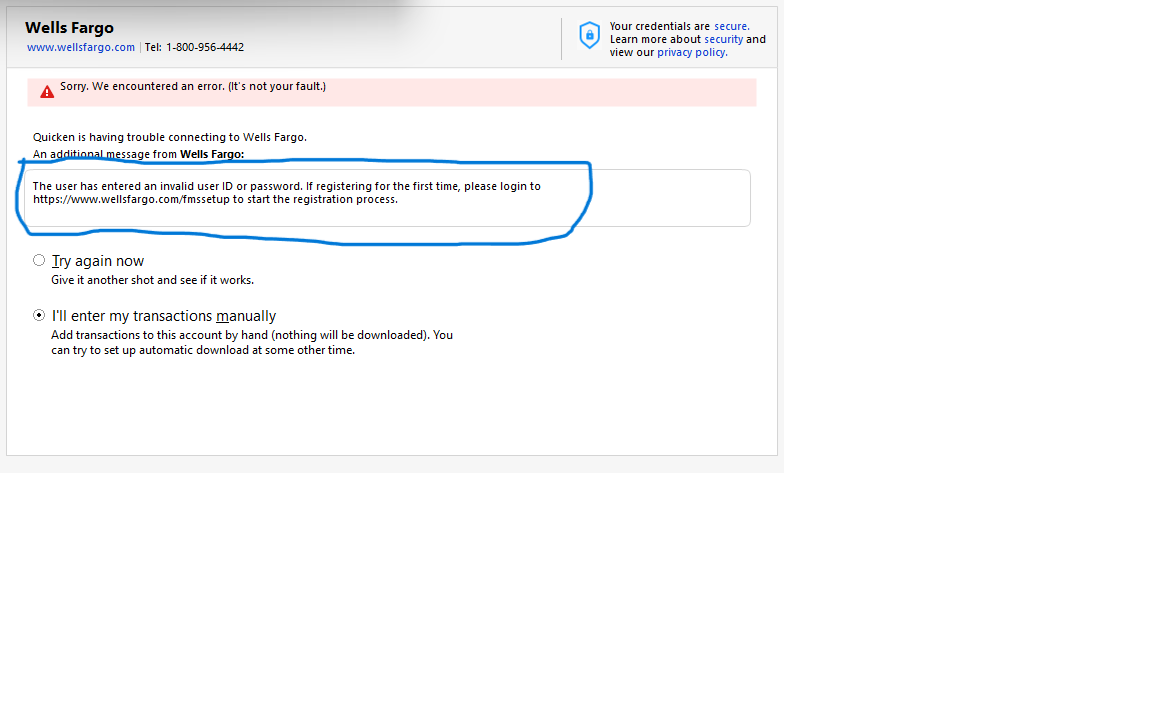
@jgalm - the message from Wells Fargo contains instructions for you to sign onto a website to verify your identity. Once you do that you will be able to establish a connection.
 0
0 -
I have three accounts with Wells Fargo Bank and the connection type for all three is Express Web Connect+
0 -
@lewisofarabia thank you for that information. To connect Wells Fargo accounts with EWC+
- In Account Details, deactivate all Wells Fargo accounts by clicking "Deactivate" in the Online Services tab.
- In Account Details, blank out FI Name and Account Numbers in the General tab for all Wells Fargo accounts.
- Reactivate the account by using "Add Account". Type in "Wells Fargo".
- Click on "Advanced Options" on the righthand side of the screen.
- Click on "Continue" until you get to a screen that lists out the connection methods and select the option "Express Web Connect".
- If you see a screen that asks what type of account, choose "Banking accounts".
- Keep clicking next to come to the screen where you need to put in your user name and password.
- After entering your user name and password successfully, you will then see a list of your accounts with Wells Fargo. Carefully link your accounts with WF to the accounts on Quicken.
If you wish to connect to your Wells Fargo accounts using Direct Connect instead, choose Direct Connect in step #5. You might get an error when you enter your username and password in step #6, but included in the error message is instructions to log on to a website to verify your identity. After you do that, you will have 10 minutes to return to Quicken and complete the activation process. You might get an error again, but if you do, just enter your username and password and try again.
4 -
Same issue. It was working fine yesterday. I applied the latest update/fixes from Quicken. Then today I went to download transactions and it won't do it. It gives me an error message that says I must have deleted these accounts from an old backup. That did not happen.
I'll tell you what happened….. Quicken screwed up again. So not only do we get to pay jacked up rates for the software, we now get to work for them as their software test department.
0 -
I'm also having this issue. I deacivated all WF accounts and now I can't activate them again. Commenting to so I can follow this thread.
1 -
@Redeye sounds like you are having a different error (CC-800) than not being able to connect with Wells Fargo. Please confirm.
1 -
@susanschwartz511 go to your Account List (Ctrl-A) and what is the connection method in the Transaction Download column for your Wells Fargo accounts?
What error messages are you getting when you attempt to reactivate your Wells Fargo accounts?
0 -
I have the same issue with Chase
0 -
@Marybeth1234 maybe start a new thread and provide more details (issue description, error codes, action taken) so you can bring more attention to your issue.
0 -
@CaliQkn I am reporting that this isn’t a bank-specific issue. I’m experiencing the exact same problem as the OP, just with a different bank connection. Why does this need a separate thread? Are posts being sorted by bank ?
0 -
@Marybeth1234 this thread is specifically about Wells Fargo connection issues. If your issue is not about a particular bank or financial institution, then it would be best to start another thread that better describes your issue so that it can get appropriate advice or suggestions. Posting off topic comments detracts focus from the original thread and limits responses to your comment.
0 -
@CaliQkn OK, got it. I will start a new thread with the exact same issue and it will detract focus from this thread. It makes no sense though.
0 -
I have the same problem. I'm reluctant to deactivate all accounts and try again, because I've done that probably a month ago, which worked EXCEPT on the one account, that I rarely use. So better to keep what I have working, than risk it all. I'm interested in if a solution has been found that works that stays fixed.
0 -
@catdancer103 you don't indicate which connection method you are using with your Wells Fargo accounts, but when you try reconnecting again, I would recommend using Direct Connect (DC). It is a more stable connection method. Please see my comment above on June 17th.
0 -
@CaliQkn - I get this: Sorry. We encpuntered an error. (It’s not your fault.) Quicken is having trouble connecting to Wells Fargo.
an additional message from wf: The user has entered an invalid userid or password.I can access my accounts through the wf portal with no problem.
quicken first balked on a wf credit card, so I disabled all online access from 4 we accounts. I get the messages above when I do an “add account”.
0 -
@susanschwartz511 - look at the message from Wells Fargo fully. Does it ask you to log onto a website?
-1 -
@susanschwartz511 please also read the last paragraph of my June 17th comment. It also explains the error and what it means and what to do.
0 -
I was able to get this fixedon my end. After I disabled online access. I started over with wellsfargo.com/fsssetup, verified my cell #, then called wellsfargo who sent me to quicken support and they then added quicken access to my account.
0 -
@susanschwartz511 glad you got it working again and thank you for circling back and updating us. Wells Fargo has very few online connection issues, but having to log onto FMSSETUP trips people up all the time. Now that you have done it once to set up Direct Connect, you won't need to do it again.
0 -
Thanks for this. I can't figure why this happened and I tried to reset, deactivate, and everything else. It would seem to work but then no transactions, which I knew were there to find. I then tried your solution and it worked.
Thank you.
0 -
This worked for me as well. We will see if it continues to work.
0 -
CaliQkn's 6/18 step-by-step worked for me. Thanks!
0 -
I am still having issues with no Wells Fargo (WF) transactions coming down on 1-Step update or if I try to update the two accounts I have at WF from their registers. They are set up for Direct Connect, and I tried CaliQkn's 8 steps, and that seemed to go through without any hiccups, but still New transactions do not come down???
It appears that my other Non WF accounts are working fine?
I am not getting any error messages, just that new transactions don't come down. This has been happening since about 6/1 or there abouts.
Any other ideas?
0 -
I have been having this problem with my Wells Fargo accounts (3 of them) since April. If memory serves Quicken said they were coming with a correction for this problem back then. I have been manually posting transactions since that time. Before this problem, I was successfully setup on EWC+.
Thank you CaliQkn for sharing your method. It appears that you have already helped several overcome this problem. I will post with the results.
0