Quicken Patch exe file installs each time even when Quicken is running fine.

Never saw this in all my years using Quicken. Looking for answers…
I updated Quicken Classic Premier on 2 computers to R63.21 and both run just fine.
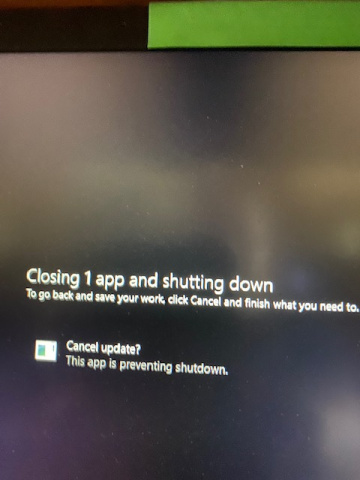
On only 1 computer, after Quicken opens and is running, I can go to Task Manager and it also shows a Quicken exe file installing even though Quicken is running fine, This file shows to be a Quicken Patch exe that is installing. WHAT is this?????? When it shows in Task Manager to have installed that Quicken icon goes away in Task manager. If I close Quicken while this file is installing and try to shut down the computer I can't shut down the computer until the patch is installed. This occurs each time I use Quicken and only on this 1 computer. Screenshots below show better than I can explain.
Shot 1: Shows Task Manager and Quicken Running 32 as it should show.
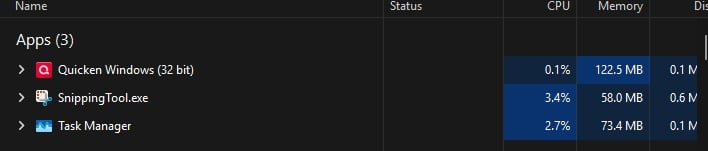
Shot 1.1 Shows Properties of Quicken shown in Shot 1 above.
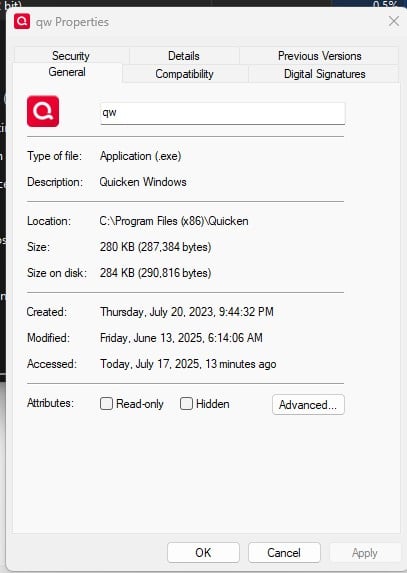
Shot 2: Shows Task Manager and the Quicken Patch exe installing even though Quicken is already running fine.

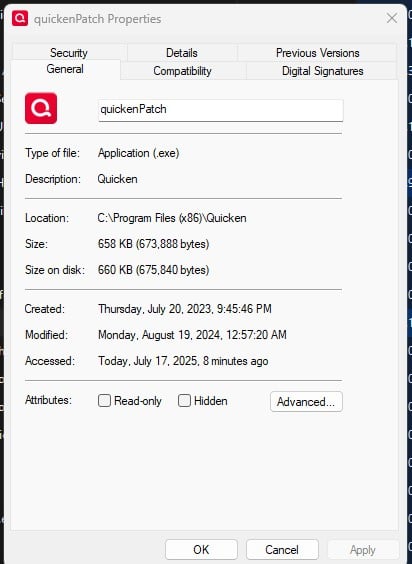
Shot 2.2 shows Properties of Quicken of Shot 2 and calls it Quicken Patch. Note that it shows to have been created in 2023 and modified in 2024??????
Shot 3 show message when I try to shut down computer before the patch exe completely installs.
This Patch install issue repeats each time I run Quicken on this one computer.
LOOKING FOR ANSWERS….. thx
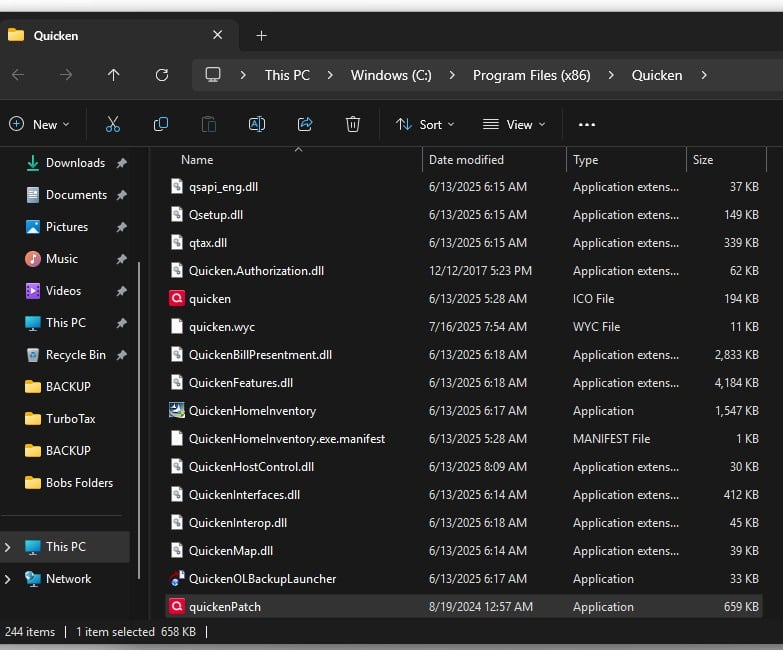
SHOT 4 IS qUICKEN pATCH FILE LOCATION:
Windows 11 (2 separate computers)..... Quicken Premier.. HAVE USED QUICKEN CONTINUOUSLY SINCE 1985.
Comments
-
How long does QuickenPatch.exe run, if you let it run to completion? If you stop it while shutting down your PC, it'll restart all over next time you run Quicken.
I've seen it run for a longer than usual time (> 10 min.) after installing one of the more recent updates, but that was a one-time occurrence.
0 -
It runs while installing for about 40 seconds and the icon in Task Manager goes away when installed. It repeats this install each time I run Quicken.
Windows 11 (2 separate computers)..... Quicken Premier.. HAVE USED QUICKEN CONTINUOUSLY SINCE 1985.
0 -
There isn't anything published that I can find, but I assume that it is a relatively new method of the Quicken programmers to check for and perform under-the-covers updates that are not part of the regular software installation using Windows installation processes.
Unless it misbehaves, I wouldn't worry about it.
0 -
Manual Patch R63.21 seems OK on both computers but will monitor. Strange I updated computer 1 to R63.21 one day and updated computer 2 a few days later. Computer 1 doesn't have this issue. A patch should only be needed to be installed once I would think….. so maybe Q revised R63.21 Manual Patch after I updated computer 1 and computer 2 update is different…. ????
Windows 11 (2 separate computers)..... Quicken Premier.. HAVE USED QUICKEN CONTINUOUSLY SINCE 1985.
0 -
OK after doing an OSU which caused the Quicken to crash after downloading the transactions and immediately exiting the program (several times) I backed up the data file. Quicken was uninstalled from the computer and the X86 program folder was deleted.
Installed Quicken from Quicken's main web page without issue. Opened the existing data file without issue. The errant "patch file" that was at issue was not running is task manager and gone from task manager. Ran an OSU and all went smooth and issue described in paragraph above was gone too.
All seems good again….,.
One question: With new install of Quicken my data file loads upon start as normal. There is a second data file named "Rober's Quicken Data" which bring up a Dashboard with no data. Never had a data file choice like this before so what is it and should I delete it at all OR if no problem how can I delete it as a choice of data files to open?
Screenshots:

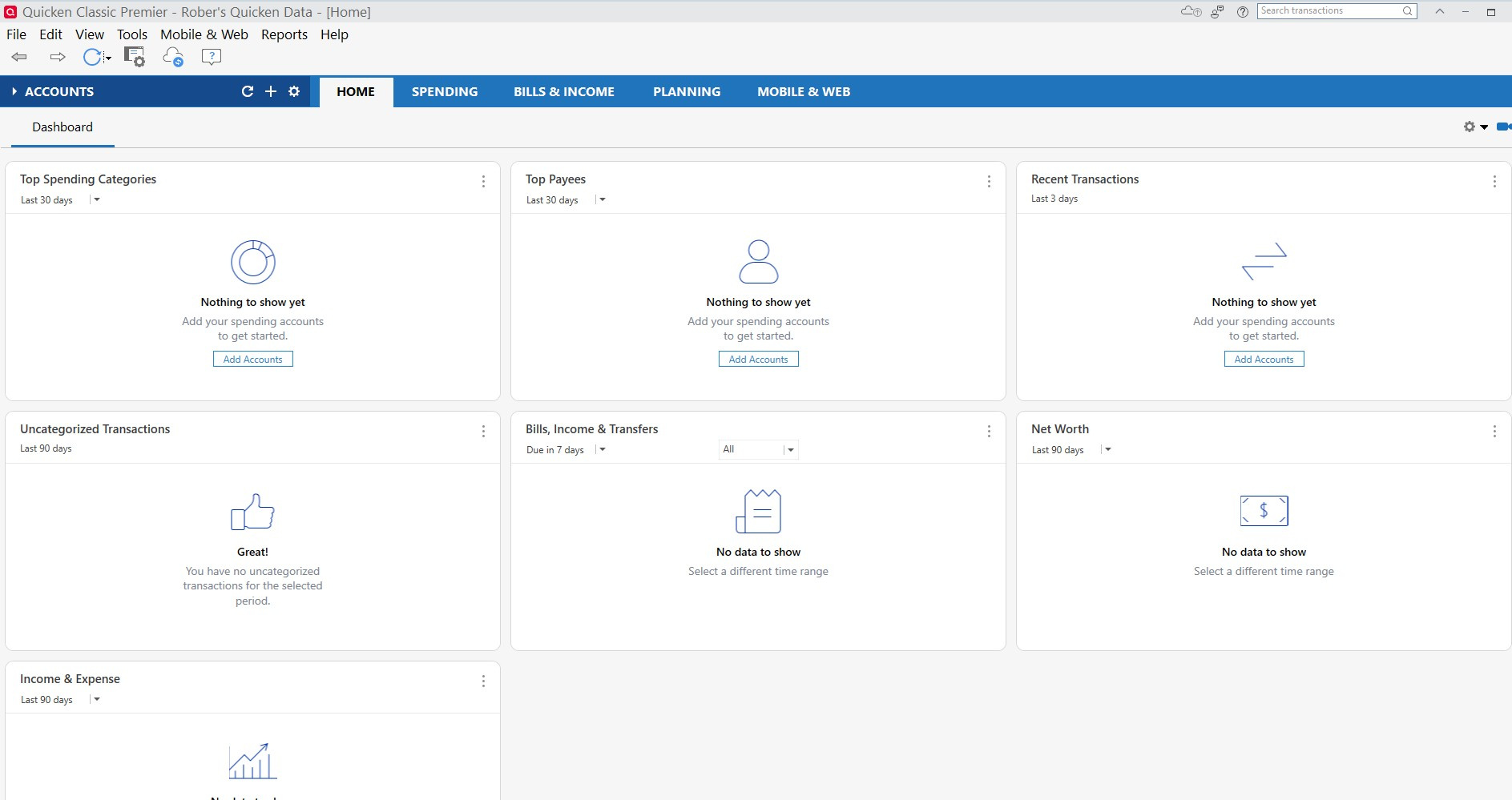
NOTE - One drive never activated so it's just local…..
Windows 11 (2 separate computers)..... Quicken Premier.. HAVE USED QUICKEN CONTINUOUSLY SINCE 1985.
0 -
The data file you show in the above image is located in a file folder managed by OneDrive:
C:\Users\rober\OneDrive\Documents\Quicken\…This is not supported by Quicken and may cause file corruption issues due to interference with OneDrive operations.
I recommend you move the \Quicken\]… folder and all its subfolders out to the recommended non-OneDrive location,
C:\Users\rober\Documents\Quicken\… and run Quicken from there.
You can set up Quicken Backups created as you exit Quicken so that backup files go to a \OneDrive\… folder, but active data files should never be under the control of OneDrive.0 -
@UKR I am not sure that that is the issue. Just because the Quicken folder is in the OneDrive folder doesn't necessarily mean that OneDrive is being used. Windows defaults to using the OneDrive folder for documents and it is very difficult, if impossible to "undo" that folder structure within Windows. I have run into many issues when I try circumventing using the OneDrive folder.
I have learned to use OneDrive effectively with Quicken and I haven't had any issues for years. Just so long as the active data file isn't opened and used from the online OneDrive folder, you should be fine.
@retird do you actively use OneDrive? If so there are settings within OneDrive that can make it work smoothly and invisible with Quicken.
0 -
I posted earlier that I never activated OneDrive so OneDrive is a default Windows Local Folder as you described.
I have everything running as expected now but wonder why a New Install of Quicken created a data file named
"Rober's Quicken Data" with nothing in it. I assume I can delete this data file unless there is a reason Quicken created it for a valid reason and it is needed. Comments appreciated on this…..
Windows 11 (2 separate computers)..... Quicken Premier.. HAVE USED QUICKEN CONTINUOUSLY SINCE 1985.
0 -
@retird sorry, I missed your comment about not using OneDrive. You should be fine with your Quicken folder in the OneDrive folder.
I think "Rober's Quicken Data" because Quicken was reinstalled and a default file was created. If you install Quicken and it cannot find a data file, or a specific data file is not opened, it will create a generic default data file. I have had this happen to me several times, and I just delete the data file.
0 -
Thanks…. I uninstalled Q and deleted the X86 Quicken folder before installing a new version of Q. During the fresh install I identified the data file I use and it opened it as normal but also created the 2nd data file I did not make.
So thx for the comment and I will just delete the useless data file that got created ….
Windows 11 (2 separate computers)..... Quicken Premier.. HAVE USED QUICKEN CONTINUOUSLY SINCE 1985.
0

![[Deleted User]](https://us.v-cdn.net/6031128/uploads/defaultavatar/nTYA6S0SVB4GN.jpg)
Categories
- All Categories
- 3 Product Ideas
- 34 Announcements
- 249 Alerts, Online Banking & Known Product Issues
- 19 Product Alerts
- 266 Welcome to the Community!
- 42 Before you Buy
- 1.4K Product Ideas
- 55.8K Quicken Classic for Windows
- 16.9K Quicken Classic for Mac
- 1K Quicken Mobile
- 834 Quicken on the Web
- 84 Quicken LifeHub