Error message while updating security price

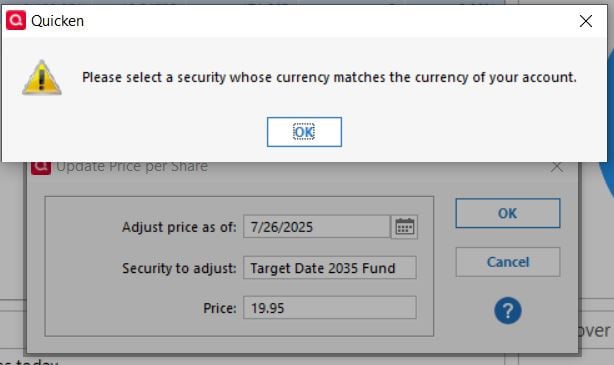
Quicken is not displaying the security price correctly. When I try to update the prices manually, it keeps giving me the error "Please select a security whose currency matches the currency of your account." The "Multicurrency" is checked in setting. How do I fix this issue?
Answers
-
It appears that you are viewing an account that is in Simple mode, you clicked on the gear at the top right, and you selected Update Security price. All the securities in a Quicken account must use the same currency.
Is the security you are trying to update one that you hold in this account and thus it has the same currency as the account? If so, you should not be seeing this message.
Otherwise, you can open an Investing > Portfolio view that includes the Quote/Price column and adjust the prices for securities with different currencies there.
QWin Premier subscription0 -
Thanks Jim.
Yes. I opened the update security by clicking the gear > Update Security Price. Also yes, for the second question. Yes. It is the same currency. It is in USD. Previously, I could update the prices without any issues. Now I am getting this error message.
I tried Investing>Portfolio. Looks like I can add the new price to the Price History. Let me try it.
0 -
Same thing is happening to me. And the security prices are all USD.
the error message is in error.
how to fix?
0 -
You can edit the price in Account Overview.
0

Categories
- All Categories
- 3 Product Ideas
- 34 Announcements
- 249 Alerts, Online Banking & Known Product Issues
- 19 Product Alerts
- 266 Welcome to the Community!
- 42 Before you Buy
- 1.5K Product Ideas
- 55.8K Quicken Classic for Windows
- 16.9K Quicken Classic for Mac
- 1K Quicken Mobile
- 834 Quicken on the Web
- 84 Quicken LifeHub