Can quicken help me manage my Vanguard portfolio?

I'm hoping to be able to find a software application into which I can load my entire investment history and which will then keep track of all activity and transactions from this point forward.
Almost all of my investment portfolio has been in Vanguard for the last 25 years. I have a brokerage account and a SEP-IRA account. The brokerage account has a couple of common stocks and 3 index funds that are diversified according to Modern Portfolio Theory (MPT). The SEP-IRA account has just three index funds also diversified according to MPT.
I haven't had a lot of transactions in either account. Prior to reaching retirement age, I mostly withdrew some money to help family members and to make charitable contributions. Now I also make the Required Minimum Distributions (RMDs).
Now I am finding that I really would like to have some kind of portfolio manager on my computer to help me keep track of what I've done in the past and help me decide what to do in the future. There are quite a few software applications that say they can do this, but the thought of having to go back and manually enter over 25 years of transactions and history is a major downer.
I was recently poking around my Vanguard account and came across the Download Center. It says I can download my account data and recent transactions to a file that can be uploaded into Quicken. I was excited to read that, but after playing with it a bit, it looks like it will only do the last 18 months.
Then I discovered another page called the Balances by Date page. I can select any date all the way back to the first date I first invested at Vanguard. It will then give me the balances in all of my holdings on that date, but it doesn't appear to provide any information on transactions.
I sent Vanguard an e-mail asking if they have a tool that will allow me to download my entire portfolio history to a file that can be uploaded to Quicken or some other software. I have not heard back yet.
I would love to hear from someone who is using Quicken to keep track of their Vanguard investments.
Thanks
Using Office 365 on Windows 11
Looking for financial software to help manage my Vanguard portfolio
Answers
-
I think it's highly unlikely that any brokerage would give you 25 years of detailed transaction info that you can upload into Quicken; I don't think any place that I've ever had accounts would do that. Honestly, getting even 18 months of historical data is above average. You should plan on either entering that data by hand from your old statements or just letting it go.
I've had no problem tracking my Vanguard accounts in Quicken over the last decade.
1 -
You're probably right. I guess it's my punishment for being careless and disorganized for 25 years.
I went ahead and downloaded the last 18 months in both formats (qfx & csv). I had also done the same about a month ago. Here's what I have.
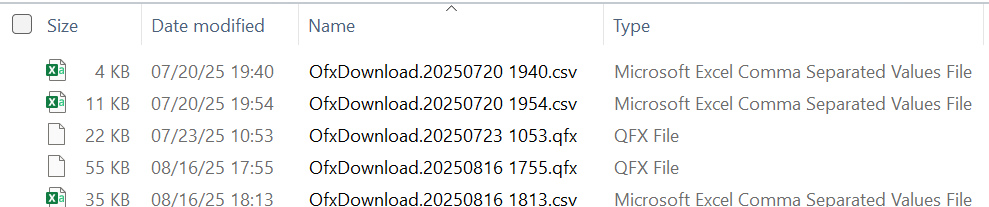
I'd like to see what it looks like when it's been uploaded to Quicken. Which version should I get?
Using Office 365 on Windows 11
Looking for financial software to help manage my Vanguard portfolio
0 -
QFX is the right format for Quicken.
Signature:
This is my website (ImportQIF is free to use):1 -
I meant to ask which version of Quicken, the product, should I get that will be best able to handle investment portfolios. Do I get Simplifi, Classic Premier, Classic Deluxe, Business & Personal, or something else?
Which one is best at managing investment portfolios? I'd like one that can show me which investments have done better over time (assuming that I can enter historical data).
Using Office 365 on Windows 11
Looking for financial software to help manage my Vanguard portfolio
0 -
Windows or Mac?
Or do you require a mobile/ web only?
Signature:
This is my website (ImportQIF is free to use):0 -
If you're on a Mac, as far as investment accounts go a Deluxe subscription should get you just about everything you need. The only things missing I can think of that are related to investments would be an report for 1040 Schedule E and a FBAR report - if either of those are something you need to deal with then you might want to step up to Premier. I wouldn't go all the way to Business & Personal unless you actually have business income & expenses to deal with.
If you're using Windows then I'll have to defer to a Quicken Windows user for an appropriate answer.
0 -
These responses are puzzling. I put in my signature that I'm running Office 365 on Windows 11. Is that not visible? I think I also said but I want something to run on my windows 11 computer, not online.
The cost of the product is not my primary concern. And it looks to me that the different versions are not that much different in price.
What I'm trying to determine with which version of Quicken will give me the most complete and accurate investment information. I want to be able to compare each of the holdings overtime. Two of the common stocks pay decent dividends, so I'd like to be able to take that into account.
So which version of Quicken for Windows will give me the most control and the most options for reviewing and analyzing My Portfolio over time?
Using Office 365 on Windows 11
Looking for financial software to help manage my Vanguard portfolio
0 -
@Helen Bacque No, I don't see any signature attached to your posts or anything in your profile about WIndows 11; I have signatures turned off since I find them annoying. Sorry to have wasted your time with Quicken Mac info.
0 -
That is very puzzling. This is what I see:
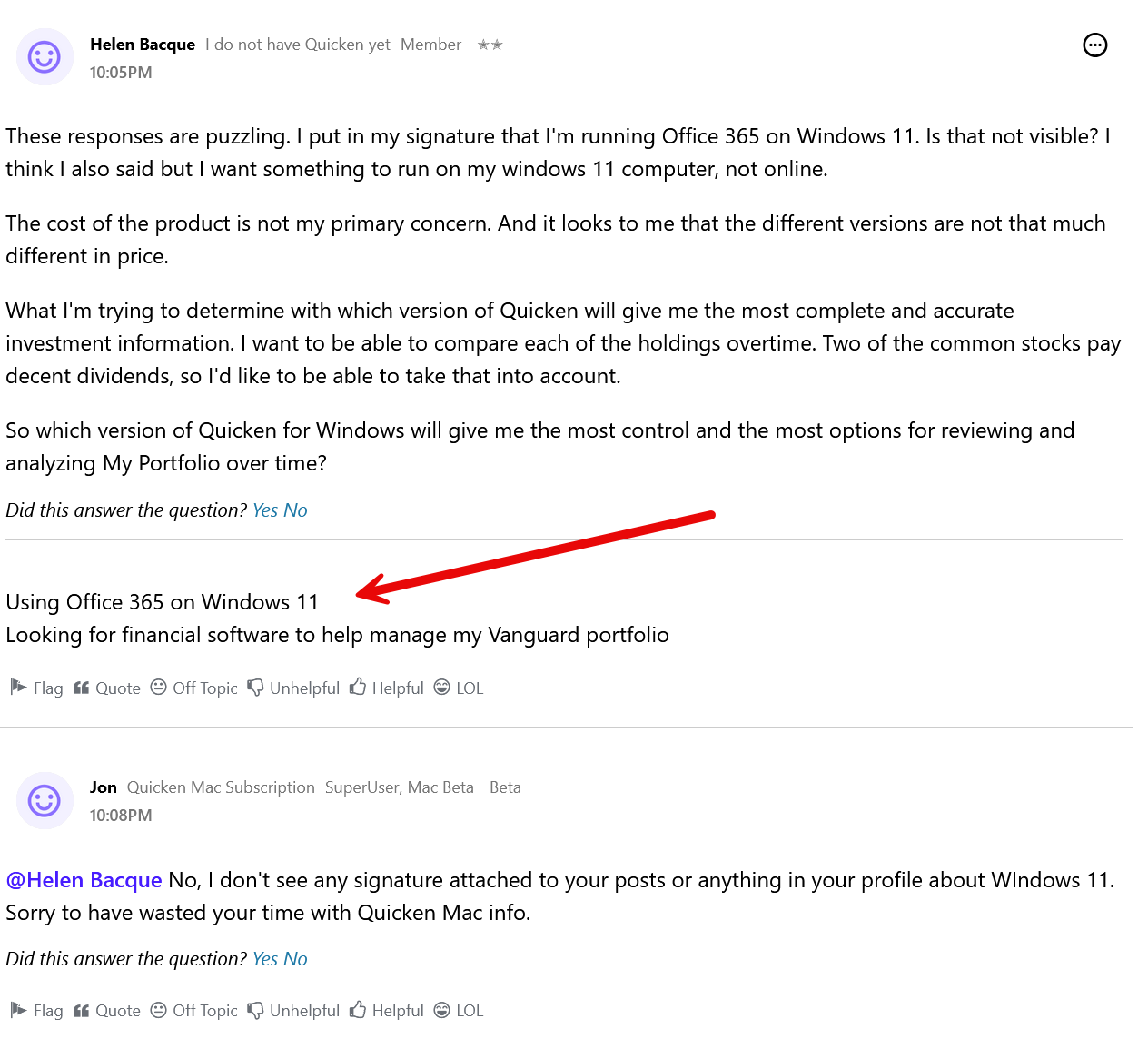
Using Office 365 on Windows 11
Looking for financial software to help manage my Vanguard portfolio
0 -
Users can choose whether they want to see signatures or not, I choose not to.
-1 -
Kinda defeats the purpose of signatures, no?
Using Office 365 on Windows 11
Looking for financial software to help manage my Vanguard portfolio
0 -
Signatures are bumper stickers for forum posts, and just as useful as real bumper stickers.
-1 -
Thank you for confirming that you are using Windows.
Simplifi and "non classic" Business and Personal are Mobile and Web only apps. I don't really know a lot about these, they have their own forum. This forum is for the Classic products.
Whereas the "classic" ones are Desktop applications that can sync to a "Quicken Cloud dataset" that Mobile and Web apps can access and provide "some" but not all of the functionality of the Desktop applications.
Quicken Windows and Quicken Mac share a lot of different features but are not identical or use the same data file format. Quicken Windows is 40+ year old application that does show its age in some areas but has more features than the Quicken Mac version has. Quicken Mac was rewritten from scratch starting in 2007 and has a more modern feel.
Quicken Windows Deluxe can handle both non-investment and investment accounts. The main difference between it and the Premier edition is that Premier edition has more investment and tax reports, and it a few more features like a MorningStar X-Ray view that has the X-Ray Interpreter and Stock Interaction tabs.
The Business edition adds Business (non-employee, non-inventory, mostly schedule C) and Rental property features.
As for downloading of transactions. It is up to the financial institution on how much they will download in the first connection and is typically 90-days. If supported by the financial institution this can be supplemented by downloading and importing QFX/Web Connect files. After you get all of that settled you can then download new transactions from Vanguard directly in a process Quicken calls One Step Update.
There is a 30-day refund policy if you don't like Quicken for any reason.
EDIT:
I should have also mention that Quicken Windows has what they are calling the Lifetime Planner (was called Retirement Planner), there is some limitations to it, but it has one major advantage over other software in the fact that it can use the data you have built up in Quicken directly. The Planning tab has Budgets, Debt Planner, Lifetime Planner, Tax Center, and Savings Goals.
And on your RMDs you will want to search this forum for how to properly enter them, so they transfer to the Tax Planner correctly.
I consider the Portfolio view the one that is most useful for me for investments, but there are also the Portfolio X-Ray (Premier and above), Performance (I think this also Premier), Allocations, and a Dashboard.
Signature:
This is my website (ImportQIF is free to use):1

Categories
- All Categories
- 56 Product Ideas
- 34 Announcements
- 240 Alerts, Online Banking & Known Product Issues
- 20 Product Alerts
- 510 Welcome to the Community!
- 678 Before you Buy
- 1.4K Product Ideas
- 55.2K Quicken Classic for Windows
- 16.7K Quicken Classic for Mac
- 1K Quicken Mobile
- 828 Quicken on the Web
- 121 Quicken LifeHub