Windows 11 Home or Pro

Are there any recommendations for either W11 OS? Any issues? Quicken use is for Investing.
Comments
-
I'm no expert on it but for Quicken i dont think it really matters. I think Pro just gives you better networking and some other things that don't impact Quicken.
Quicken Windows user since 1993.
0 -
As @bmciance said it doesn't matter. Quicken doesn't know the difference.
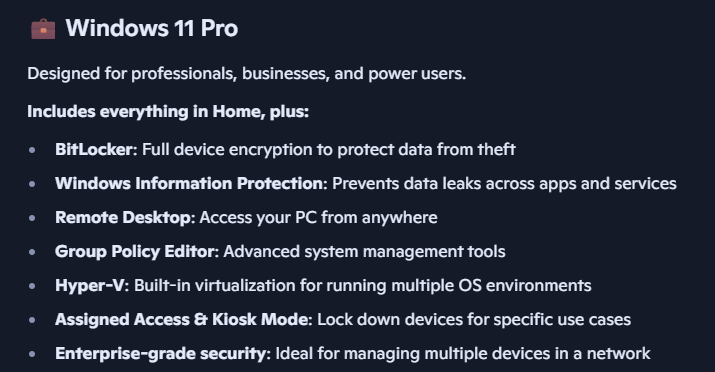
I have all my machines on Windows 11 Pro, but that is because I want to log into them using remote desktop. Windows Home can the "client" where it can be the one logging into the remote machine, but the machine that is being logged into has to be Pro. But there are other programs that can be used for the same purpose that don't have these limitations. I just like Remote Desktop.
 0
0 -
Is Win11Pro the only client software that allows remote login?
My 96 year old aunt shouldn't be allowed near a PC because she always breaks something and needs a guy to help. But she is not very mobile and needs it to order food and other goods for delivery. I don't know whether she has Home or Pro and, probably, neither does she.
I would like to login to her PC and help. Next time her tech helper comes by, how can I get remote access to her PC?
Quicken user since version 2 for DOS, as of 2025 using QWin Premier (US) on Win10 Pro & Win11 Pro on 2 PCs.
0 -
No Windows Pro/Remote Desktop isn’t the only option to remotely access a computer and in fact I don’t recommend it for the average person for over the Internet. I use it on a local network for a practical no setup solution. And for a job I do contract work for but setting up a server that allows connections from the Internet is very difficult (to do it safely).
The program that almost always comes up first in such a discussion is TeamViewer, but there are others like is. Basically it is just installing on the machine you want to control and on your machine and then connect. It works out all the details on how to make that connection over the Internet.
Here is a review on some of them:https://www.pcmag.com/picks/the-best-remote-access-software
And I see RemotePC is on the list, I used both it and TeamViewer, both work fine.
0 -
@jimarcher6837 in my opinion, either would be fine to use with Quicken. There are no benefits for either one that would make a difference for using Quicken.
0 -
TeamViewer
0 -
Thanks
0


Categories
- All Categories
- 6 Product Ideas
- 34 Announcements
- 250 Alerts, Online Banking & Known Product Issues
- 19 Product Alerts
- 265 Welcome to the Community!
- 301 Before you Buy
- 1.5K Product Ideas
- 55.8K Quicken Classic for Windows
- 16.9K Quicken Classic for Mac
- 1K Quicken Mobile
- 834 Quicken on the Web
- 129 Quicken LifeHub