Unable to open the selected file - Quicken 2005 on Win11

My offering to the Quicken gods. With some help, I hope we can recover…..
Windows 11 OS, running Quicken 2005 Basic Release R 6.
We don't use any online banking services. Just the basic on computer data entry and tracking. No cloud usage, etc.
Entered some transactions today and then wanted to start over. I know yesterday 8/18/2025 I completed a back up.
Tried to recover from back up.
Nothing I can do to get back into my 20 years of transactional data. PLEASE HELP.
Thanks!
End of session Backups are stored on External HD. H:
- H:/QuickenBackup/filename1.QDF,
- filename1.IDX, .QEL, .QPH are all in the same directory, but only the .QDF and .QEL have 8/18 date stamp. .QDF is 40163 KB.
Working directory
D:\Users\username\Documents\Quicken
- BACKUP folder,
- VALIDATE folder (added today in my desperation)
- filename1.QDF 40163KB
- .IDX, .QEL, .QPH also here. the .QEL has the same Date/time stamp.
What I've done:
- File/Open: Takes me to the working directory (D:) -
- Select filename1.QDF.
- "Verify that this is a valid Quick data file. Check the following: Make sure it's not read-only, move it from floppy to HD, Choose File Restore Backup File, or call Customer support" message. Select OK
- "Unable to open selected file."
- File/Restore Quicken File: Takes me to the Back up directory (H:).
- Select filename1.QDF
- "If you proceed with restoring, you will overwrite an existing file. Continue anyway?" Select OK
- "Restoring" pop up (I hear the computer think for a bit)
- "File restored successfully. Open the file by choosing Open from the File menu." Select OK
- Repeat 1a. Same dead end.
- File Operations/Validate
- Validating pop up
- Data losses were found in your file. The losses are described in the file "DATA_LOG.TXT" Do you want to view this file now?" Select Yes
- 8/19/2025 14:32:3
File: "D:\Users\username\Documents\Quicken\filename1" - QDF:
Validating the QDF file.
Missing account information for 4 transaction(s).
Missing extra info for transaction: "ACCT_1e96" 0/ 0/ 0
Missing extra info for transaction: "ACCT_1e96" 0/ 0/ 0
Missing extra info for transaction: "ACCT_1e96" 0/ 0/ 0
Missing extra info for transaction: "ACCT_1e96" 0/ 0/ 0 - QEL:
No read errors. - QEL:
All internal consistency checks passed.
- 8/19/2025 14:32:3
Comments
-
Thanks in advance. My wife reminds me our data journey started in 1998, so almost 30 years of history here in the balance!
0 -
In #2 restore backup, are you sure that you are opening the file that was just restored and not the original?
-splasher using Q continuously since 1996
- Subscription Quicken - Win11 and QW2013 - Win11
-Questions? Check out the Quicken Windows FAQ list0 -
I believe so. Here is my evidence.
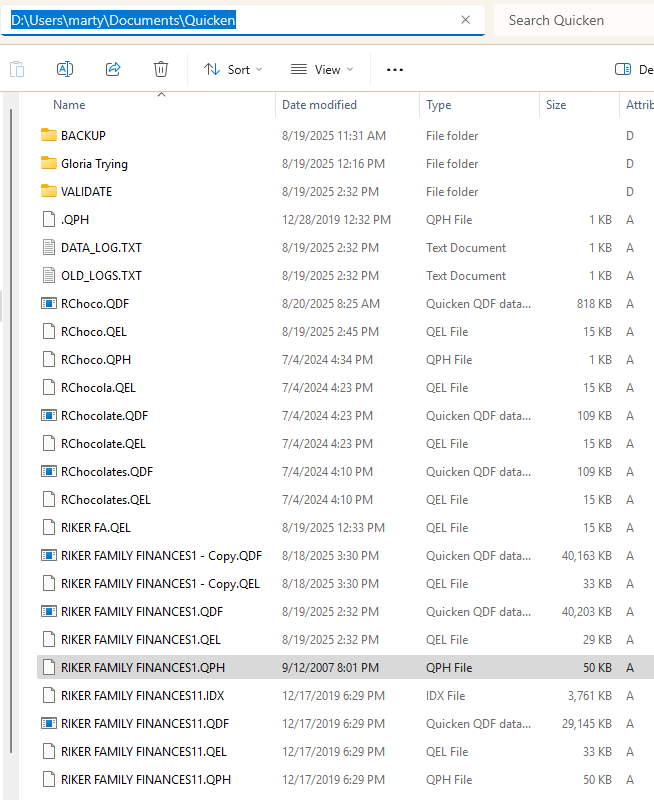
This is my home directory - the start up directory. Today, when I opened Quicken, it opened an active/noncorrupted database - RChoco.qdf. (Timestamp today 8/20).
You can see that in this directory I also have some legacy/unused databases RChocolate.QDF, and RChocolates.QDF Evidences of past struggles to create databases that all worked. All that aside, the Riker family finances1.QDF is the file I'm struggling to resurrect.
If I try to open the RFF1.QDF - It is not able to open.
If I try to open the first autobackup - RFF11.QDF - It is not able to open.
 0
0 -
So I attempt to "Restore Backup file" taking me to my H:\QuickenBackkup\RFF1.QDF.

I get the expected pop up:
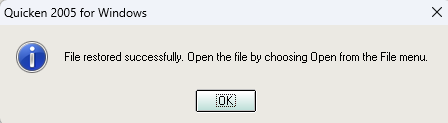
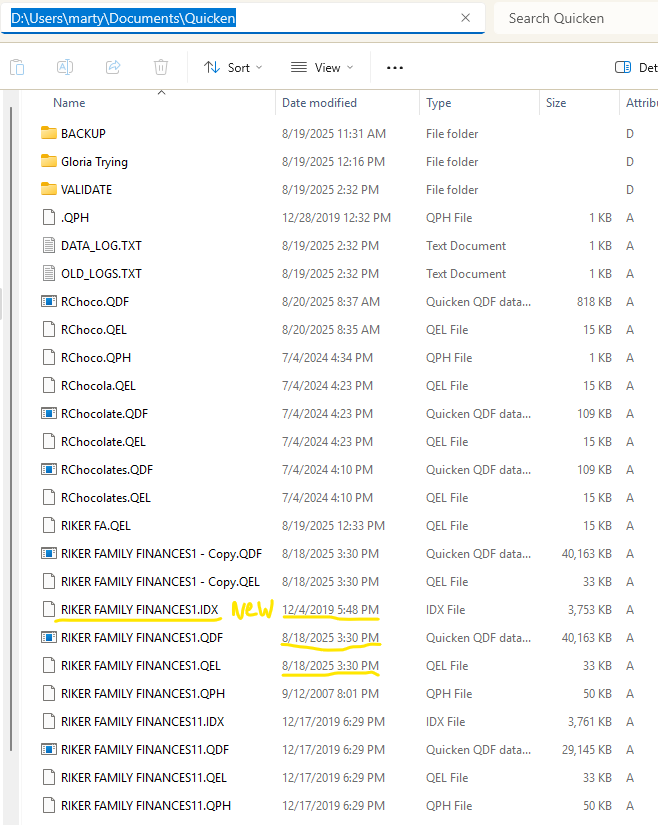
Now my Home directory looks like this:
RFF1.QDF and RFF1.QEL has restored date 8/18/2025, and there is a new file in the directory RFF1.IDX with12/4/2019 date.
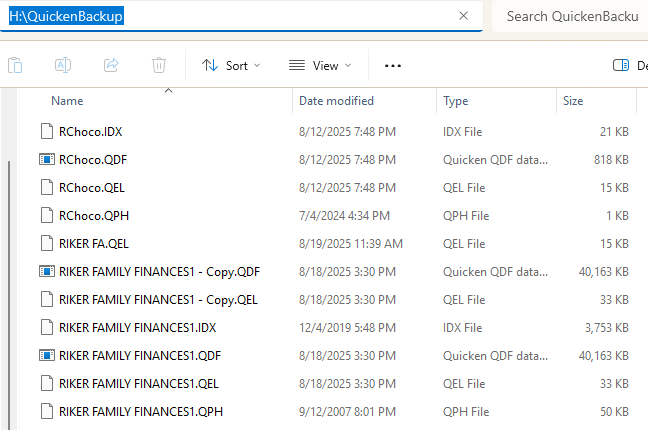
For reference, the H:Drive back up contents: showing the same .IDX file Modified 12/4/2019
 0
0 -
Attempting to open the now restored 8/18 file gets me back into the same loop:
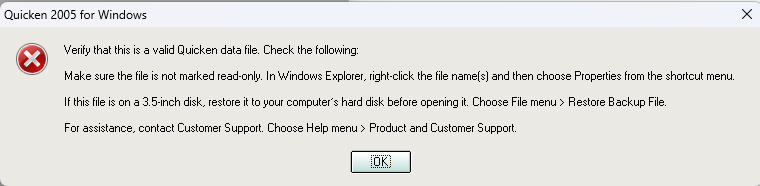 0
0 -
One interesting tidbit. I just probed into my Acronis computer back up files and found that my 8/16 backup of RFF1.QDF is only 29MByes. vs the 8/18 version with 40MBytes. I wonder if I brought these 8/16 files back, if they would open properly…? Any thoughts?
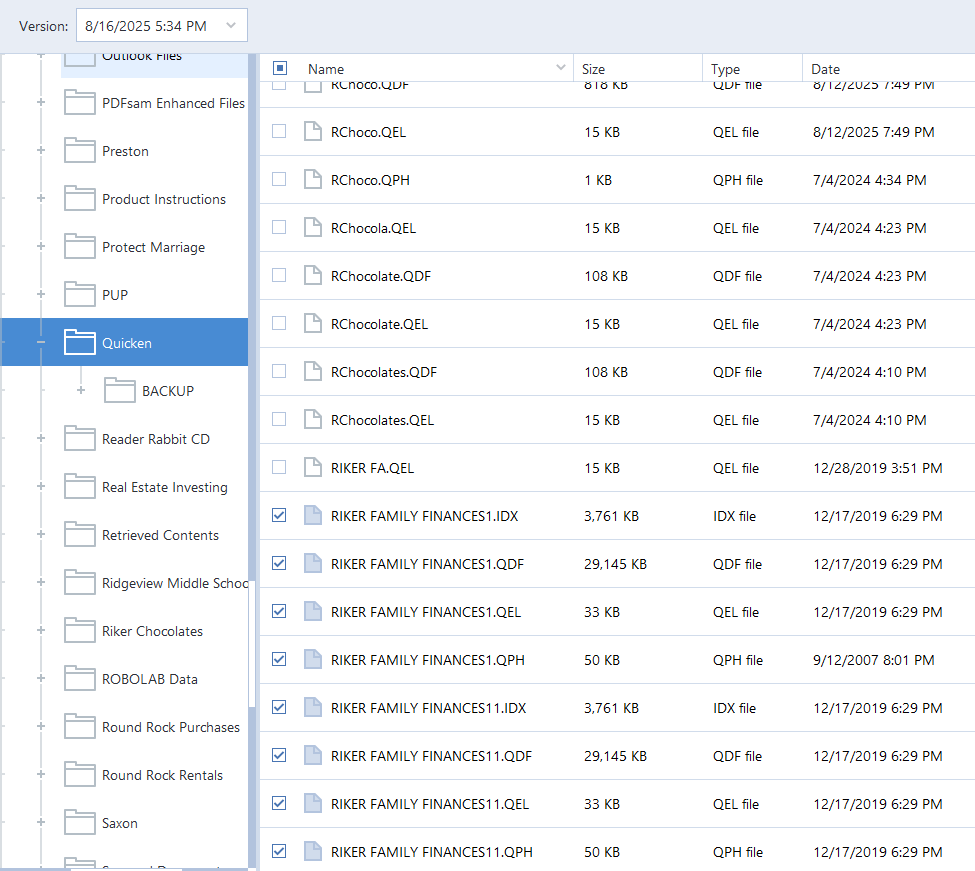 0
0 -
The plot thickens…… I found that I have content back on my C:\ drive. Some of which has recent dates.
Recall that in 2023 I transferred my home directory from C:\ to D:\ This was before we created the functional RChoco.QDF files, for example.
From the C:\ location I was not able to open the RFF1.QDF, but I WAS able to open the 2019 RFF11.QDF, which now shows the 8/20 timestamp files, see below.
Also, the C:\…Quicken\BACKUP folder has the sequential RFF12.QDF, RFF13.QDF, with recent dates, see also below.
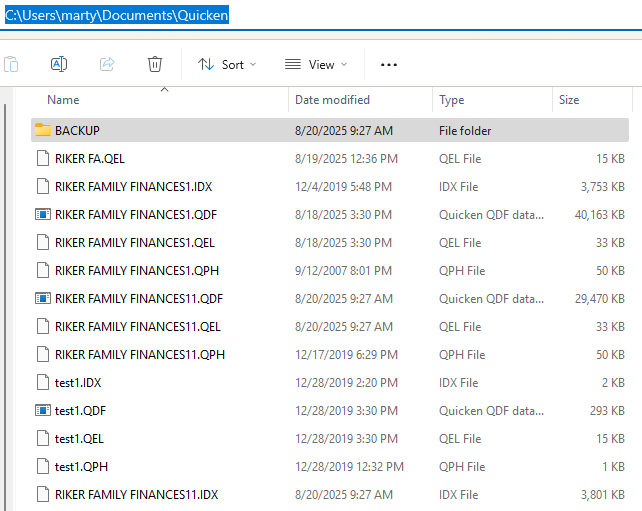
C:\ Quicken\BACKUP:
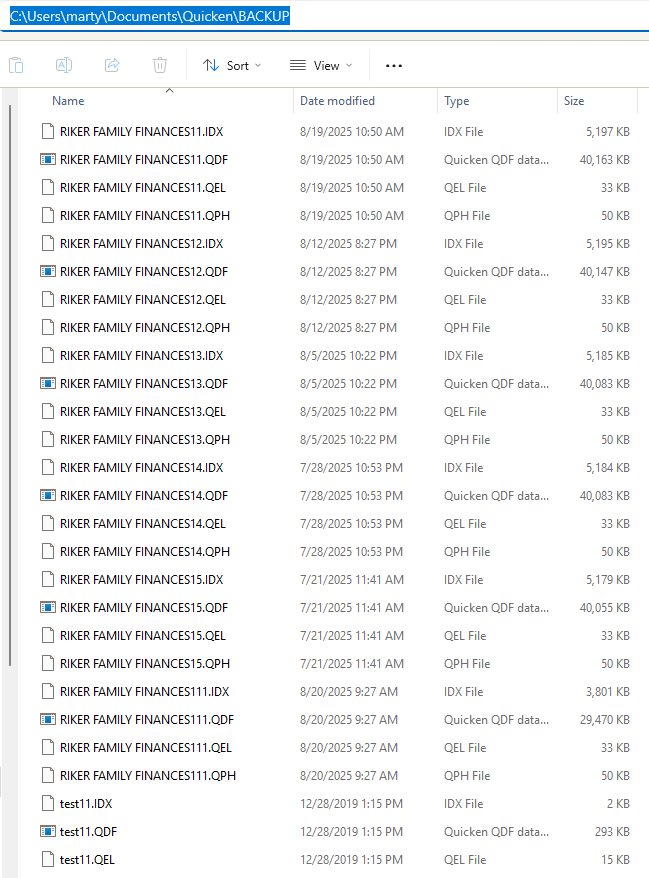 0
0 -
I tried restoring the most recent file from Acronis back up. Same result. I tried restoring couple week old Acronis back up. Similar, but not the same result. When I "Validated" this restored file I only get 2 missing transactions: Is this a clue?
8/21/2025 9:45:1
File: "D:\Users\marty\Documents\Quicken\RIKER FAMILY FINANCES1"QDF:
Validating the QDF file.
Missing account information for 2 transaction(s).
Missing extra info for transaction: "ACCT_1e7d" 0/ 0/ 0
Missing extra info for transaction: "ACCT_1e7d" 0/ 0/ 0QEL:
No read errors.QEL:
All internal consistency checks passed.0 -
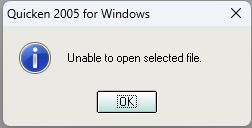
Maybe I've missed it, but I don't recall you explaining what error message is presented that is keeping Quicken from working.
Only this:
Nothing I can do to get back into my 20 years of transactional data. PLEASE HELP.-splasher using Q continuously since 1996
- Subscription Quicken - Win11 and QW2013 - Win11
-Questions? Check out the Quicken Windows FAQ list0 -
Attempting to open the now restored 8/18 file gets me back into the same loop:
I get this every time I try to open. I tried the earliest 5/3/2025 Acronis back up. Same result. I recover to a new folder, delete the existing files from the home directory, copy the recovered files to the home directory and then open Quicken and try to open the now recovered files. Same result.
 0
0 -
Quicken can some times get picky about the file's name, especially if it is long.
Check your filename length. Quicken can get picky about it if it is longer than eight characters, 12345678.QDF.
Also check that there is not a space at the end before the period.
Rename it in Windows Explorer with Quicken closed. Once renamed, double click on the file to start Quicken with that file, after that, it should find it on its own.In your case with Quicken 2005, you will need to change the name of all the files in the data file set.
I'm just throwing suggestions out since I have never seen this error and I have no means of testing.
-splasher using Q continuously since 1996
- Subscription Quicken - Win11 and QW2013 - Win11
-Questions? Check out the Quicken Windows FAQ list1 -
That worked!!!! Thanks so much!
I closed Quicken.
I deleted my not-working sets of files, and replaced them with the 7/19 restored versions. Then I renamed them all to RFF1.xxx and RFF11.xxx. (4 file types)
I opened them with Quicken and they opened!
Anything else I should do? now that I've got it open?
1 -
Anything else I should do? now that I've got it open?
Glad to hear that you're back in business!
Be sure to create backups of your data files every time you close Quicken at the end of the day.
One can never have enough backup copies.0 -
Glad to hear the name change worked. For some reason, Q will get picky out of the blue even though there has been no Q software update (especially with your QW2005) or filename change.
I don't remember if QW2005's backup process had the option to append the date to the file's name, but do that so that you can have more than one backup set in a folder without you having to do the "1", "11" that you are currently doing.
-splasher using Q continuously since 1996
- Subscription Quicken - Win11 and QW2013 - Win11
-Questions? Check out the Quicken Windows FAQ list1


Categories
- All Categories
- 20 Product Ideas
- 34 Announcements
- 247 Alerts, Online Banking & Known Product Issues
- 19 Product Alerts
- 518 Welcome to the Community!
- 682 Before you Buy
- 1.5K Product Ideas
- 55.7K Quicken Classic for Windows
- 16.8K Quicken Classic for Mac
- 1K Quicken Mobile
- 834 Quicken on the Web
- 128 Quicken LifeHub