Why is reconcile not adding the payment amount on the left side?

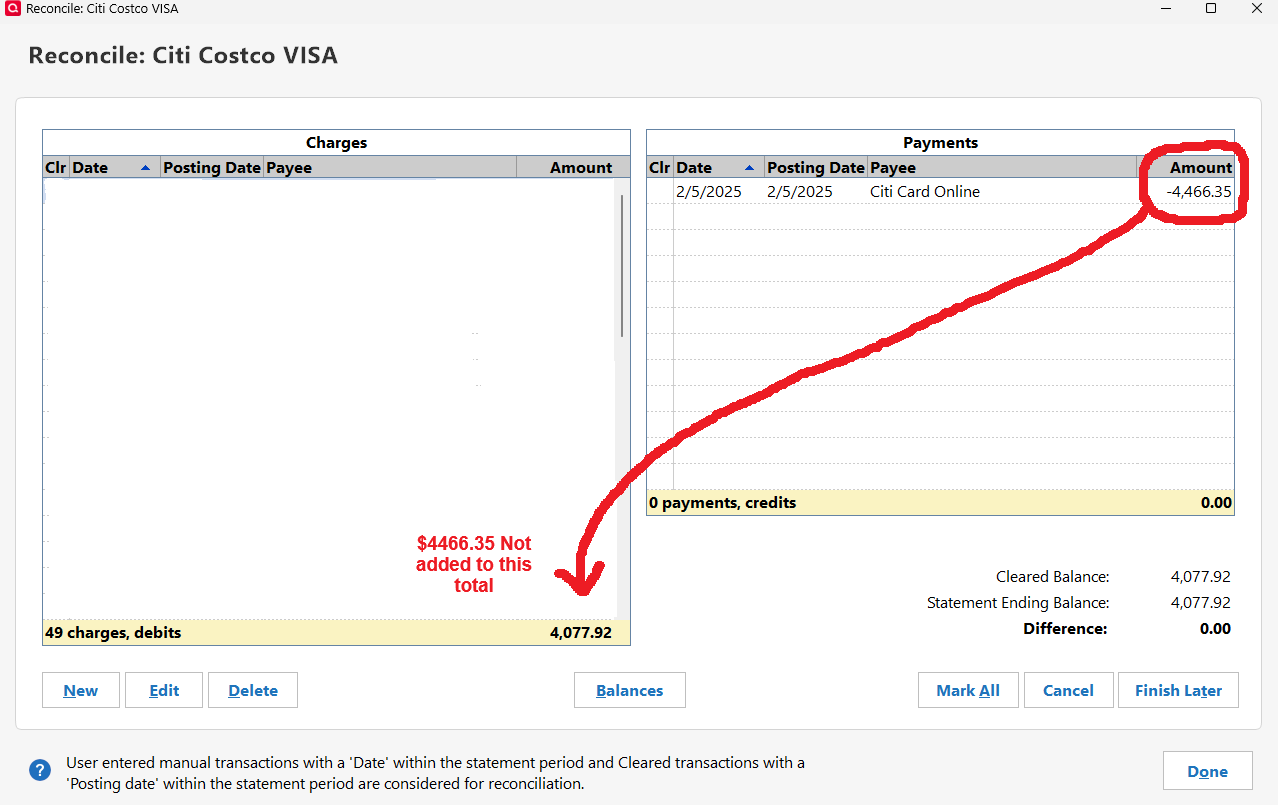
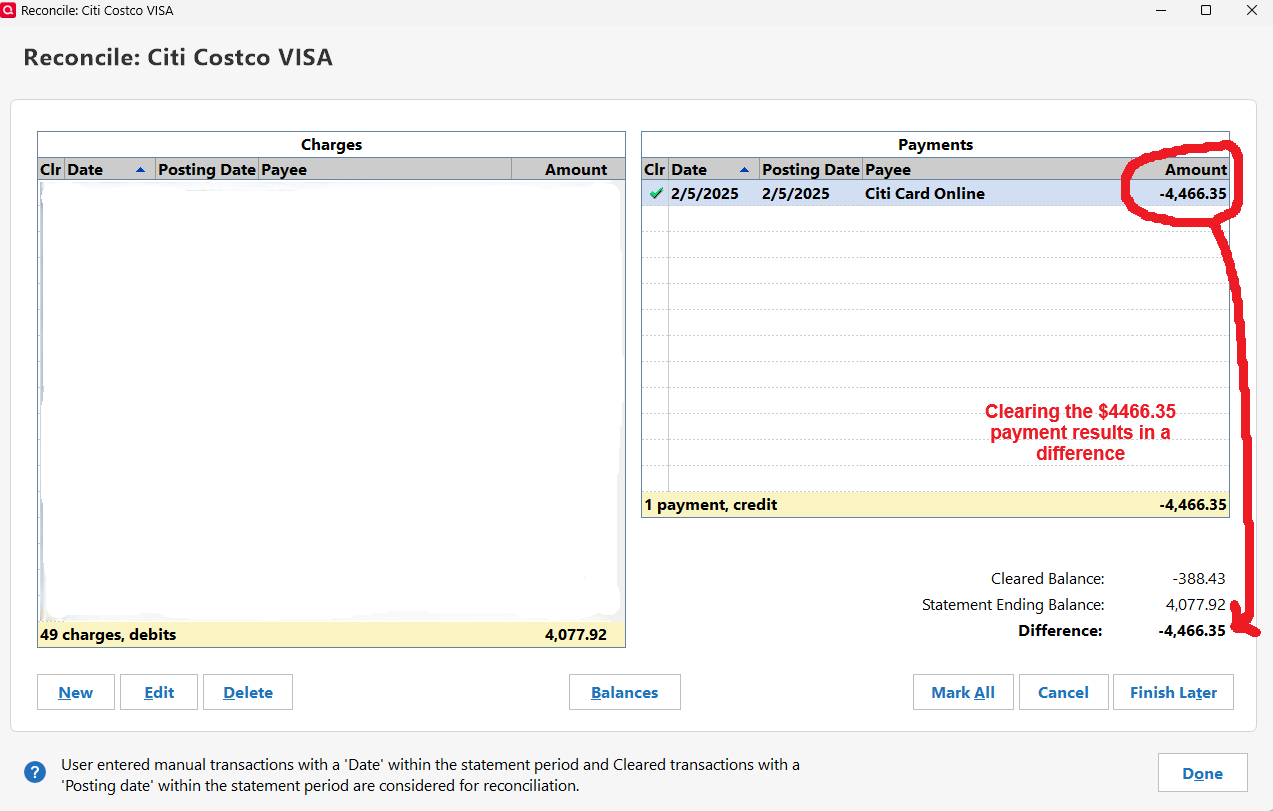
When I reconcile this credit card, the payment amount is normally added to the Charges total on the left. So when you clear the payment amount under Payments on the right it zeros out. For some reason it's not working. The subsequent month reconciles without any issues. Please help, thank you!
Answers
-
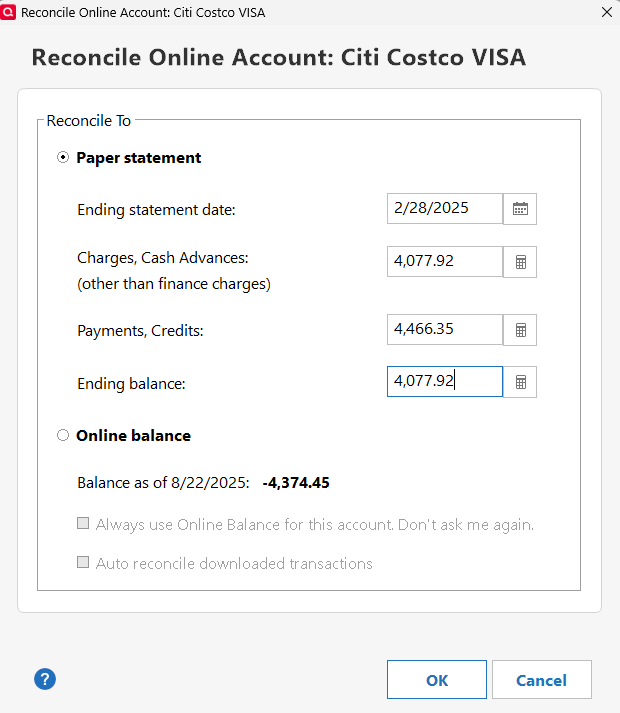
Can you provide a pic of the Balances you inputted on the popup prior to this page as well. What Ending statement date, charges, Payments, and ending balance did you use?
0 -
Yes, thank you. The previous month and the month after reconcile normally. Feb remains a problem for some reason.
 0
0 -
Looking at this:
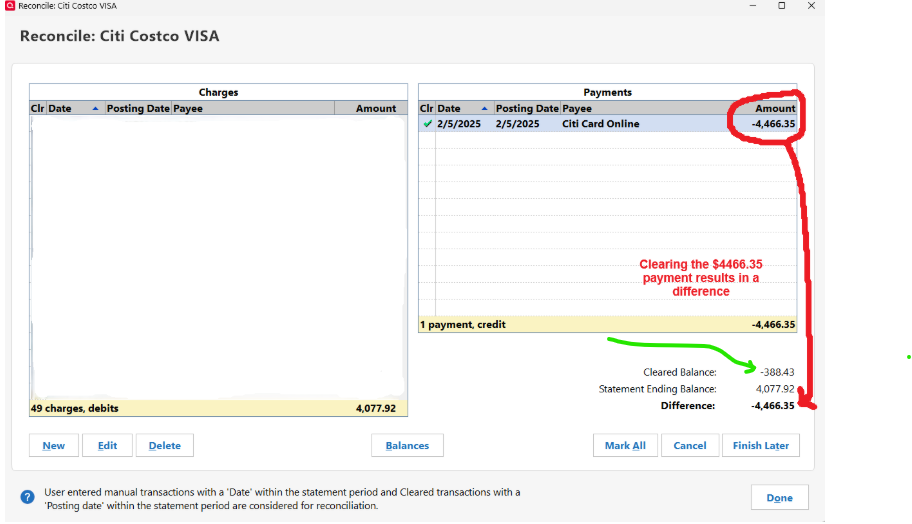
The main question here is how you got a credit of 388.45 for the Cleared balance (note the signs are reversed in a credit card account/reconcile). You should have a Cleared Balance of 4077.92 to be able to reconcile/balance.
The Cleared Balance is the total of all the reconciled transactions in the register plus the cleared transactions up to and including the statement ending date entered. I see that you are reconciling to past month. The first thing to make sure of is that you don't have any reconciled transactions after the end statement date. Quicken will include them (but not show them in the above dialog, because it only shows cleared and uncleared transactions there. I personally think this is wrong that they include these reconciled transactions, but that is what it does).
Past that here is what one should expect:
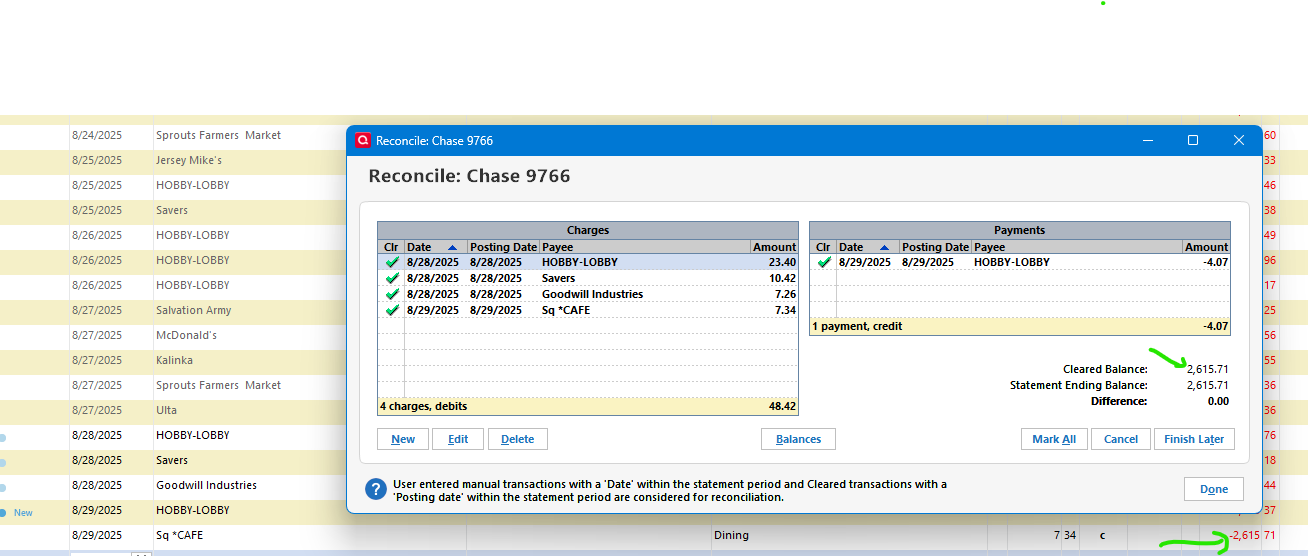
Notice how these two values are the same. By your image above Quicken has calculated a credit of 388.43 (the signs are reversed in the reconcile window) for your statement ending date.
See what happens when I put in a reconciled transactions for $100 charge past the statement ending date.
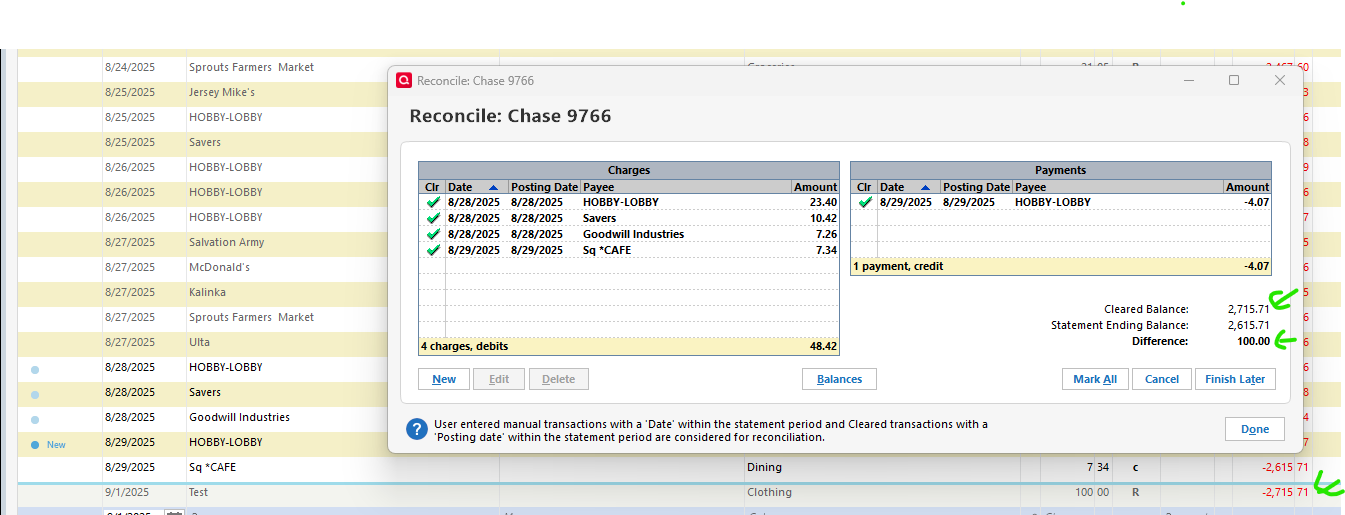
If that isn't the problem, then one of the past Reconciled/Cleared transactions has changed. My guess would be the Opening Balance of the register (the first transaction in the register). There is a long-standing bug that Quicken changes that statement at times.
0 -
Thanks to all for your help and questions. My prior balance was $4,466.35. Normally when reconciling I would see $8,544.27 in the Charges section, which equals $4,466.35+$4,077.92. When I reconcile the next month (March), it looks like this:
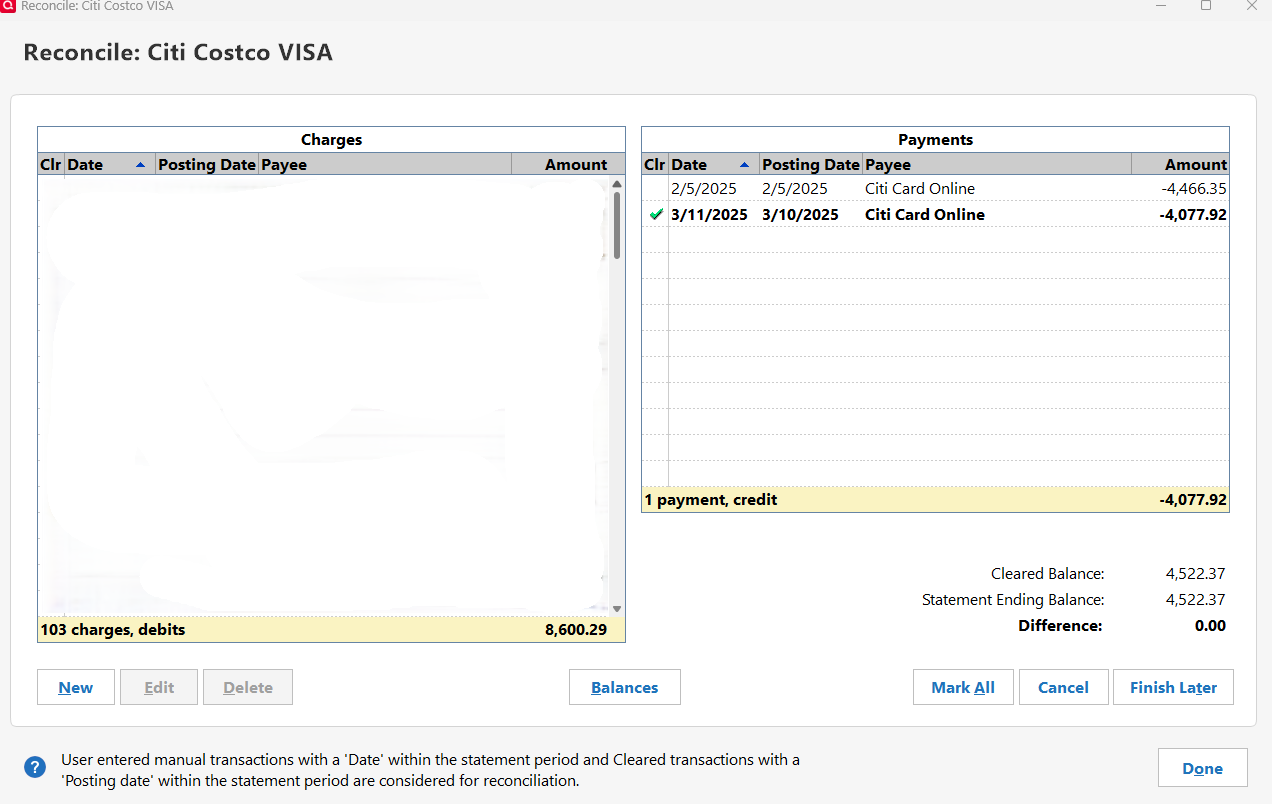
I only see the -$388.43 in the Feb reconcile if I click the $4,466.35 payment, if I leave it unclicked it shows 0.00 Difference. I checked the opening balance and that hasn't changed, so I'm confused as to why the $4,466.35 amount wasn't added to the Charges area as it did in the picture above for March.
0 -
Just to be clear. The charges total never includes the payment. The charges go into the list on the left, and any payments/refunds on the right.
The math is done in the background. And it is, the total of all the reconciled transactions (charges and payments/refunds) and the selected cleared charges/payments.
What is the balance in the credit card account on 2/28/2025?
Provided there isn't any uncleared transactions before 2//28/2025 (which will throw off the total) if it isn't 4077.92, then you have found the problem.
Now that you have included the 3/11/2025 payment here and it balances (without the 4,466.35) my guess would be that the 4,466.35 payment has been duplicated, and that you will find that the duplicate 4,466.35 transaction is marked reconciled (and that is why it doesn't show in this window).
If that is correct, then you just need to delete the duplicate 4,466.35 transaction.
0 -
So on the graphic above, if the charges total never includes the payment I don't understand why it shows $8,600.29 for 103 charges, debits. The total charges only amounted to $4,522.37, so I'm confused.
The balance on the card on 2/28/2025 was $4,077.92. I searched but can't find any uncleared transactions or duplicate transactions, I thought it was a duplicate as well.
I've been using Quicken since the early 90's and never seen anything like this before, definitely stumped. Appreciate the help!
0 -
The charge totals seem to be "within reason".
Your first screenshot had 49 and a total of 4077.92 and your second one has 103 and at total of 8600.29. So, about $4000 in each statement. But of course, without seeing the actual transactions I could be totally wrong.
Did you check the first statement in your account? The "duplicated reconciled transaction" could be that transaction where its value is has been changed to your statement balance amount.
Can you give a screenshot of the balance in the credit card account around 2/5/2025?
0 -
Also, try running Validate and repair. There might be something wonky that it might clear up.
0 -
Apparently the opening balance got changed as you suggested, all is fixed now. Thanks again!
2 -
You're welcome. I'm glad you found it.
0 -
Commented on wrong post. Off topic comments removed.
Quicken user since Q1999. Currently using QW2017.
Questions? Check out the Quicken Windows FAQ list1