Paycheck amounts keep changing in Income and in tax planner

After the recent update, I have noticed that the projected amounts for income and pensions keeps changing. I can go in and fix it by selecting edit and then just hitting enter. The next time I open Quicken the same thing happens and I have to correct it all over again. If I don't catch it, it makes Tax Planner incorrect. I use Tax Planner as an estimate for the year. I know that it's not totally accurate, but it should be for income if it is using the saved paychecks and pension payment amounts.
Comments
-
Are you using the Paycheck Wizard and/or Reminders for your income and pensions, so that Quicken can use those to project your future income?
If so, go to the Tax Planner and click on the name of one of the entries that is changing. This will open a detail window at the bottom of the page, with options that let you select the source for the projections. If you are using Reminders or the Paycheck Wizard, the selection should normally be Quicken Data and Scheduled Bills and Deposits. Sometimes when a Quicken update is installed, these options get changed and you need to re-select the proper setting.
Please let us know if this explains what you are seeing, or if something else is happening. What exactly are you doing when you select Edit and hit enter?
QWin Premier subscription0 -
I previously checked all of this and it is exactly what you described. I have been using Quicken for decades and never had this issue.
To correct it, I have gone into the income and bills section. I open the reminder and then click edit. All of the CORRECT information is there. I just hit enter and it corrects itself until the next time I open quicken. I have backed up the file and it still changes. I have done validate and repair and there doesn't appear to be an issue with the entries.
Also, along the same lines, the number that quicken shows for current income is off. I have reviewed all of the transactions that have been input and they are all correct (this has involved me going over every weekly paycheck to date.) I have reviewed the tax summary report and all of the information in the report in regard to salary is correct. I have created a report that includes all items that relate to income, and that is correct, yet the number that shows under actual YTD is lower than the actual number by a couple of thousand dollars.
As I said in the beginning, I have been using Quicken for decades so I know how it works and how the information feeds.
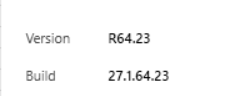 0
0 -
When you say "the number that quicken shows for current income is off" is that the "Actual YTD" amount in the Wages and Salaries - Self detail section of the Tax Planner, or is it somewhere else?
There was a problem in the Tax Planner recently with projected salaries, but that appears to have been resolved.
Have you tried deleting and re-creating the problem reminder(s)? That might fix the issue with the amounts fed to the Tax Planner not being "sticky."
QWin Premier subscription0 -
This is also happening with my Quicken Premier. I've only noticed it in the paycheck I've set up with income reminder. Has been no problem until several weeks ago. It shows changes to a net amount usually a couple of hundred dollars higher than it should be. When I open it to edit all future instances and then just hit enter, it corrects itself, until I close an open it again. The amount it shows has changes a few times, between a hundred and five hundred more than it should be. Very annoying.
 0
0 -
@Jim_Harman the YTD income is off by a couple of thousand dollars in tax planner. There appears to be something behind the scenes that is not showing up in reports that is impacting YTD wages. When I opened tax planner this morning, the same issue in both YTD income, projected income for wages and pension income. Very frustrating
0
