Bill and Income reminders reappear after being paid or skipped

After paying a bill that has a reminder registered it will reappear in the account with the same due date. Skipping the redundant reminder makes it go away but it returns when switching back to the account. This has happened on monthly, quarterly, and yearly reminders in all account types (checking, savings, credit card). This behavior started after the most recent R64.25 update.
Comments
-
Hello @Jkeefe1,
Thanks so much for your question — I know how confusing it can be to have reminders reappear after you've already paid or skipped them. That definitely shouldn't be happening, and I’d like to help you get to the bottom of it.
To start narrowing things down a bit, could you let me know:
- Where is your Quicken data file stored — is it on your local hard drive, or is it located in a synced folder like OneDrive, Dropbox, or iCloud?
- Have you tried running a file validation? You can do this by going to File > Validate & Repair File, checking the "Validate file" option, and then clicking OK.
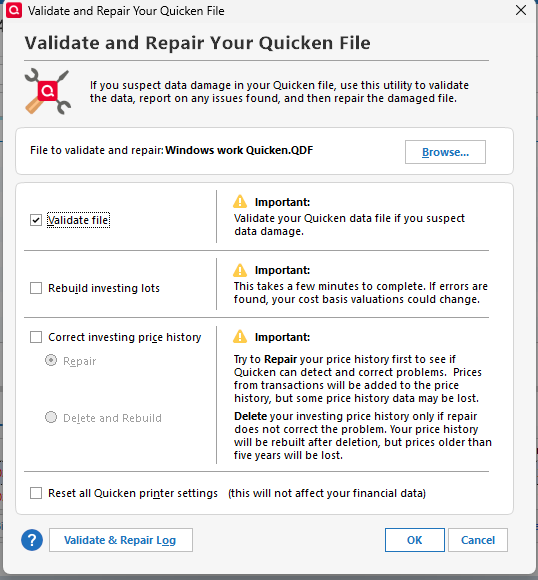
If you’ve already done that, did it return any messages or errors?
These details will help us figure out what might be contributing to the issue and how to best resolve it.
Thank you!
Quicken Alyssa
Make sure to sign up for the email digest to see a round up of your top posts.
0
