Info in the Memo field doesn't appear on the printed check

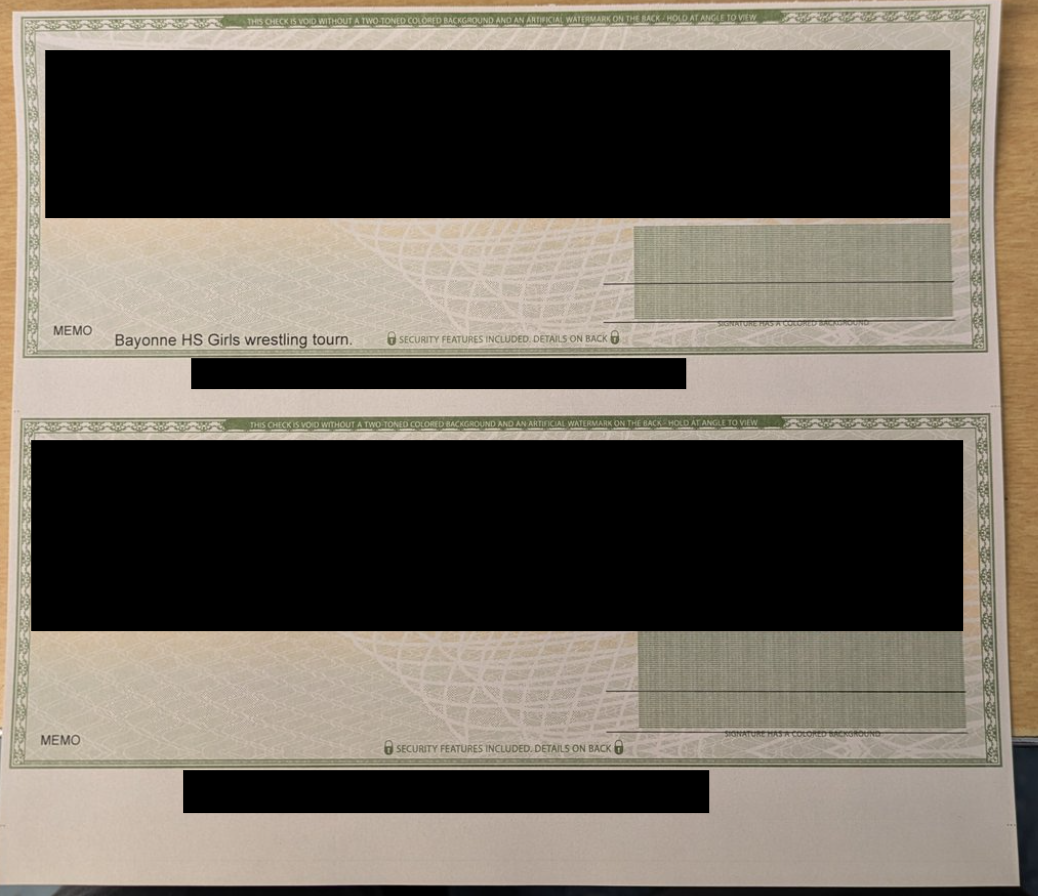
I'm using Classic, version R64.25. Sometimes I print 2 or 3 checks on 1 page. I'll put information in the Memo field for all the checks. However, often (intermittently) the Memo field on the last check on the page doesn't appear when I print the checks. I then have to write in the blank Memo field with a pen.
[Edited Screenshot to Remove Sensitive Info]
Comments
-
Something is amiss with your check alignment settings. The printed date is too high and the printed memo is too low. I think the bottom memo fell below the check printing area. I suggest you go through your settings for printing checks and make sure they're correct for the checks you use.
Quicken user since version 2 for DOS, as of 2025 using QWin Premier (US) on Win10 Pro & Win11 Pro on 2 PCs.
0 -
Also, where did you get these checks? Are they certified as being "Quicken/Quickbooks" compatible?
Incompatible checks could also be the reason for your issue.
Q user since February, 1990. DOS Version 4
Now running Quicken Windows Subscription, Business & Personal
Retired "Certified Information Systems Auditor" & Bank Audit VP0 -
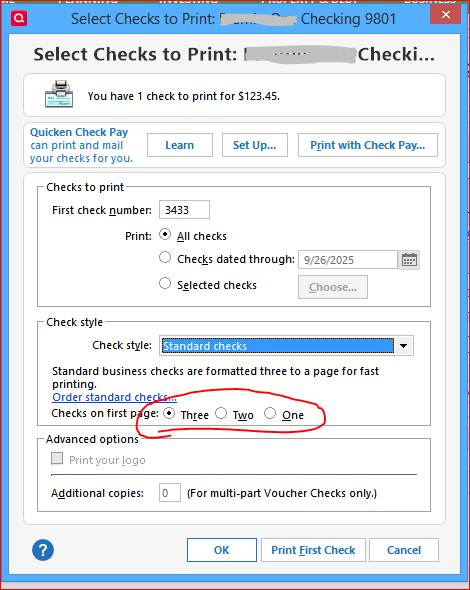
Are you selecting the correct number of Standard Checks available on the first sheet? 3, 2 or 1 check left on the sheet?
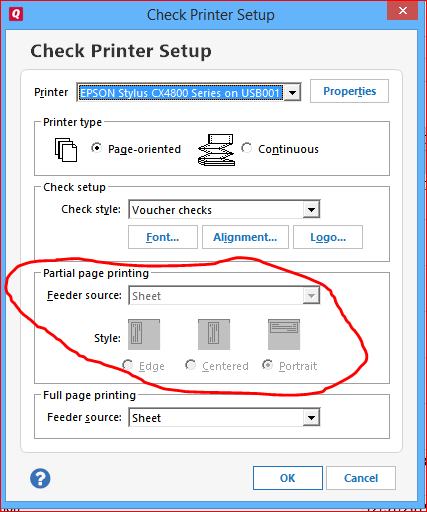
Also be sure to choose and test the proper selections for how to print a partial page (1 or 2 checks left on sheet) in your printer … the settings to choose (e.g., horizontal vs. vertical feed) may depend on the make and model of printer that you use.
 0
0



Categories
- All Categories
- 6 Product Ideas
- 34 Announcements
- 253 Alerts, Online Banking & Known Product Issues
- 19 Product Alerts
- 265 Welcome to the Community!
- 301 Before you Buy
- 1.5K Product Ideas
- 55.8K Quicken Classic for Windows
- 16.9K Quicken Classic for Mac
- 1K Quicken Mobile
- 834 Quicken on the Web
- 129 Quicken LifeHub