Money Market Mutual Fund not showing in Cash account linked to Merrill Lynch Investment Account

I opened a new ML Investment account. In Quicken I selected to show cash separately. I funded the account and the cash showed correctly in the ML Investment - cash account.
I bought a Money Market Mutual Fund and the purchase is now showing as a security in the ML Investment account, not as cash in the ML Investment - Cash account.
I have this same setup with my Schwab account and all Money Market Mutual Funds purchases and sales show in the Schwab Investment - Cash account. I do not remember having to do anything special to make this happen.
How do I make my Merrill Lynch - Cash account show my Money Market Mutual Funds balances like my Schwab Investment - Cash account does? I have searched through settings on accounts and securities and see no solution.
Thanks!
[Edited-Readability]
Answers
-
Hello @sjmsing,
Thank you for sharing your experience and posing this question. I can definitely see why this is confusing, as one account has the expected behavior and another does not.
You mentioned settings, and that brought to mind one you can look for.
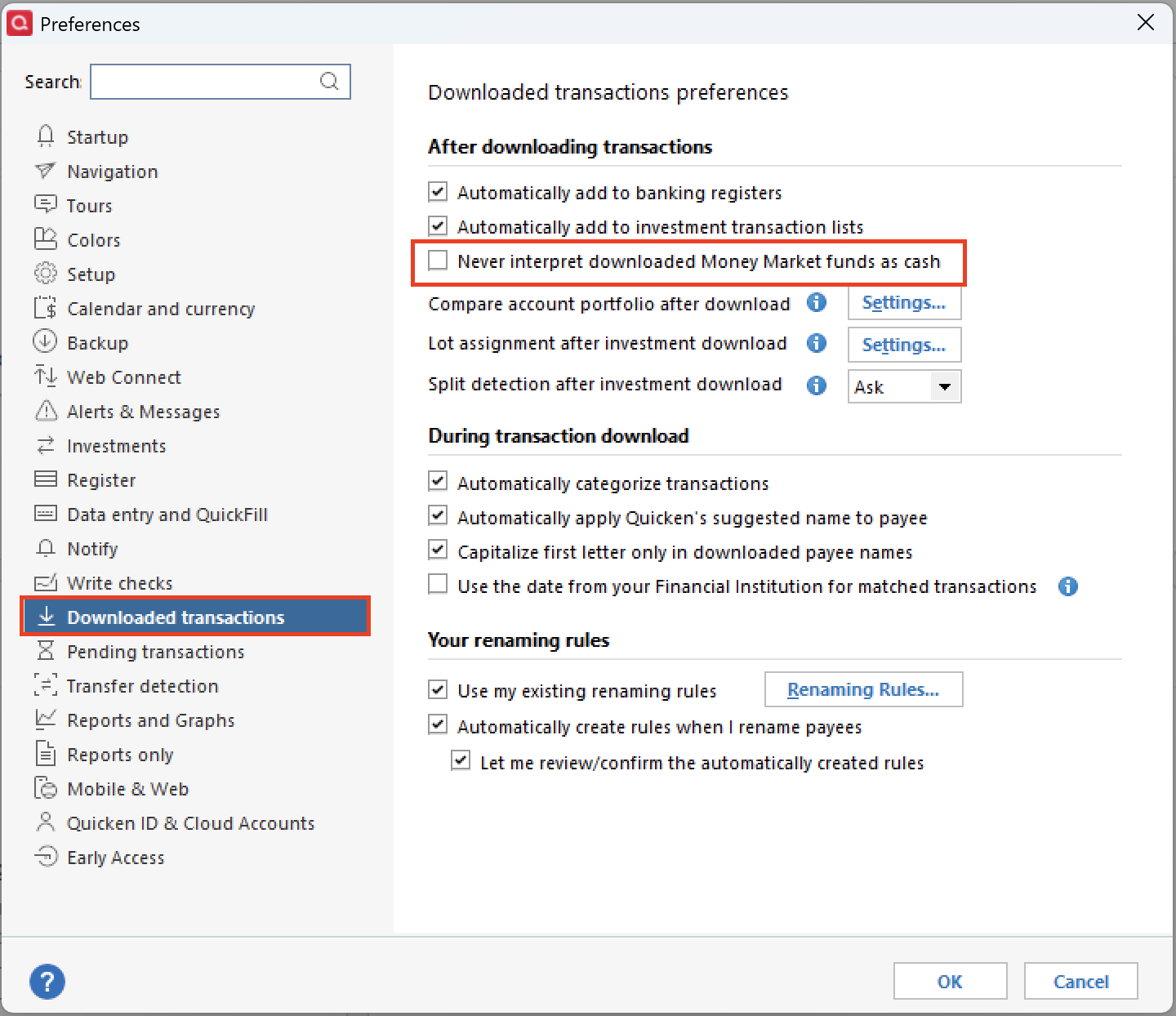
Please do the following:
- Go to Edit.
- Select Preferences.
- Click on Downloaded transactions.
- Check to see if you have "Never interpret downloaded money market funds as cash" checked off.
- Uncheck it if it is checked off.
Hope this helps!
Quicken Alyssa
Make sure to sign up for the email digest to see a round up of your top posts.
0 -
@Quicken Alyssa Thank you for the response
I looked and it was not checked off.
0 -
Hello @sjmsing,
Thank you for checking that setting and following up!
At this point, I think the best option is for you to contact Quicken Support directly, so they can take a closer look at what is occurring.
I hope they are able to get it all sorted out for you.
Thank you!
Quicken Alyssa
Make sure to sign up for the email digest to see a round up of your top posts.
0
