Quicken for Mac

I have run Quicken Premier for Windows for 20 years. I have purchased a Mac and downloaded Quicken for Mac . I did back up my Windows Quicken data to a flash drive.
I have installed , reinstalled a few times . When I Start the Quicken for Mac Icon I cannot find the " Lets get started Button" to convert my Win Quicken data . How can I find the " Lets get started button " ?
Thank you
Answers
-
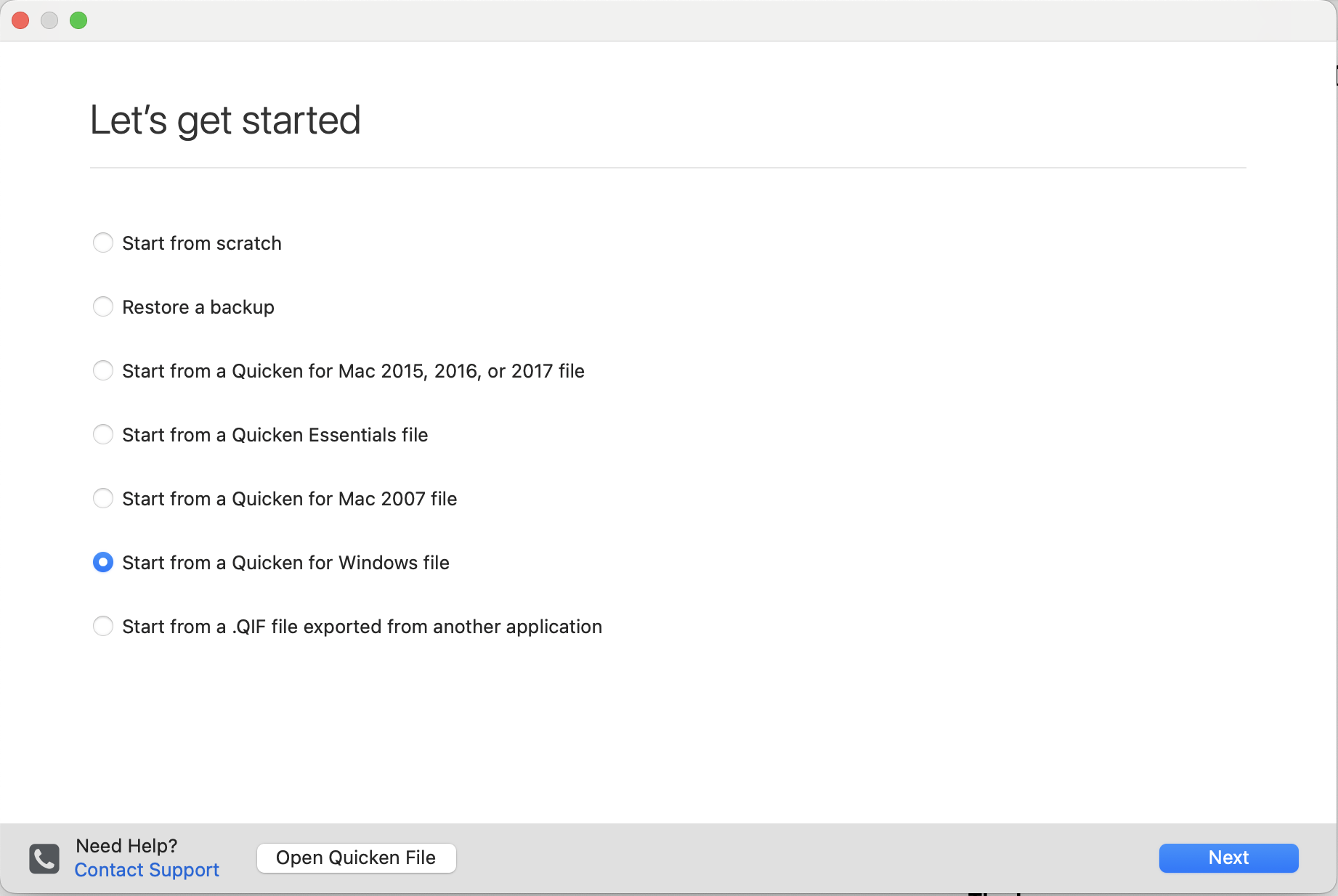
If you go to the File menu and select New, you should get the "Let's Get Started" dialog which will include the option to convert a Quicken Windows file. There is no "Let's Get Started" button.
0 -
Hi JoI was not abe to it access ; LETS
0 -
Hi JoI was not abe to it access ; LETS
Huh? I'm not sure what you were trying to say.
You simply pull down the File menu and select "New…" to get the Let's Get Started screen:
 Quicken Mac Subscription • Quicken user since 19930
 -
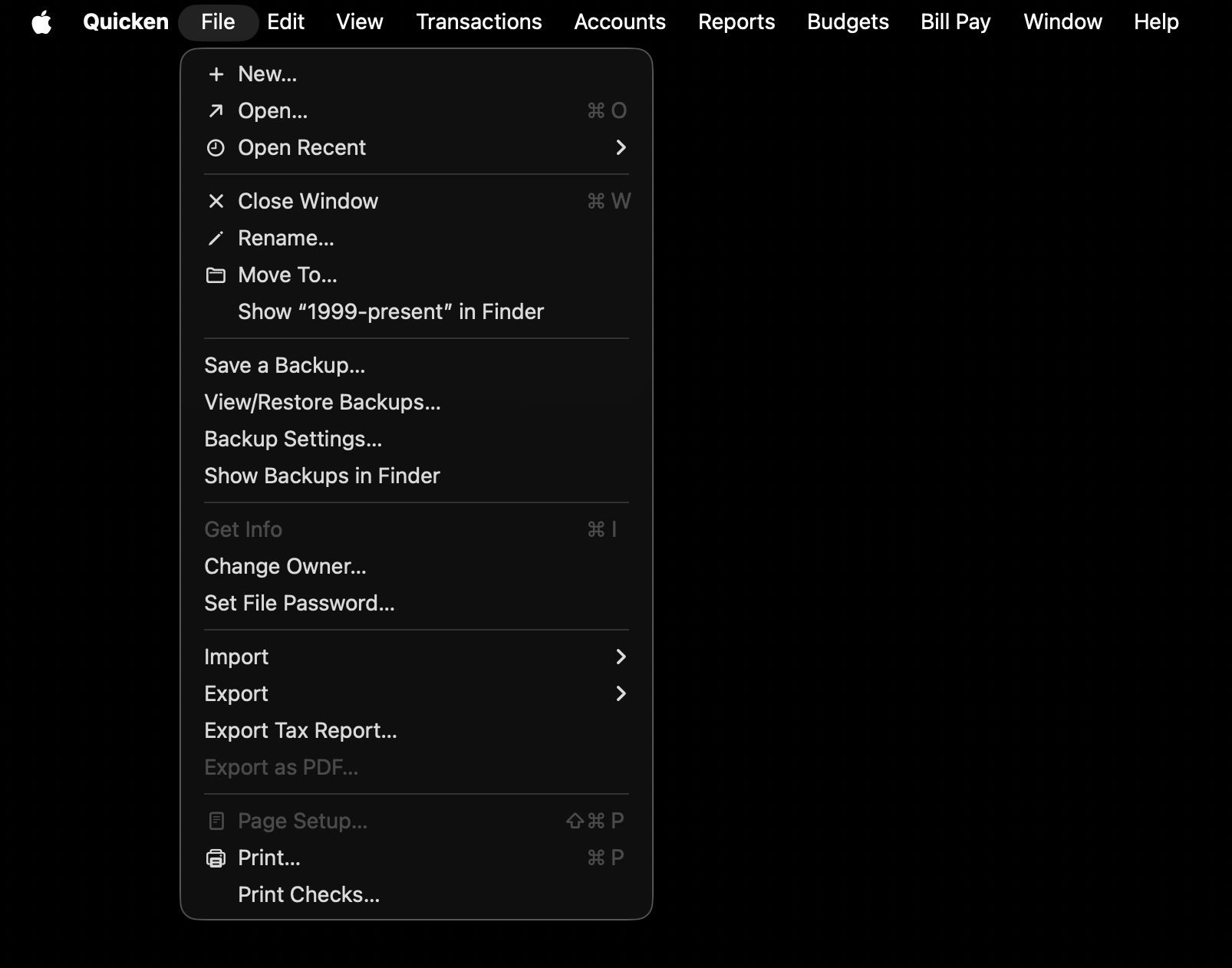
If you're new to a Mac, you may not be used to the way the menus work. In Windows, the menus are attached to the top of each app's window, but in Quicken Mac the menu for the currently active app (that has keyboard & mouse focus) is at the top of the screen. So to access the menu command make sure Quicken is the active app - you'll see Quicken in the upper left of the screen next to the Apple symbol - and then you'll see the File menu right next to it.
 0
0 -
Hi Jon:
Thank you , yes Quicken for Mac menus are different . A few questions
- I was asked to link our two Chase accounts . I was able to link first one , was not provided the same screen to link the other one. Do you know where to go to link the other account ?
- My total net worth is off. I will open my Q for Windows Version and compare Mac Version side by side. If you previously ran Quicken for Windows then converted to Quicken Mac , did you notice your account balances were off ?
Thank you Jeff
0 -
Are they both the same kind of account? I haven't had any Chase accounts for a long time, but looking at the list now I see there are separate entries for "Chase", "Chase Investments", and "Chase Mortgage", plus a few others. So if one of the accounts is a banking account and the other is a mortgage or investing account, you might have to link them separately.
As for conversion errors, it's been a long time since I did any Windows to Mac conversions but I don't recall now having major problems.
0 -
Jon both are checking accounts , my wife and mine
0
