Fidelity Annuity updates on the following date.
Answers
-
To see the account type in Quicken Mac, click on the account in the sidebar, then click on Settings in the bottom menu bar (or from the menu: Accounts > Settings), then click on the Downloads tab. The Connection Type is shown. If you hover your cursor over the Connection type, it displays some additional information:
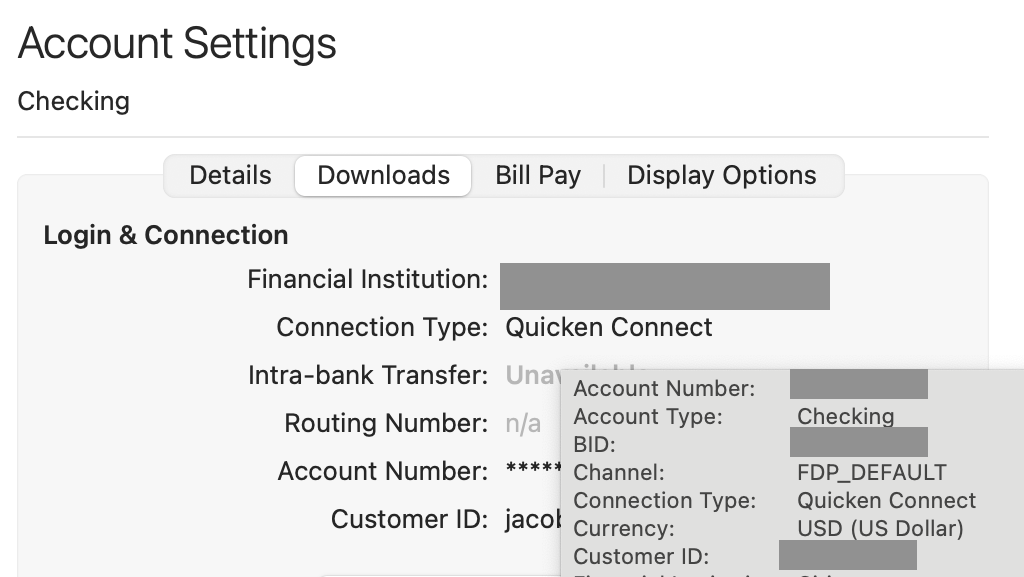
In this screenshot (which is not a Fidelity account), the line which shows "Channel: FDP_DEFAULT" indicates an EWC/Quicken Connect connection. If it showed "FDP_DIRECT", that would indicate the newer EWC+/Quicken Connect connection.
Quicken Mac Subscription • Quicken user since 19930 -
Thank you for the info. I recall I used to have Settings at the bottom of the sidebar, now I do not. And, if I go to the very top of my Mac, under Quicken, the Settings is only for Quicken settings, not account settings. Then about 4 tabs to the right is Accounts, but Settings is greyed out….I don't see anywhere that has the info that you displayed above.
0 -
I recall I used to have Settings at the bottom of the sidebar, now I do not.
@SCPat You can control the presence of the bottom toolbar by pulling down the "Quicken" menu to Settings, and clicking on the Register tab. On that screen, the "Register Toolbar" dropdown can be set to "Always Show" to keep the toolbar at the bottom of each register:
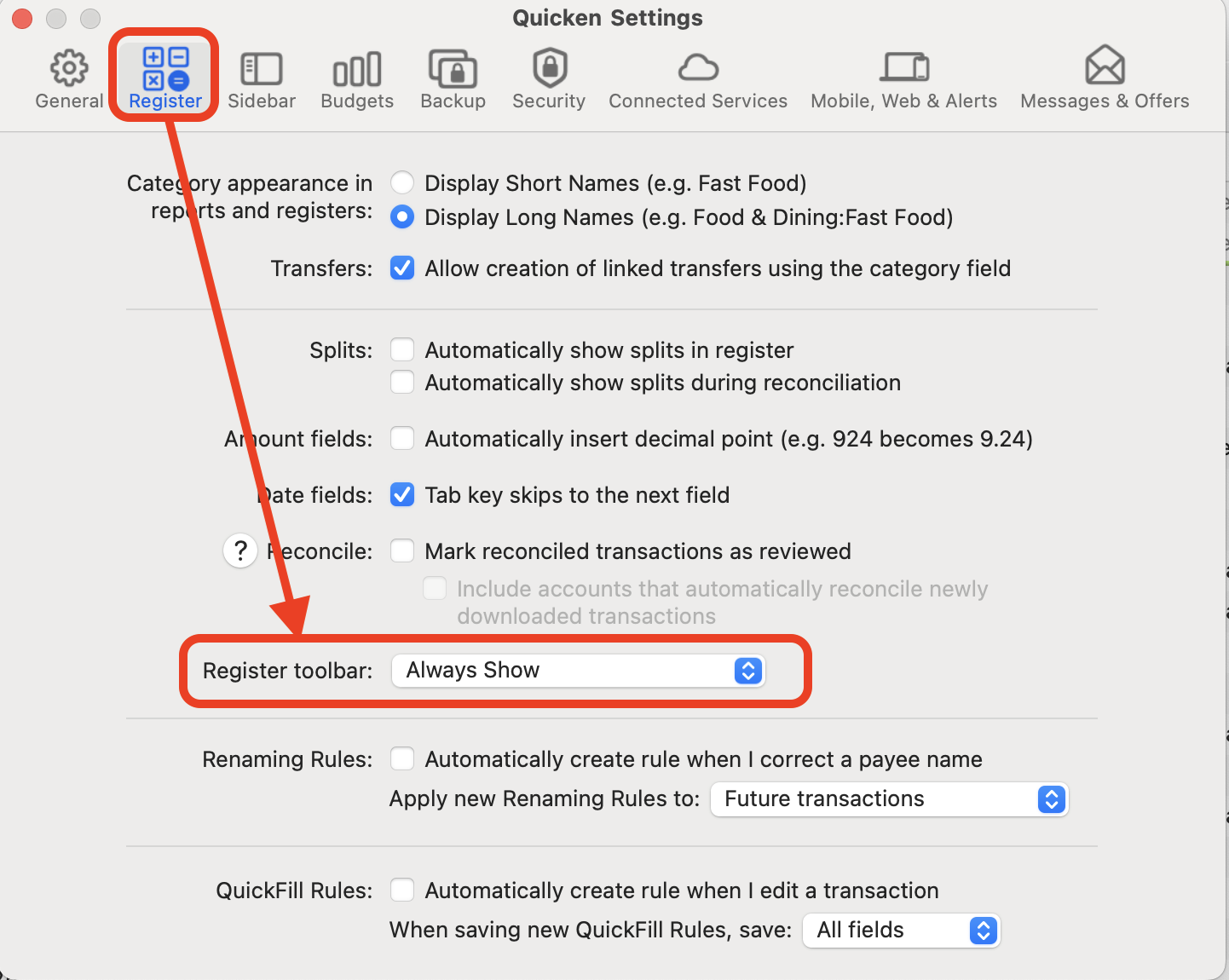
Alternatively, you can select "Automatically Hide & Show" if you want the bottom toolbar to be hidden except when your cursor is at the bottom of the window, making the bottom toolbar pop up.
The account Settings button is on the far right of the bottom toolbar:

And, if I go to the very top of my Mac, under Quicken, the Settings is only for Quicken settings, not account settings. Then about 4 tabs to the right is Accounts, but Settings is greyed out….I don't see anywhere that has the info that you displayed above.
It's the latter that I mentioned above: Accounts > Settings. You have to have the main Quicken window in the foreground and an account selected in the left sidebar. (That is, if you have the Reports screen or Budgets screen open, the Accounts menu will be grayed out because it doesn't know what account you'd want to access.)
Clicking the account Settings button in the bottom toolbar or the Accounts > Settings menu option do the same thing: opening an Account Settings window like the one I showed above.
Quicken Mac Subscription • Quicken user since 19931 -
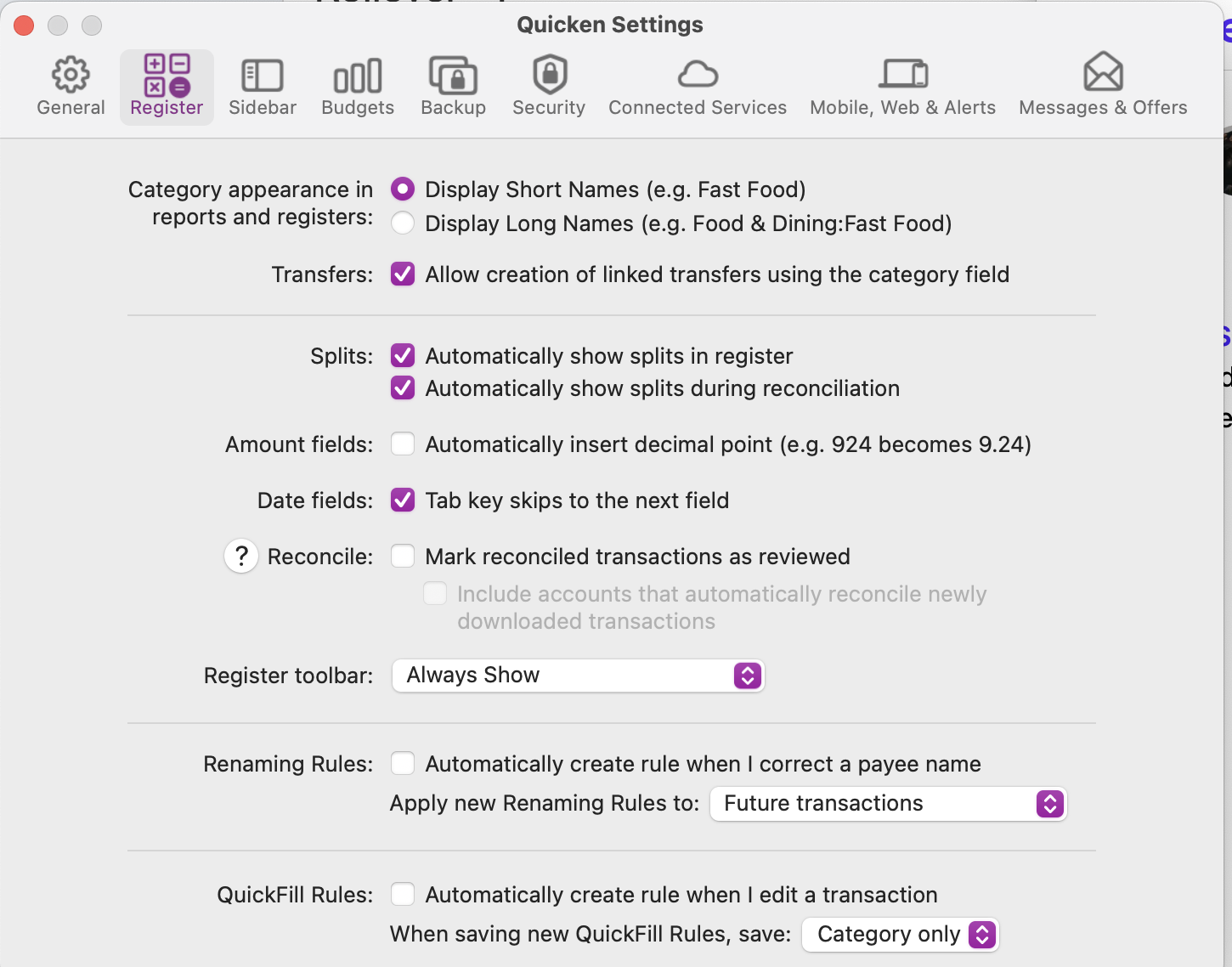
Thank you for your time and assistance. I swear, I'm the problem child here. So, I did exactly what you said and mine does show the toolbar as 'Always show'. I have the sidebar opened all the way, it's about 4 ½ inches wide. After my accounts etc, the last several inches to the bottom are just blank, nothing to click on. What the heck am I doing wrong? I remember I used to have Settings at the bottom of the toolbar….
 0
0 -
Thank you so very much for all your assistance with his annoying issue! I got lucky yesterday with an interesting turn of events. I decided to open up some of the backups that I had pulled last week. I went with my 6-30 one. I have previously opened this several times - this is what I got THIS time! Whoa - I was thrilled! It only listed 3 of my Fidelity accounts, but I checked each and they are all DC!
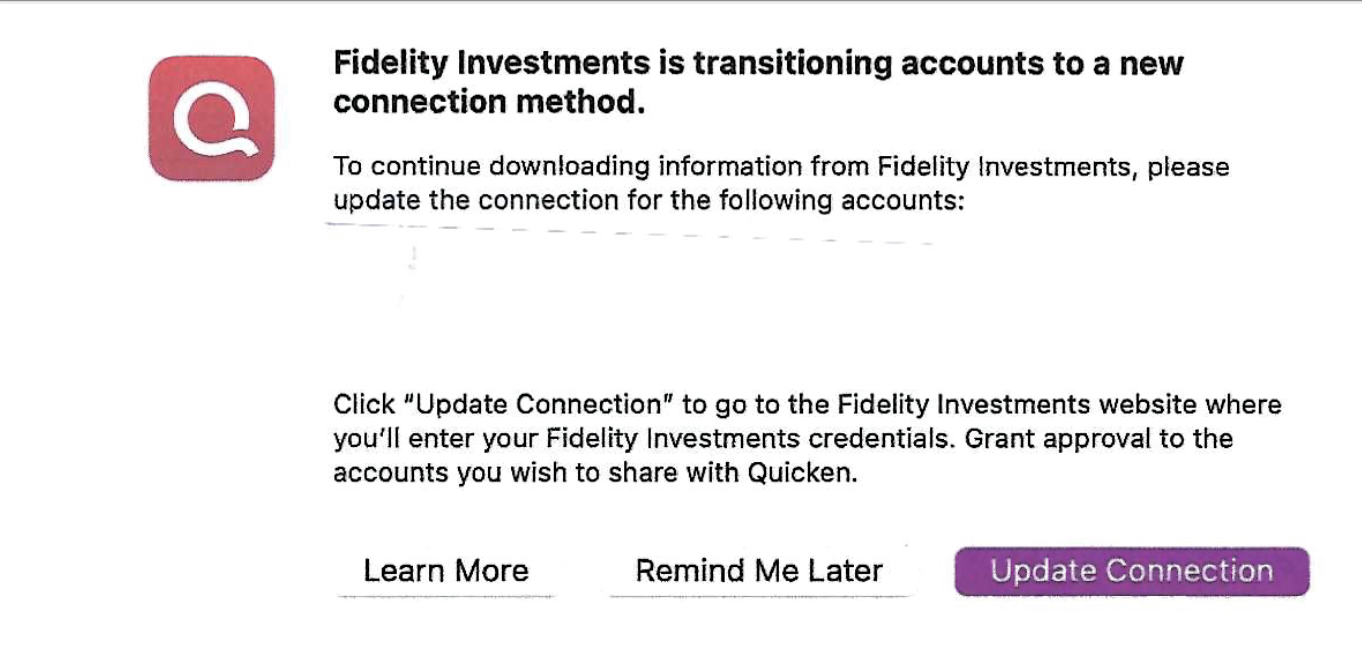
So THIS time, I hit Remind Me Later and I see my Fidelity is now DC not QC. I had about 500 rebuilds to do with my regular banking for the past 3 months - visa etc but it was worth my time. Can't wait to see if it updates my annuity on the correct day like it used too before I went with QC.
Every time I update I just click on Remind Me Later…..
Thank you again!
1


Categories
- All Categories
- 18 Product Ideas
- 34 Announcements
- 246 Alerts, Online Banking & Known Product Issues
- 19 Product Alerts
- 518 Welcome to the Community!
- 682 Before you Buy
- 1.5K Product Ideas
- 55.7K Quicken Classic for Windows
- 16.8K Quicken Classic for Mac
- 1K Quicken Mobile
- 834 Quicken on the Web
- 127 Quicken LifeHub