Wells Fargo CC accounts not updating

Over the past 2-3 weeks, I've noticed my Wells Fargo CC accounts are not updating in Quicken Classic (currently at version R64.30 - build 27.1.64.30). It says it downloads successfully, but no additional entries appear. When I try to perform a "reset account" (performed multiple times over past 2 weeks), I get this failure message.
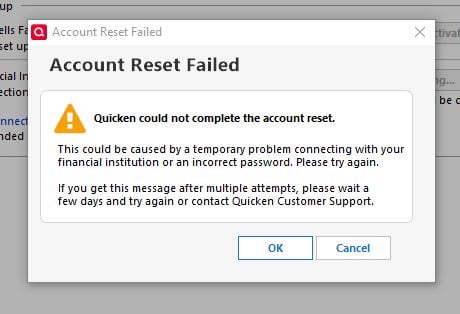
I have deactivated and reactivated the accounts in Quicken, but there is no change. Even if I "successfully download" and then attempt to reconcile, it says "your account may be out of date".
Comments
-
Hello @GlennD,
Thank you for sharing your experience, and I am happy to help.
Are you connecting to Wells Fargo via the Direct Connect connection method? Just curious because I am unable to see your connection attempts internally. Either way, I think a good place for us to start, given that you have already tried resetting and deactivating, would be to sign out of Quicken and sign back in.
Please follow the steps below in order to do so.
- Navigate to Edit
- Preferences...
- Quicken ID & Cloud accounts
- Click Sign in as a different user (or it might say Sign in using a different Quicken ID)

- Follow the prompts to Sign Out

- Sign back in using your Quicken ID (email) and password
Once you have done that, attempt your connection to Wells Fargo again and let me know how it goes.
Thank you!
Quicken Alyssa
Make sure to sign up for the email digest to see a round up of your top posts.
0
