I now get this error message

I used to be able to upload transactions from various institutions into my Quicken, I could open Quicken and accept those transactions, now I get above error message, and am now unable to do so.
Answers
-
Hello @Susan Brasel,
Thank you for sharing your experience and for providing that screenshot.
Can I please have you uninstall and reinstall your Quicken software?
To uninstall:
- Open the Start menu and select Control Panel.
- Go to Programs > Programs and Features (or Uninstall a program).
- Select Quicken from the list, right-click it, and choose Uninstall.
- Follow the on-screen prompts to complete the uninstallation
To reinstall:
- Go to Quicken.com
- Click Sign In in the top right.
- Click on My Account from the drop-down options.
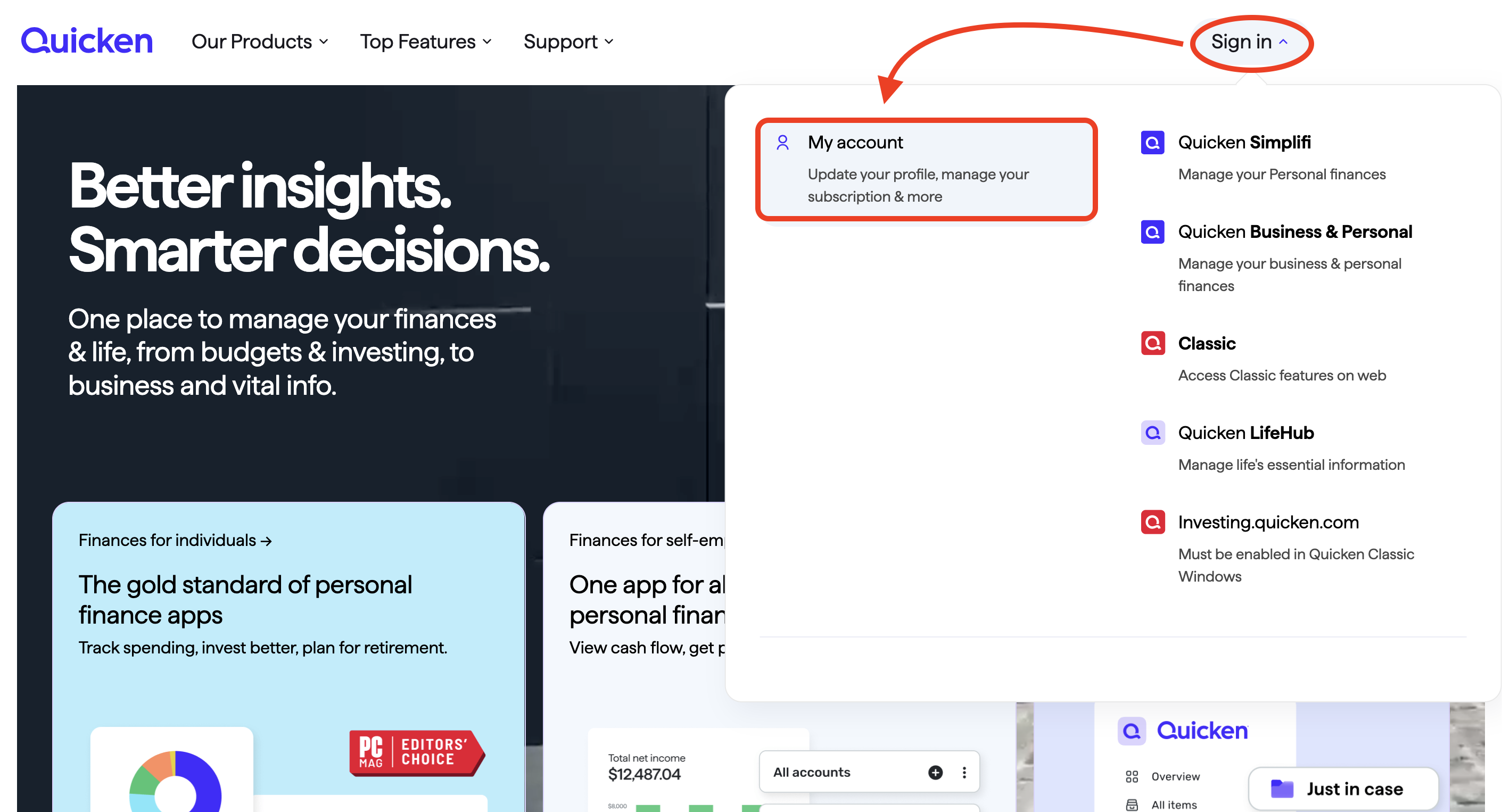
- Enter your credentials and sign in.
- Once signed in, you should see five white boxes on your screen.
- The box at the bottom should be Download Quicken.
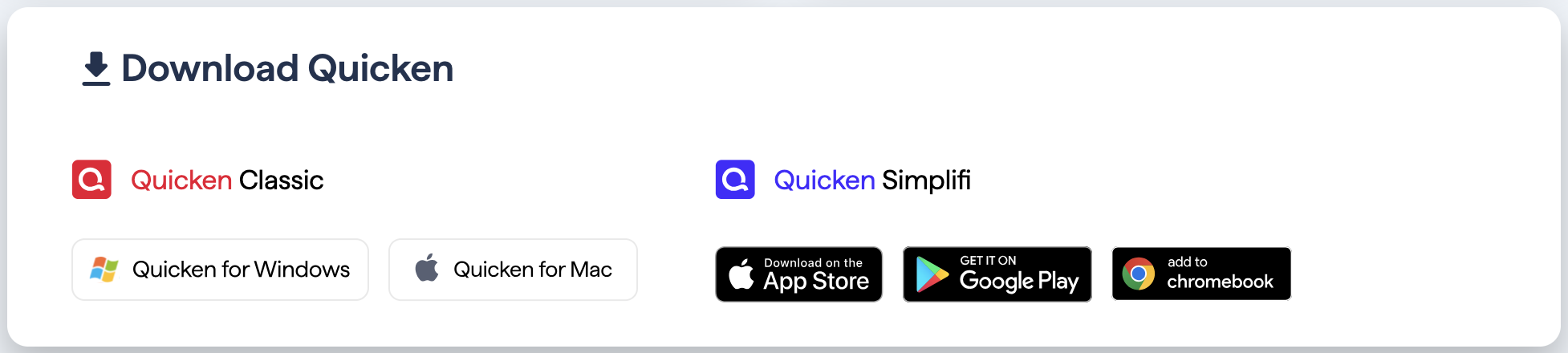
- Select the corresponding download for your operating system.
Once that is done and Quicken opens, it will ask you if you are New to Quicken or if you have used Quicken before. Select that you have used it before. It should take you through some prompts and get you back into your file. If you run into any snags along the way, let us know, and we can help.
After you are back in your file, try updating your accounts again.
Let me know how it goes.
Quicken Alyssa
Make sure to sign up for the email digest to see a round up of your top posts.
0


Categories
- All Categories
- 52 Product Ideas
- 34 Announcements
- 247 Alerts, Online Banking & Known Product Issues
- 20 Product Alerts
- 514 Welcome to the Community!
- 680 Before you Buy
- 1.5K Product Ideas
- 55.5K Quicken Classic for Windows
- 16.8K Quicken Classic for Mac
- 1K Quicken Mobile
- 832 Quicken on the Web
- 126 Quicken LifeHub