Why do cash account transactions appear on mobile and on the web but not on desktop?

Using Windows 11 and Quicken Classic version R64.35. Cash transactions are on mobile and web versions of Quicken but will not sync with desktop. I have tried everything that I can think of to no avail. All other accounts sync fine.
Answers
-
Hello @Gregory B,
Thank you for posing this question, and I am happy to help you get to the bottom of it.
First thing to check would be which dataset you are looking at. Sometimes, if you have more than one dataset, you can be looking at one on the web and a totally different one in the desktop software.
To check this:
In your desktop software;
- Go to Edit.
- Select Preferences.
- Click on Quicken ID & Cloud Accounts.
- Check your Dataset name.
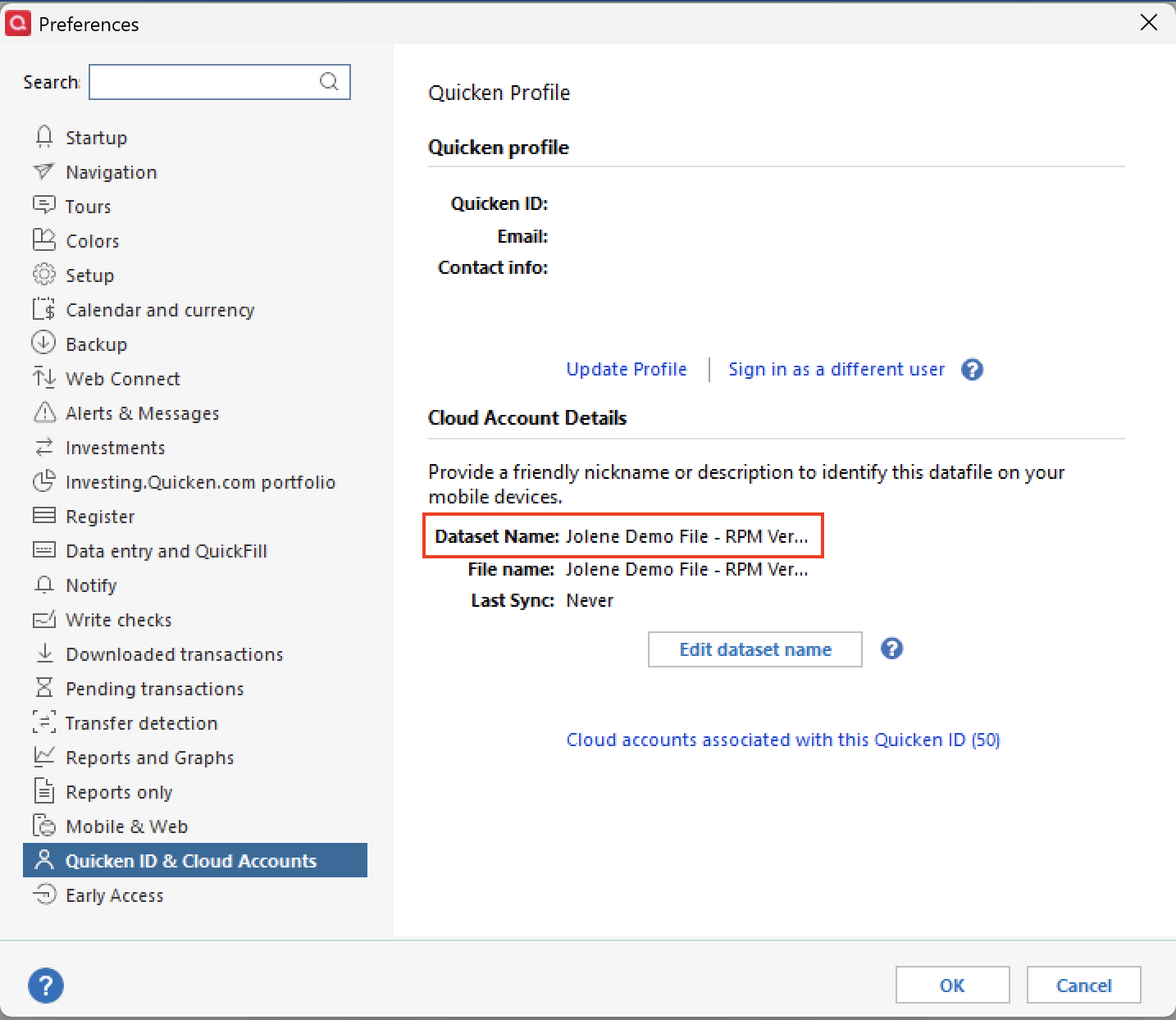
On the Mobile/Web;
- Click on the little circle with your first initial in it, located in the bottom left corner of the screen.
- Look to see that the dataset you are viewing is the same.
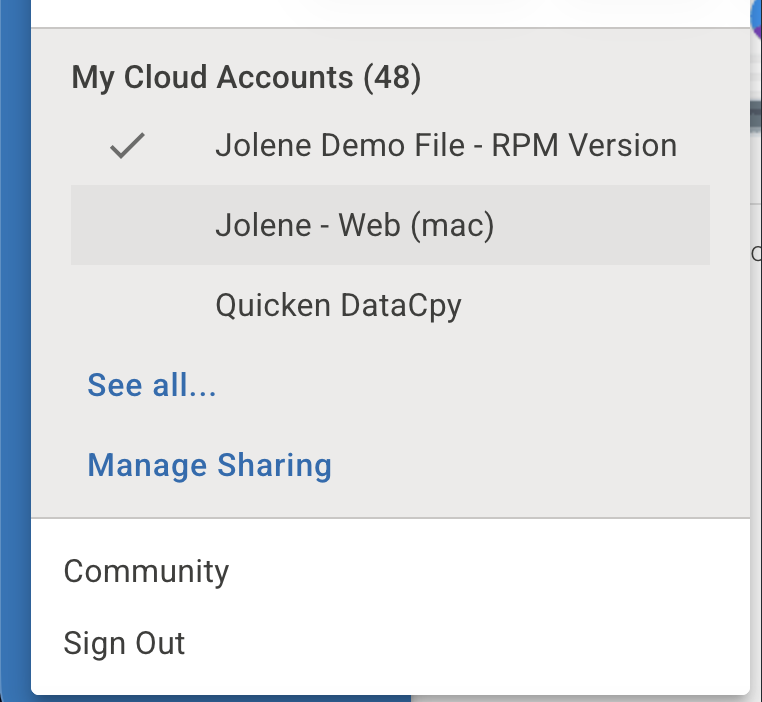
If you are looking at a different dataset, change it to match the one you are looking at on the desktop. To switch the desktop file to match a dataset you are viewing on the web, you will need to locate the file on your desktop and open it.
Let me know how it goes!
Quicken Alyssa
Make sure to sign up for the email digest to see a round up of your top posts.
0
