NetxInvestor / Pershing Automatic Account Update

I saw the post about issues with automatic updates from Pershing Accounts. I also had that problem. Was able to deactivate and re-activate online access, but now only get a simple investing summary, which has no detailed transactions. I used to download the detailed transactions. Any idea if or when Pershing will go back to allowing the download of detailed transactions?
[Edited-Readability]
Answers
-
Hello @JP McClernon,
Thank you for posing this question.
We have not received any information on whether or not Pershing will allow Complete tracking again. That would be decided on their end.
Just to be sure, have you gone to Tools>Account List to make sure Complete isn't an option? Once in the Account List, you will click Edit next to the account(s) in question. In the General tab, you should see the option to switch between Complete and Simple if they do offer it.
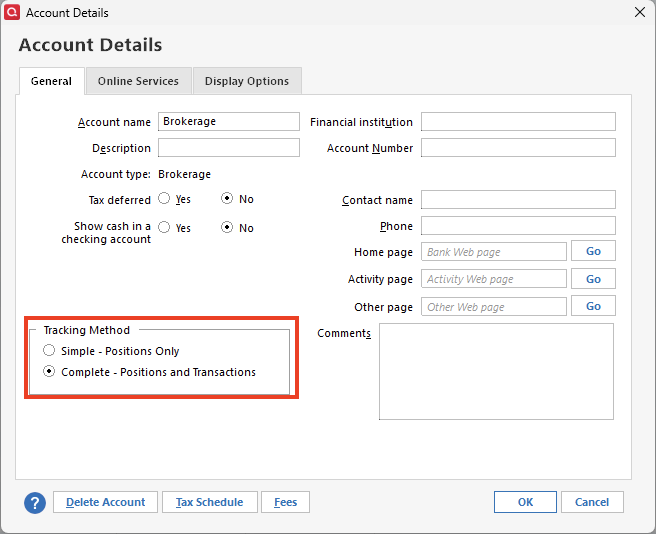
If you have already checked there, it might be worth reaching out to the financial institution to inquire about this. If you do, I would ask for someone in online banking.
Hope this helps!
Quicken Alyssa
Make sure to sign up for the email digest to see a round up of your top posts.
0 -
Any update on the Pershing issues? I am in an endless loop of error CC-579. "Wait. Your financial institution has a request." It has the data boxes to fill out again, and I keep doing it, only to circle around to the same error again.
0 -
Hello @Mike4,
Thank you for adding to this discussion.
After reviewing your account internally, I am not seeing the CC-579, but I am seeing FDP-185. This error occurs when your financial institution has added a new security feature that requires your attention before your account can be updated.
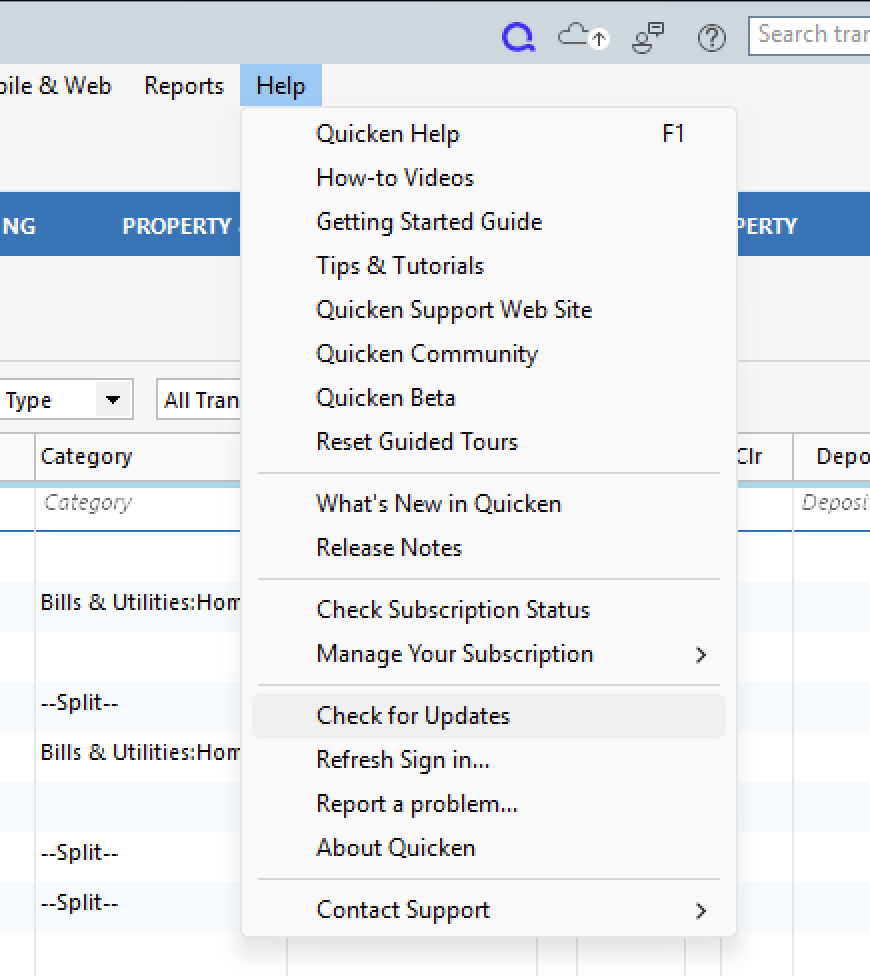
First, you will want to ensure you are on the latest release for your version of Quicken. You can check for an update by going to Help > Check for Updates.
Then you will want to visit your financial institution's website.
- Sign in to your financial institution's website.
- Navigate to the page where you view your account information.
- When you encounter the new web page that requires your response, fill out the requested information and dismiss the screen. If you have the option to not display the page or ask you again, select that option. If you do not, the error may continue to occur.
Note: Some financial institution websites may have this new security requirement located in your inbox or message center.
If the steps above do not resolve the issue, please contact Quicken Support directly, as further investigation and escalation may be required.
Thank you!
Quicken Alyssa
Make sure to sign up for the email digest to see a round up of your top posts.
0
