Old savings account

When I do one step update recently, it fails and my account list shows an old money market savings account that has been inactive for several years. I then have to deactivate all the accounts related to my bank, then reactivate and everything works fine. Until I try another one step update a couple of days later. Then I get that same old account pops up again. I've talked to Quicken and it doesn't show up on their screen; only on mine. Has anyone else experienced something like this and if so, how did you fix it?
Answers
-
"I've talked to Quicken and it doesn't show up on their screen; only on mine."
Are you saying that you called Quicken, allowed screen sharing, went through the deactivate/reactivate process with Quicken watching, did your One Step Update, the old Account showed up in the Account Bar (list of Accounts to the left or right of your screen), but the Quicken rep with whom you allowed screen sharing didn't see that old Account in the Account Bar?
That would appear to be impossible since they are actually looking at your screen, remotely.
If that's not what you're describing, could you clarify?
You're sure the old Account is no longer configured for downloading?
0 -
When I did the screen sharing with Quicken, I had already gone through the deactivate/reactivate to fix the problem so the old account wasn't showing on my screen. I'll have the wait a couple of days and do another One Step Update when the old account will show up again and then do another screen share with Quicken so they can see it. I've looked all through my Quicken Program and can't find any reference to the old account.
0 -
Including looking at: Tools > Account List > Show hidden accounts? And the "Separate" Account list at the bottom of the Account Bar?
0 -
My Tools>Account List does not have an option to Show hidden accounts but there is a separate item under Tools to Manage Hidden Accounts and the old account isn't shown there. My Qicken doesn't include a "Separate" Account List at the bottom of the Account Bar.
0 -
If it's permanently inactive, I'd try Closing the account.
0 -
I've done that but it keeps coming back
0 -
You don't see this:
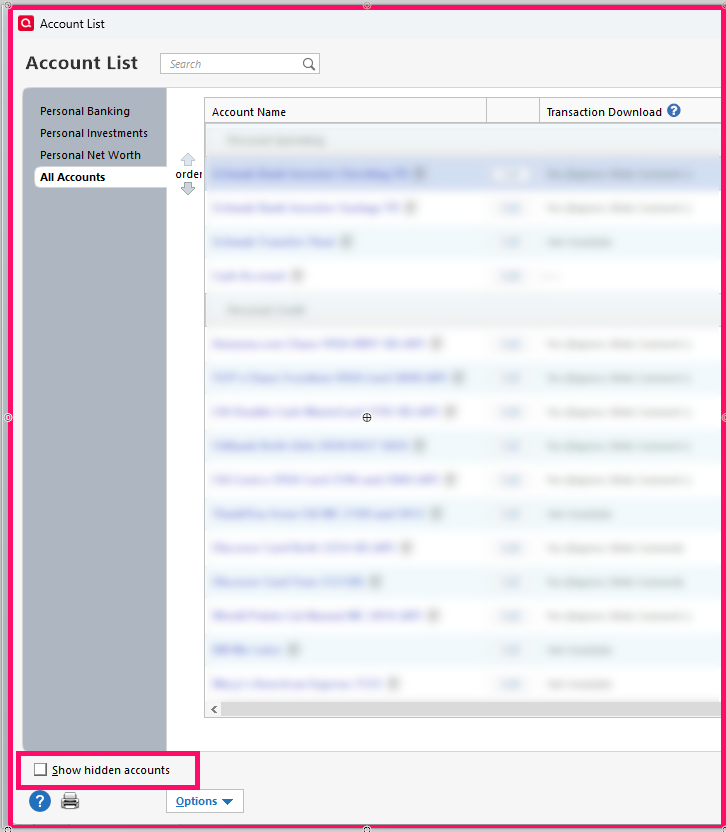
nor this?:
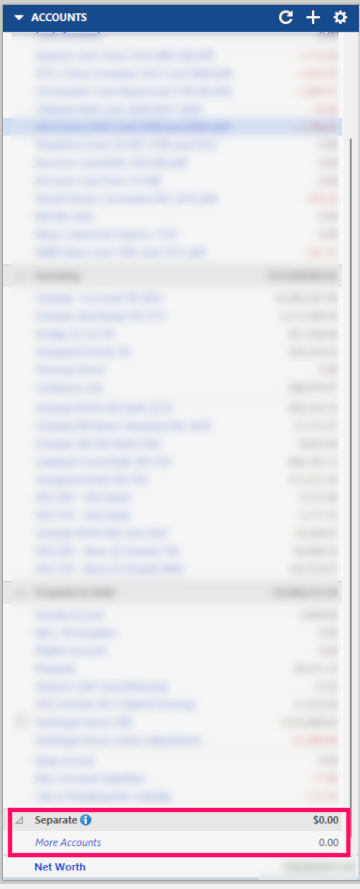
What version are you using?
In the Account List is this old Account unconnected from downloading?
0

Categories
- All Categories
- 46 Product Ideas
- 34 Announcements
- 246 Alerts, Online Banking & Known Product Issues
- 22 Product Alerts
- 513 Welcome to the Community!
- 679 Before you Buy
- 1.4K Product Ideas
- 55.4K Quicken Classic for Windows
- 16.8K Quicken Classic for Mac
- 1K Quicken Mobile
- 829 Quicken on the Web
- 123 Quicken LifeHub