Show date, Payee and charge as shown on the account register not split amount if there any.

Gabriele
Quicken Windows Subscription Member ✭✭
How do I create a report that shows date, Payee and charge as shown on the account register not split amounts if there any?
0
Answers
-
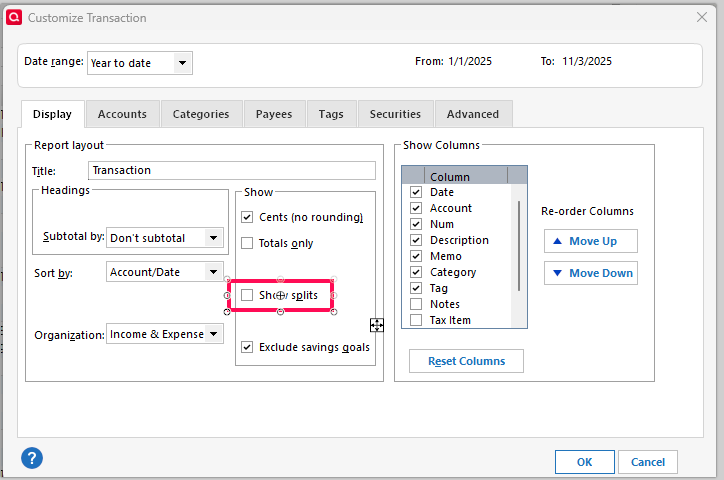
A simple Banking > Transaction report will do that if the "Show splits" box is left unchecked.
 0
0
This discussion has been closed.