Moving from one employee's computer to another employee's computer

I have taken over a position from another employee and we are trying to move the data file from her to myself. I have installed Quicken Classic on my computer and we have backed up the data file. Quicken does not recognize either of our logins on my computer. When I first click on the Quicken Icon, It flashes our data information on the screen and then goes to the login screen. I'm at a loss.
Answers
-
When I first click on the Quicken Icon, It flashes our data information on the screen and then goes to the login screen.
There are 2 possible logins.
- The first one is the mandatory login for the Quicken Classic program. This will be the Quicken.com login of the person who subscribed to the program. The program will not run if this login is not entered.
- The second one is an optional file login. It will be whatever was set by person who used the file prior to you.
Which login are you referring to?
Quicken Classic Premier (US) Subscription: R66.23 on Windows 11 Home
0 -
We are using Quicken Deluxe and running version R59.18. I have downloaded the Quicken Classic for Windows.
0 -
I don't think we know the login of the person who subscribed to the program.
0 -
The software will not work without a valid Quicken.com UserID (called the QuickenID) and PW.
Simply setting up a new Quicken.com account will not be enough. That new Quicken.com account will need to have a valid subscription so you will need to pay for that. Entering the QuickenID and PW into the software will then cause the software to communicate with the Quicken.com account which will then tell the software the subscription is current and that the edition that was subscribed to is Deluxe. Then the software should work just fine for you.
But, if you can find out what the QuickenID and PW are of the person who subscribed to the program within the last year (subscriptions are for 12 months) then you can use that, instead, and avoid having to buy a new subscription.
Just a couple of ideas:
- Since you are employees, perhaps the company (Accounting, your manager, etc.) has the QuickenID and PW since someone there would have had to authorize payment for the subscription. Ask around.
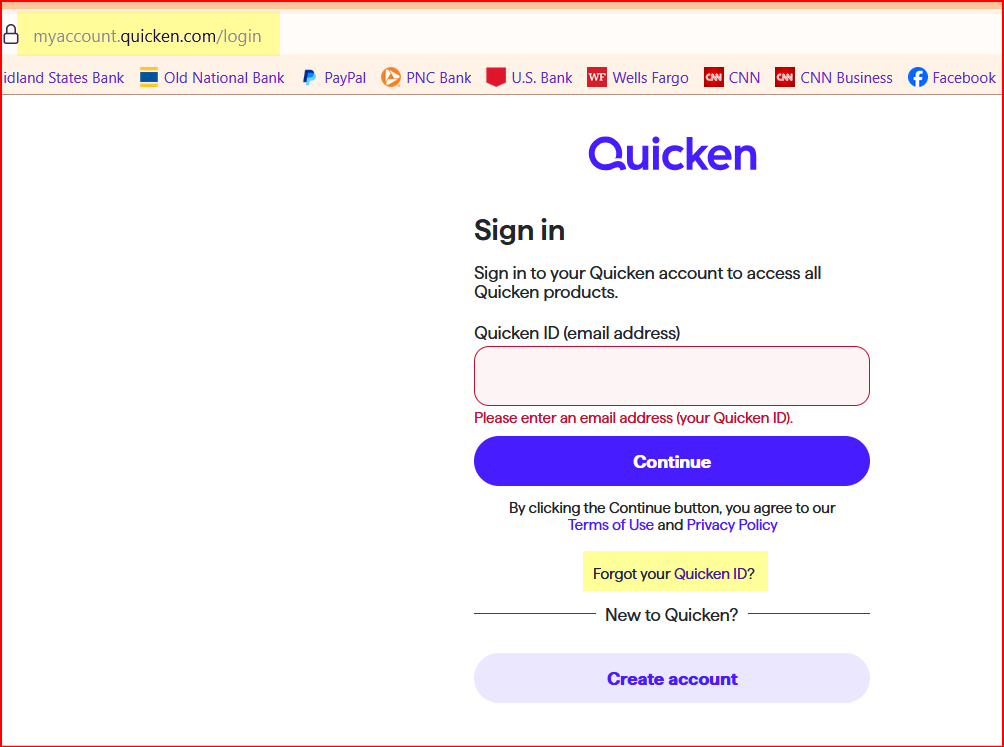
- If that doesn't help, then maybe you can try to find out what the QuickenID is by going to the webpage and clicking on the link (both highlighted in yellow)? That would be a long shot but worth a try.
Quicken Classic Premier (US) Subscription: R66.23 on Windows 11 Home
0
