add edit button to top of register (Q Mac)

wwwoolf
Member ✭✭✭
How do I add the New, Delete, Edit etc. ribbon to the top of the register? It used to be there …
0
Answers
-
No those buttons have always (well, at least for the past 11+ years) been available in a toolbar at the bottom of the register. If you're not seeing it and want to, go to Quicken > Settings > Register and set the Register Toolbar to "Always Show":
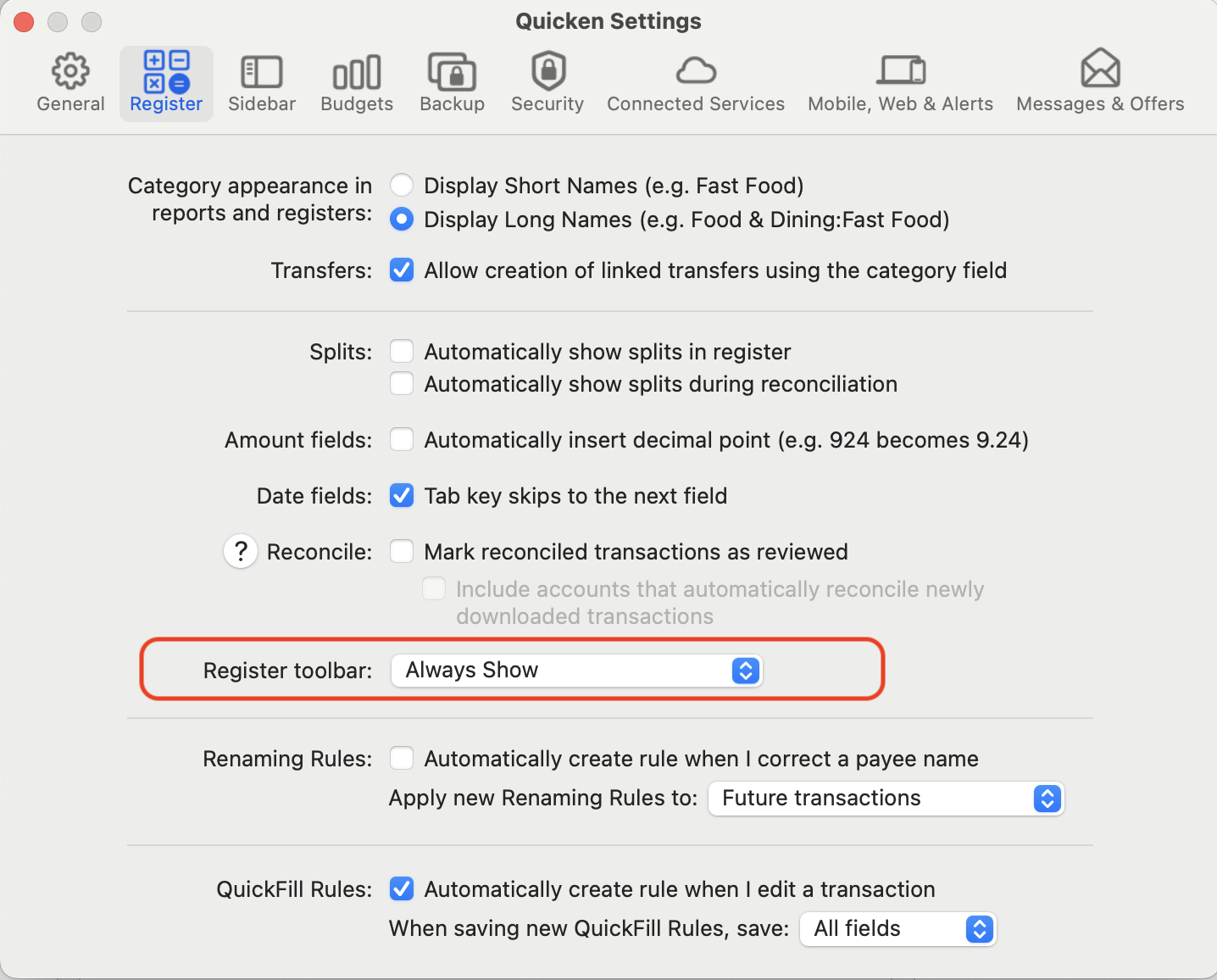
That said, you may find you don't really need those toolbar buttons. New is accomplished by Command-n ("n" for "new"); Delete is accomplished by selecting a transaction(s) and pressing the Delete key; Edit is accomplished by selecting a transaction and pressing Return/Enter.
Quicken Mac Subscription • Quicken user since 19931 -
There's also a menu method to change the toolbar setting: menu View > Register Tool Bar > Show|Hide|Show Automatically
Quicken Mac Subscription; Quicken Mac user since the early 90s0

This discussion has been closed.