Realized gains or losses in Q-MAC

I’m working with Q-Mac. I would like realized gains and losses from investment transactions to be posted to an account, just like Q-Win does with the _Realized Gain (Losses) account.
Is this possible?
Thanks
Comments
-
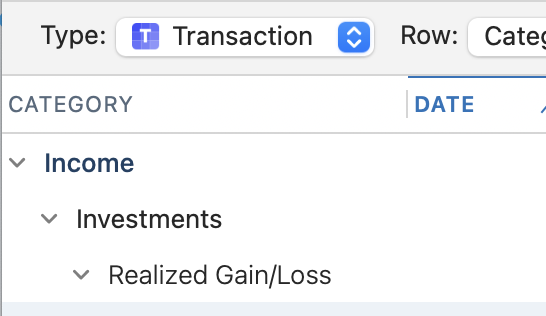
Just for clarity, gain/loss is a category, not an account. Quicken Mac calculates gain/loss on the fly wherever needed. But if you create a transaction report, you can select Investments:Realized Gain/Loss as a category to show in your report.
Similarly, the Schedule D Tax Report will show realized gains/losses, but here they are separated into short- and long-term gains and listed in order of security symbol.
(The Schedule D report uses the program's old reports engine, so it isn't as configurable as other reports using the newer reports engine. So you can't click on a column heading such as Date Sold to sort the report in that order, as you can in a Transactions report. Also note that the default for the Schedule D report is to exclude retirement accounts, while the default for a Transactions report will include all accounts, and you'll likely want to de-select your retirement accounts.)
Quicken Mac Subscription • Quicken user since 19930 -
Hi
Thank you very much for the tip. I now understand the fundamental difference in how realized gains and losses are handled:
- Quicken for Mac (Q-MAC) tracks gains or losses on investments using a calculated field within the reporting engine, often displayed as "Realized Gain/Losses."
- Quicken for Windows (Q-WIN), which is what I used previously, utilizes a specific, built-in system category called _Realized Gain(Losses) Category (or similar).
This confirms that in both versions, the underlying mechanism—whether a built-in calculated field (Mac) or a system-defined category (Windows)—is internal and cannot be modified by the user.
I'm still navigating the reporting interface in the Mac version, but knowing this distinction is a significant help in understanding why the reports look so different.
Thanks again, have a nice day
0
