CC-800 error - Alliant Credit Union [Edited]

I'm running Quicken Classic using Windows 11. I have an Alliant Credit Union share account and an Alliant Credit Union Visa credit card. Every day for over two weeks, I have been receiving error messages when I've tried to run an update summary on these two accounts. I've attached a screenshot of the error message I receive. The message says the accounts have been deleted; they have not.
I have several times deactivated the download for Alliant and then re-established the online connection, but that has never been successful. I still get the error message when I try to update my Alliant Credit Union accounts. I have also several times "Reset" the accounts, but that has also proved fruitless. Any assistance would be appreciated.
Comments
-
Hello @DRWendte,
Thank you for sharing your experience with us.
Typically, if you've deactivated or deleted an account and then restored a Quicken backup file, you'll receive a CC-800 error. To resolve this:
First, you'll need to deactivate the affected accounts:
- Select Tools > Account List
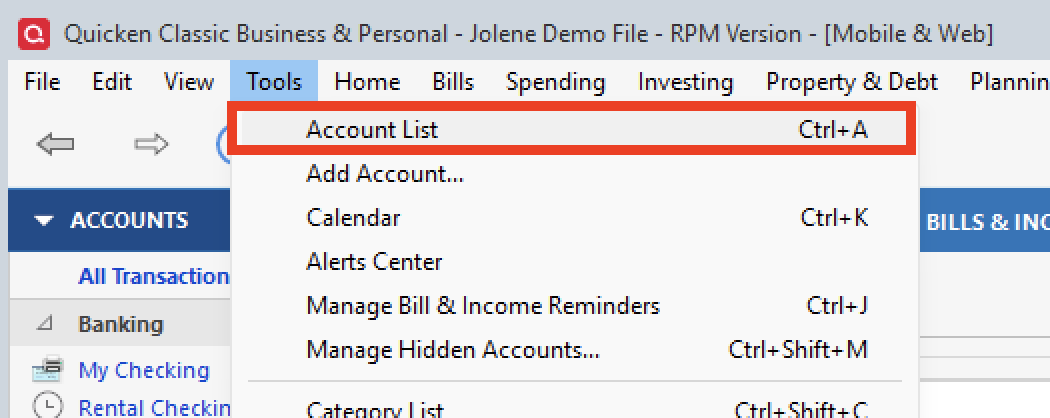
- If present, select the Show Hidden Accounts checkbox at the bottom of the Account List
- Select Edit on each account with this error and Deactivate them on the Online Services tab
- When finished, close the Account List.
Second, reactivate the accounts:
- Select Tools > Add Account
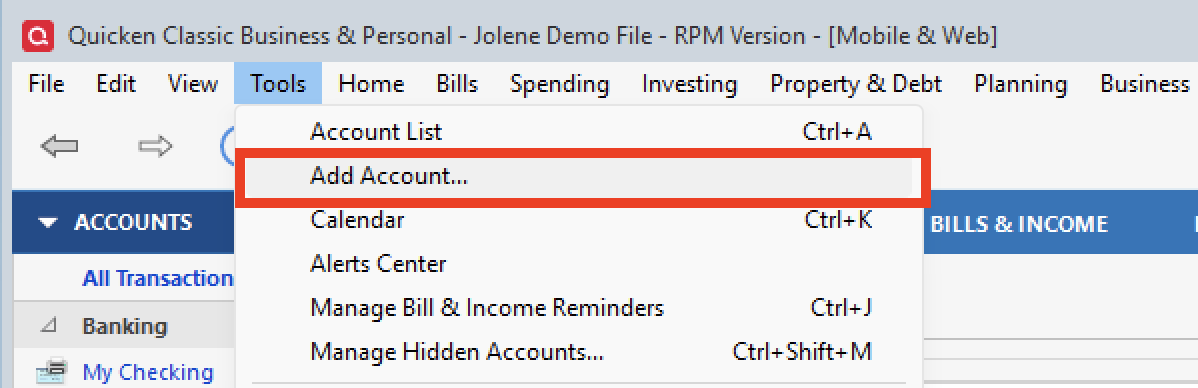
- Complete the flow of re-adding the deactivated accounts to Quicken, using your bank login credentials and answering any security questions.
- When you reach the screen listing the accounts discovered at the financial institution, use the Action drop-downs to re-link your accounts:
- For accounts you want to re-link, select Link to existing account and choose the corresponding account to re-link with.
- Select Add to Quicken for new accounts you didn't previously track in Quicken.
- For accounts you don't want to link or add, select Don't add to Quicken.
If these steps do not resolve the issue, please contact Quicken Support directly for further assistance. They will be able to take a closer look and escalate the issue if needed.
Thank you!
Quicken Alyssa
Make sure to sign up for the email digest to see a round up of your top posts.
0 - Select Tools > Account List

