Quicken Classic Mac 8.4 has been released!

We have started rolling out Quicken Classic for Mac 8.4 into a stage release.
You can get the latest Quicken build by clicking "Check for Updates" under the Quicken menu.
Thank you for your help and support.
Best Regards,
The Quicken for Mac Team
Please take a moment to review the summary and try the new features in the product.
Business & Invoicing
- NEW You can now email invoices directly from Quicken and accept payments through Stripe
- NEW Predefined Payment Terms are now available when creating invoices
- NEW You can now assign Business, Client, and Billable fields to scheduled transactions
- IMPROVED You can now edit Invoices and Clients using keyboard shortcuts
- IMPROVED You can now delete transactions from Client Details > Transactions
- IMPROVED Billable transactions that haven’t been invoiced are now labeled as Not Billed in Client Details
- IMPROVED The Create Credit from Invoice option is now available from the Invoices list action menu
- IMPROVED Clearer messaging is shown when accounts such as Client Invoices and Sales Tax are automatically created to support invoicing
Home Dashboard
- NEW You can now duplicate and delete dashboard cards
- NEW Added the ability to restore all dashboard cards and settings to their default state
- IMPROVED Added a Clear All option to the Categories menu when customizing the Spending by Category card
- IMPROVED The Spending by Category card now supports drilling down into categories to view subcategory spending, and reports generated from Other are now grouped by category
- FIXED Fixed an issue that could cause incorrect reporting in the Spending by Category card when categorized transfer transactions were present
eBills & Bill Pay
- NEW You can now add a new Quick Pay payee directly from Bill Pay > Pay with Quick Pay
- IMPROVED A default category is now selected when adding a new eBill
- IMPROVED Improved biller search when adding a new Quick Pay payee
- IMPROVED The Amount field is now cleared when switching payees in the Make a Quick Pay Payment window
Accounts & Registers
- IMPROVED You can now navigate directly to a transaction from the graph popover in Account > Balance
- IMPROVED Performance when opening the Reconcile History window
Securities
- IMPROVED You can now hide securities from the Securities list
- IMPROVED Added a Currently Held filter to the Securities list
Bug Fixes and Other Improvements
- FIXED Fixed an issue where selected register values were not always fully highlighted
- FIXED Addressed several issues that could result in broken transfers when downloading transactions
- FIXED Fixed an issue that prevented transaction matching and the application of Renaming and QuickFill rules in Quicken Connect investment accounts
- IMPROVED Improvements to report data storage to help reduce Quicken data file size
- IMPROVED Improvements to CSV transaction import
Quicken Bree
Comments
-
Since the update, I am getting an error that says "Sync Error, Warning, QUicken encountered an error while communicating with our servers.
2 -
"You can now hide securities from the
Securitieslist "Great add on, useful not see see unlisted securities and/or ones that we never want to buy ( we can unhide if we change our mind) when making an entry in the Portfolio transactions register
0 -
Same thing here. Hopefully it's a temporary thing and not general issue with 8.4.
1 -
I have the same issue "Alert communicating with our servers"
Sent a problem report, hoping for a quickfix
1 -
There is a separate thread about this issue so you may want to follow it as well. At least person reported an issue when using a VPN service.
https://community.quicken.com/discussion/7969337/issue-syncing-with-quicken-servers
0 -
I hadn’t thought of that!
1 -
Has anybody else noticed a significant delay when going to the Home Dashboard after this 8.4 update?
If I'm in a register and go to Home, it used to be instantaneous … but now takes literally 3 seconds to display the dashboard. And, I've done zero customization using the new features… same dashboard as always.
Quicken user since 1990, MacBook Pro M2 Max on Tahoe 26.2 (and Win 11 under Parallels Desktop)
0 -
For me 8.4 takes a couple seconds to switch back to the home dashboard, but that delay has been there for several versions now. 8.4 doesn't seem any worse.
0 -
I am experiencing some unusual behavior with the spending by Category card on the Dashboard.
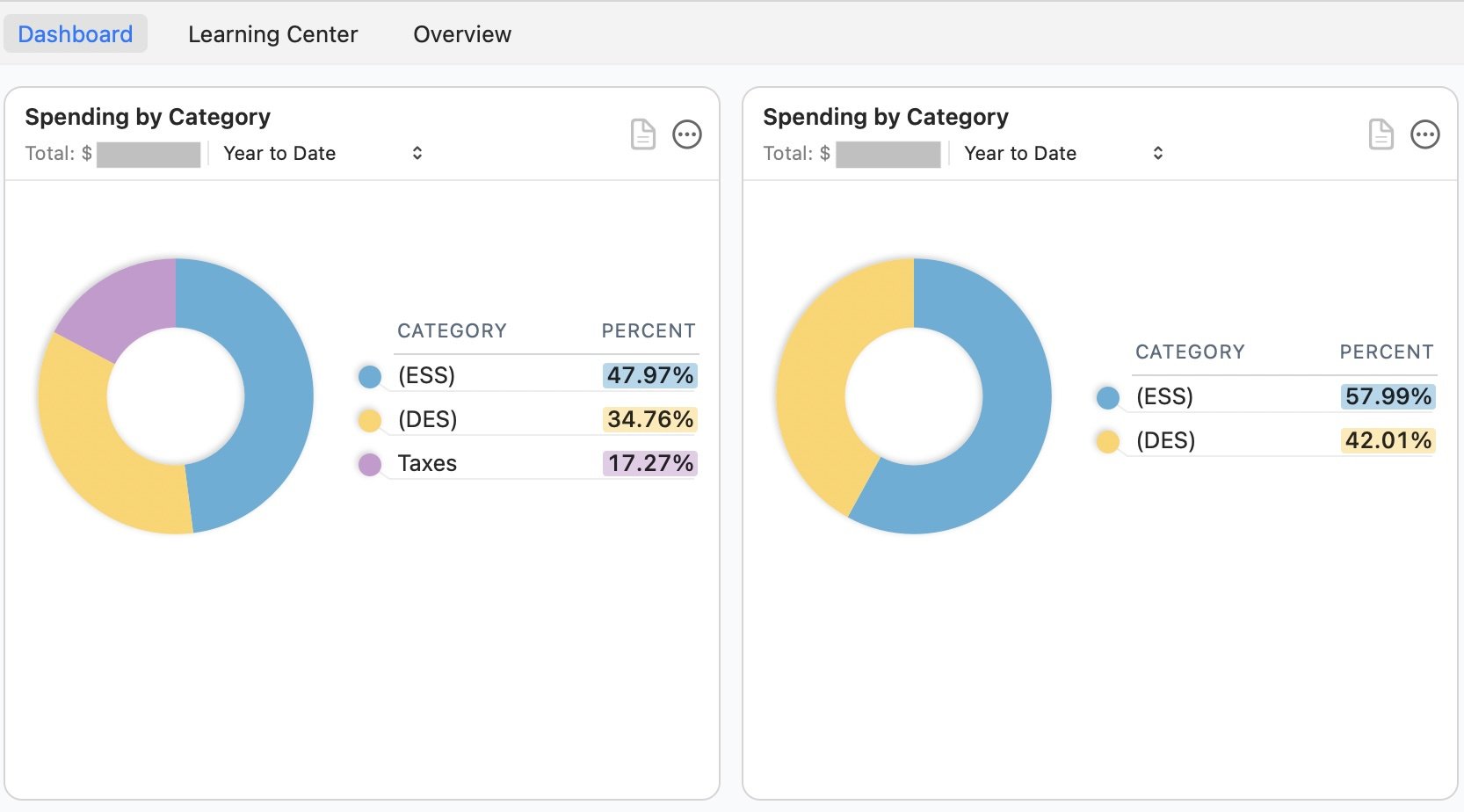
Looking at the first image (above):
I duplicated the Categories Card, clicked: Customize > Categories > Selected Categories. I then clicked on Essential and Discretionary. No other boxes are selected. The Default View is on the Left and the Customized View is on the Right. This pie chart on the right now illustrates the ratio of Essential versus Discretionary expenses. So far all is well.
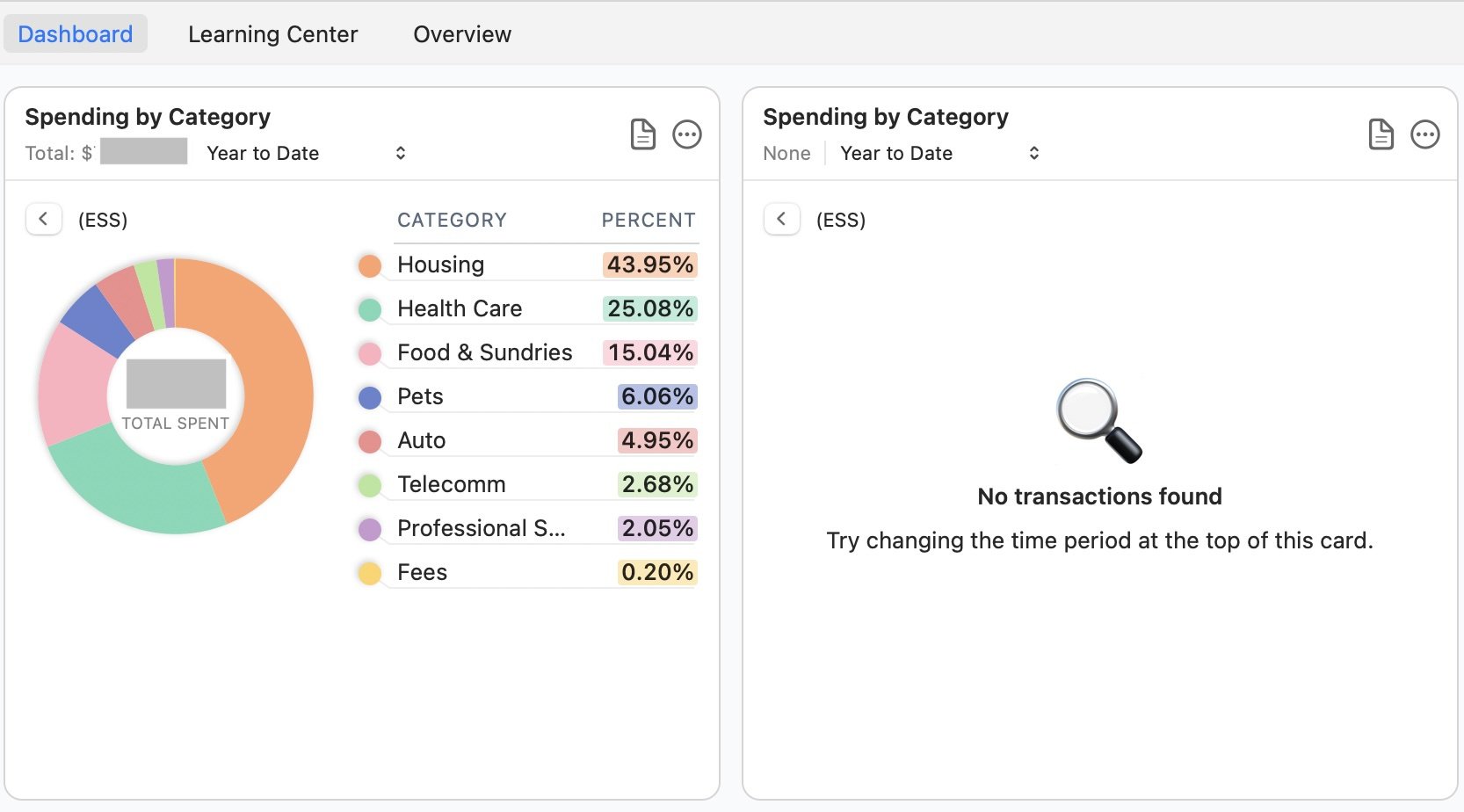
Looking at the second image (below):
I've clicked on Essential Expenses in both Cards. The card showing the default view left) renders the sub-categories and their percentage of total Essential Expense in chart view. Drill down to further detail is available in chart and table views. All is well with this chart - and for clarity — no customizations have been set. However, the card showing the customized view (right) shows "No Transactions Found" on the card.
The behavior is the same on the original card using the same click-stream noted above.
Perhaps there is a setting I need to adjust?
I hope this helps.
 0
0 -
@NorthernExposure I think you've found a bug, as I can easily replicate what you're describing, and it doesn't even involve the newly added ability to duplicate Dashboard cards.
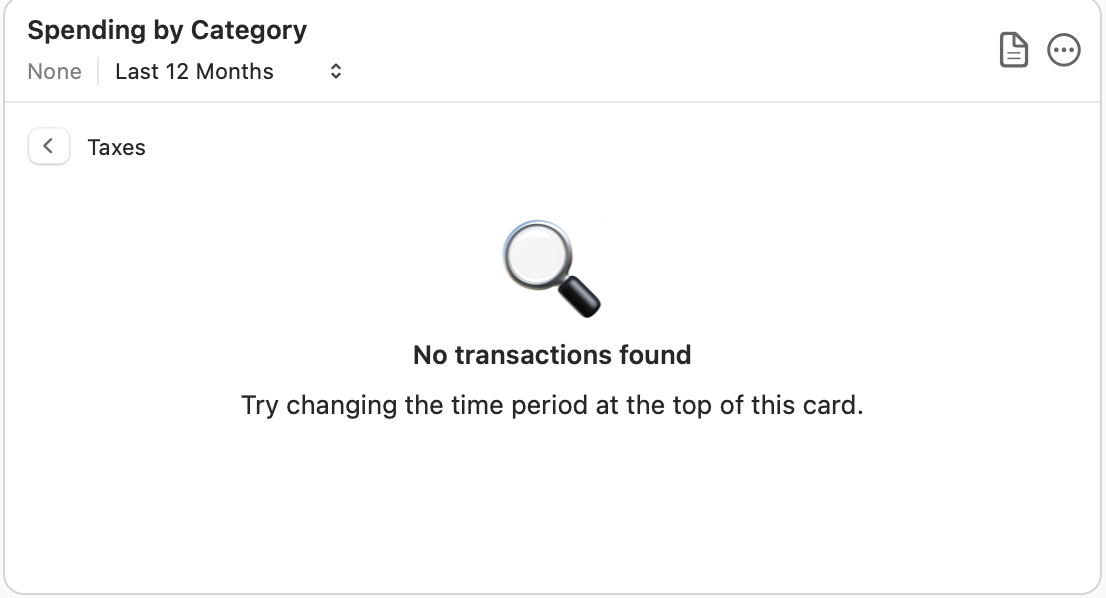
Here's a simple example from my test file to help the developers see what we're seeing. It isn't necessary to duplicate the Spending by Category card; this happens on the original card. I click the ••• icon, select Customize, and select Categories. I click Selected Categories, Clear All, and then select just one category which I know has subcategories — in this case "Taxes":

As you can see from me hovering over the graph, this category has 91 transactions. But when I click on the category name or amount, Quicken displays the "No transactions found" message, even though we know there are 91 transactions:
If I instead select a single category which has no subcategories, when I click on it, Quicken opens a detail drill-down report for that category as expected.
MODERATORS: Could you please report this to the development team, as this is a 100% reproducible bug. Thank you.
Quicken Mac Subscription • Quicken user since 19934 -
Is this feature available in Quick Classic Business & Personal? "NEW Predefined
Payment Termsare now available when creating invoices" I realize this post is specific to MAC, but I'm having a hard time finding the right forum for my question. Thank you for the help!0 -
Is this feature available in Quick Classic Business & Personal? "NEW Predefined Payment Terms are now available when creating invoices" I realize this post is specific to MAC, but I'm having a hard time finding the right forum for my question. Thank you for the help!
Yes, this is now in Quicken Mab Business & Personal. On an invoice, locate the Terms field:
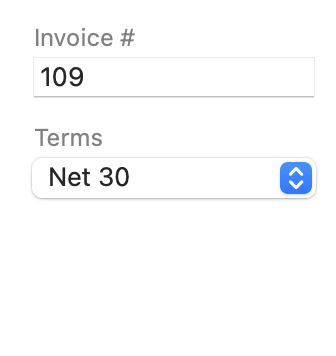
Thew dropdown menu give you the choice of selecting among four pre-defined time periods for when the invoice is due:
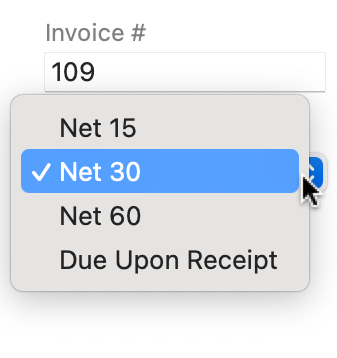
Selecting any of the time periods will automatically change the Due Date, base don the Invoice date. But you can also manually enter a Due Date of your choosing should you want to.
Quicken Mac Subscription • Quicken user since 19930 -
I have been waiting for the Stripe invoicing integration and it was easy to setup. However, I don't want my clients to have the option to pay via credit card, only ACH. How can I change this?
0 -
@thrivin13 I don't use Stripe, but isn't that something you can configure when you log into your Stripe account? I wouldn't expect Quicken to have any control over what payment methods Stripe allows.
Quicken Mac Subscription • Quicken user since 19930 -
Same here.
0 -
The Quicken setup creates a new payment configuration profile in Stripe but that profile is controlled by Quicken. When you look at the details you see this "
Quicken is managing payment methods for youQuicken has not enabled you to manage payment methods from the dashboard."0 -
I'm getting the same error as well after doing the update.
0 -
I can no longer import downloaded monthly statements from my Apple Card into Quicken Mac on 8.5.1
The file downloads to my MacBook Air (Tahoe 26.3) but is dimmed when I try to import it. This has just started happening in the past month.
0



