Fidelity FFOBX Not Adding to Security List

I have Quicken Classic for Windows Premier. Fidelity merged one fund into another: FANAX got merged into FFOBX on 11/14/2025.
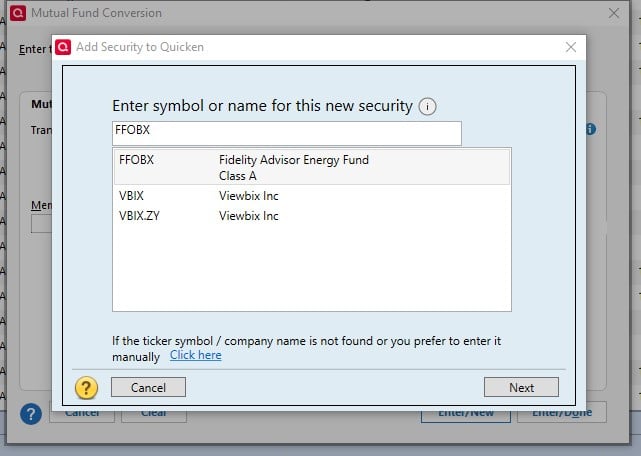
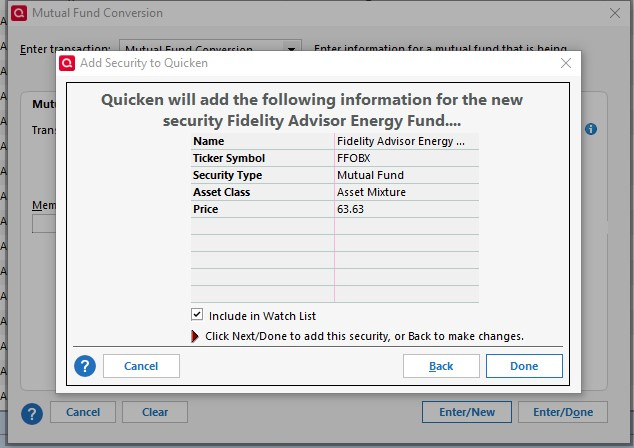
I'm trying to use the Mutual Fund Conversion feature. Under Existing Fund I enter FANAX and am able to select the correct fund from the drop down. Under New Mutual fund, I enter FFOBX and am led to the pop-up that adds a new security. I see and select the FFOBX security in the pop up and click "next". The summary screen comes up and I have selected "include in watchlist", so I choose "done" to complete adding FFOBX.
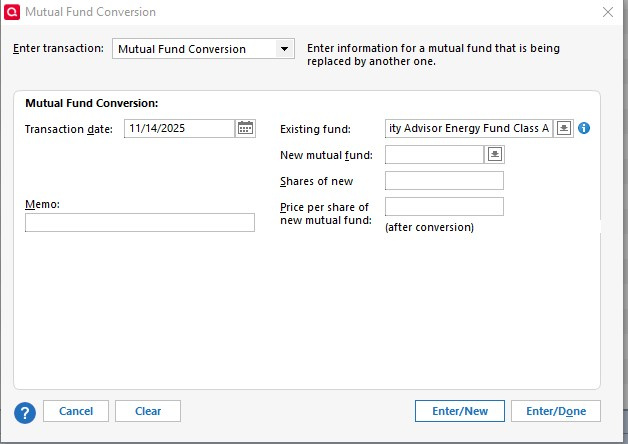
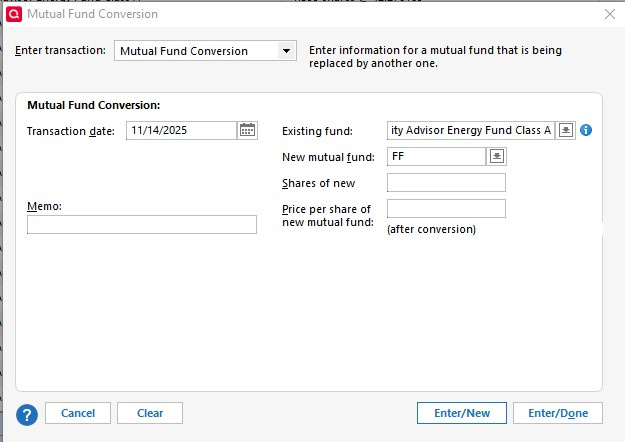
However, FFOBX is not added. I tried a test of just buying 1 share of FFOBX and same result, nothing I do makes the new (FFOBX) security actually add.
See pics of my step by step described above below. Note, the final two screen shots are AFTER the process of trying to add FFOBX to the security list.
Answers
-
I believe I resolved this. Because the Existing Mutual Fund and the New Merged Mutual Fund both have the exact same name from Fidelity, Quicken does not add FFOBX.
In my security list, I edited and changed the fund name of the existing FANAX so it was not identical to FFOBX name.No error message/etc from Quicken for this seemingly simple issue. Would be nice to have Quicken at least explain why it does not add a new security instead of leaving us in the dark.
1 -
Well done. Right diagnosis and resolution, I believe.
1