How to get rid of this online transaction


This is appearing in my Truist Checking account. I have a automatic recurring bill pay at Truist. I have updated it to $370 at Truist but this does not change. I cannot delete or edit it. I want it gone. I am using Deluxe version. I am using Web Connect to get my Truist Checking transactions. I do not pay for Direct Connect. When choosing a connection method for Truist, there a multiples. So maybe that is the issue. Recently the connection name had several zzzzzz in front of the name. So I deactivated and connected again. It looks like there are 4 possible for my checking account. If the connection is the issue, which should I use? How do I fix this?
Best Answer
-
Well crap. I never considered using the Bills tab in Bills & Income. I always use Manage Bills & Income Reminders. Using Bills tab in Bills & Income and I was able to delete it. Thanks for helping me break my programming loop. :) It is now gone.
0
Answers
-
Have you taken a look at TOOLS, Manage Bill and Income Reminders … to see if the transaction is there with the prior amount?
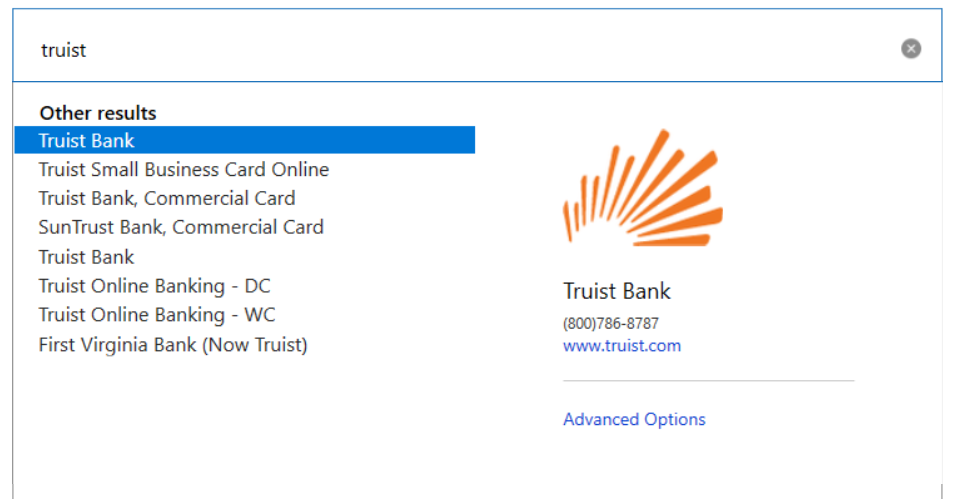
And since you're downloading via Web Connect (where you initiate the download yourself from their website), I'd try "Truist Online Banking - WC" as the bank name.
BUT if you're downloading via Express Web Connect(+), which can be done via One Step Update, then use the TRUIST BANK at the top.
Q user since February, 1990. DOS Version 4
Now running Quicken Windows Subscription, Business & Personal
Retired "Certified Information Systems Auditor" & Bank Audit VP0 -
Hi @NotACPA
Thanks for replying. Deleting from Bills & Income marks it for deletion at the bank which never occurs. The "method" becomes "Rept-Cancel" and remains that way. It never goes away. I have tried "Truist Bank" and "Truist Online Banking - WC". Both appear to operate in the same manner. The Online Services tab in the account details calls both these "Express Web Connect".
0 -
And the answer to the question in my 1st paragraph is ???
Q user since February, 1990. DOS Version 4
Now running Quicken Windows Subscription, Business & Personal
Retired "Certified Information Systems Auditor" & Bank Audit VP0 -
Yes. it is there with prior amount. I have used the delete button which has changed the method to Rept-Cancel.
 0
0 -
Well crap. I never considered using the Bills tab in Bills & Income. I always use Manage Bills & Income Reminders. Using Bills tab in Bills & Income and I was able to delete it. Thanks for helping me break my programming loop. :) It is now gone.
0
