How do I change the return address that prints on direct pay checks?

My version:
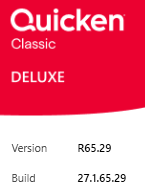
Please don't tell me to go to Bills & Income tab and select the "gear" then Payment Accounts…that option does not exist. I have spent 2 hours and can find no way to change the address. Every address option I can find for myself is correct but the system is finding an old address somewhere and I CANNOT FIND IT ANYWHERE!!! HHHHEEEELLLLPPPP!!!!!
Answers
-
Which type of Online Account processing do you use?
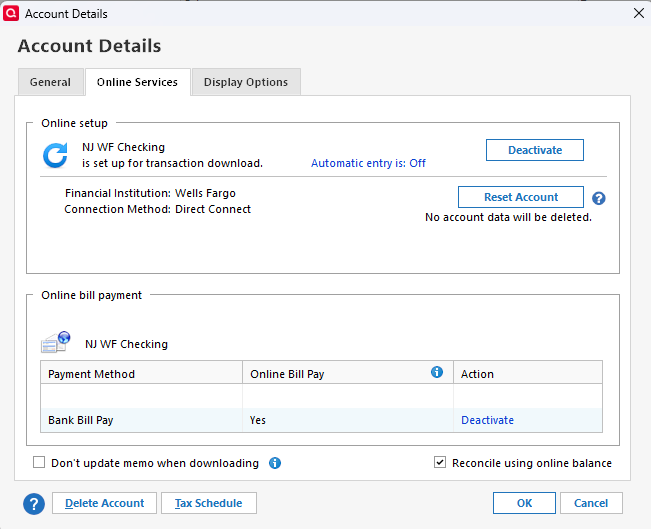
- The old method which requires Direct Connect to the bank's servers? Checks are printed and mailed by the bank's service provider.
- Or the Quicken Bill Manager Check Pay method? Checks are printed and mailed by a Quicken service. Your checking account must be enabled for Bill Pay (Edit Account Details, Online Services tab). Once enabled, the "gear icon / Payment Accounts" will be available to edit your address.
0 -
Hey thanks very much for the assist! I think I am using the old method, here is the online services screen:
 0
0 -
Thanks for your response.
Theoretically, there should be something under Tools / Online Center where you can select the bank and make changes … I don't use this feature myself, so I don't really know.If you haven't done so already, I'd say it's time to contact Quicken Support on the phone during posted hours of operation and request help. Let them do a screen share session with you to review the situation on your computer and to figure out how to make the address change.
You may also have to contact the bank and ask for help in this matter.0 -
I appreciate your assistance and I'll reach out to support. Thank you and peace to you in 2026.
0
