Bitcoin transactions tracking price and 8 decimal places? (Q Mac)

Can someone give me the latest instructions about manually tracking Bitcoin transactions?
Which "security" name to use which automatically downloads the current Bitcoin price and how to setup Quicken Classic for mac to use 8 decimal places.
I have Quicken Classic Premier for mac version 8.4.2 (build 304.59835.100)
Why is this so difficult in 2026? There really is no excuse for this not to be as easy as entering a stock transaction.
Comments
-
I don't own bitcoin, but I can partially address your questions…
how to setup Quicken Classic for mac to use 8 decimal places.
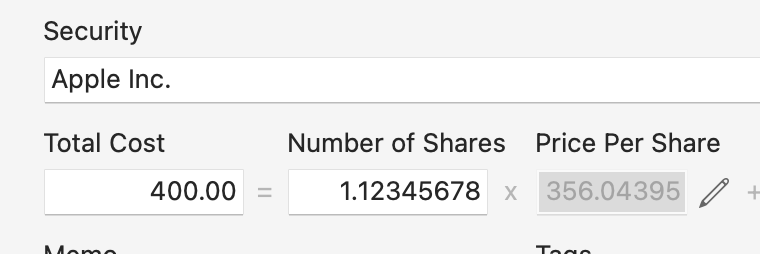
There's nothing to configure or set up. What is making you feel you can't enter transactions to 8 decimal places; when I create an investment transaction, Quicken accepts and stores 8 decimal places:
Someone who tracks actual Bitcoin may have a better answer here than I do, but I just did the following quick test:
To track your Bitcoin holdings, you need to create a security, just as you would a new stock or fund. For the Security, you can use INDEX:NQBT. (There may be other ticker symbols for other Bitcoin tracking; I just tried this one and it seemed to work.)
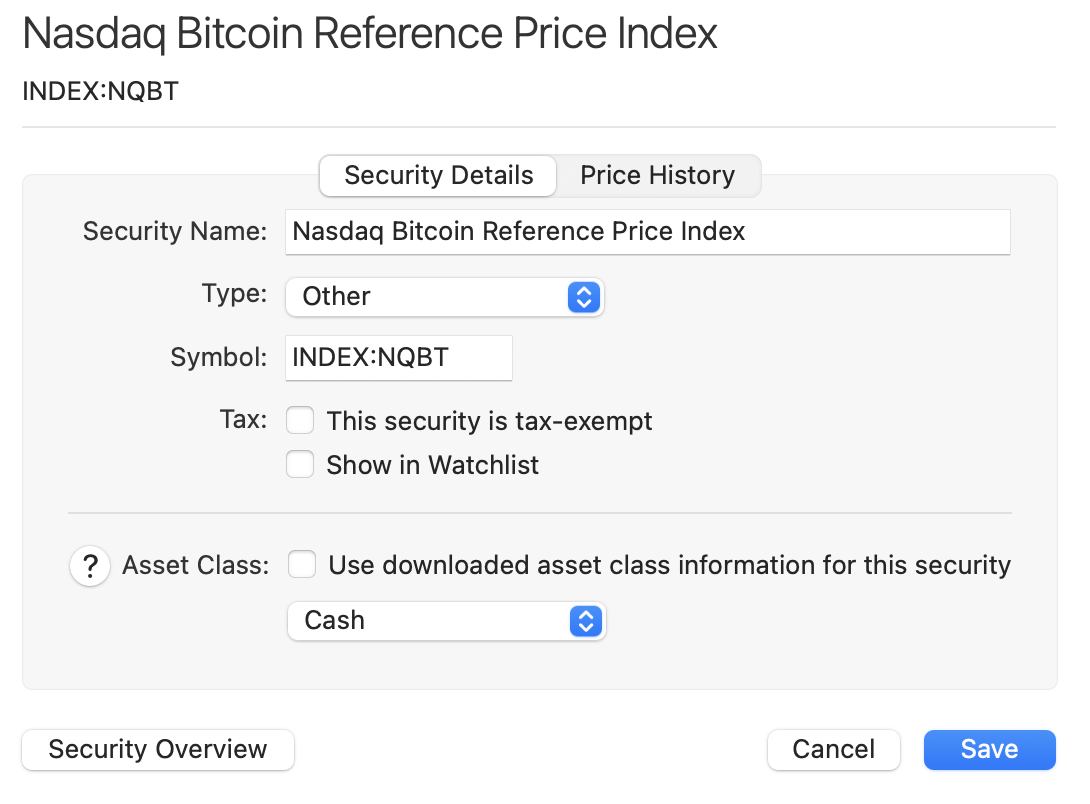
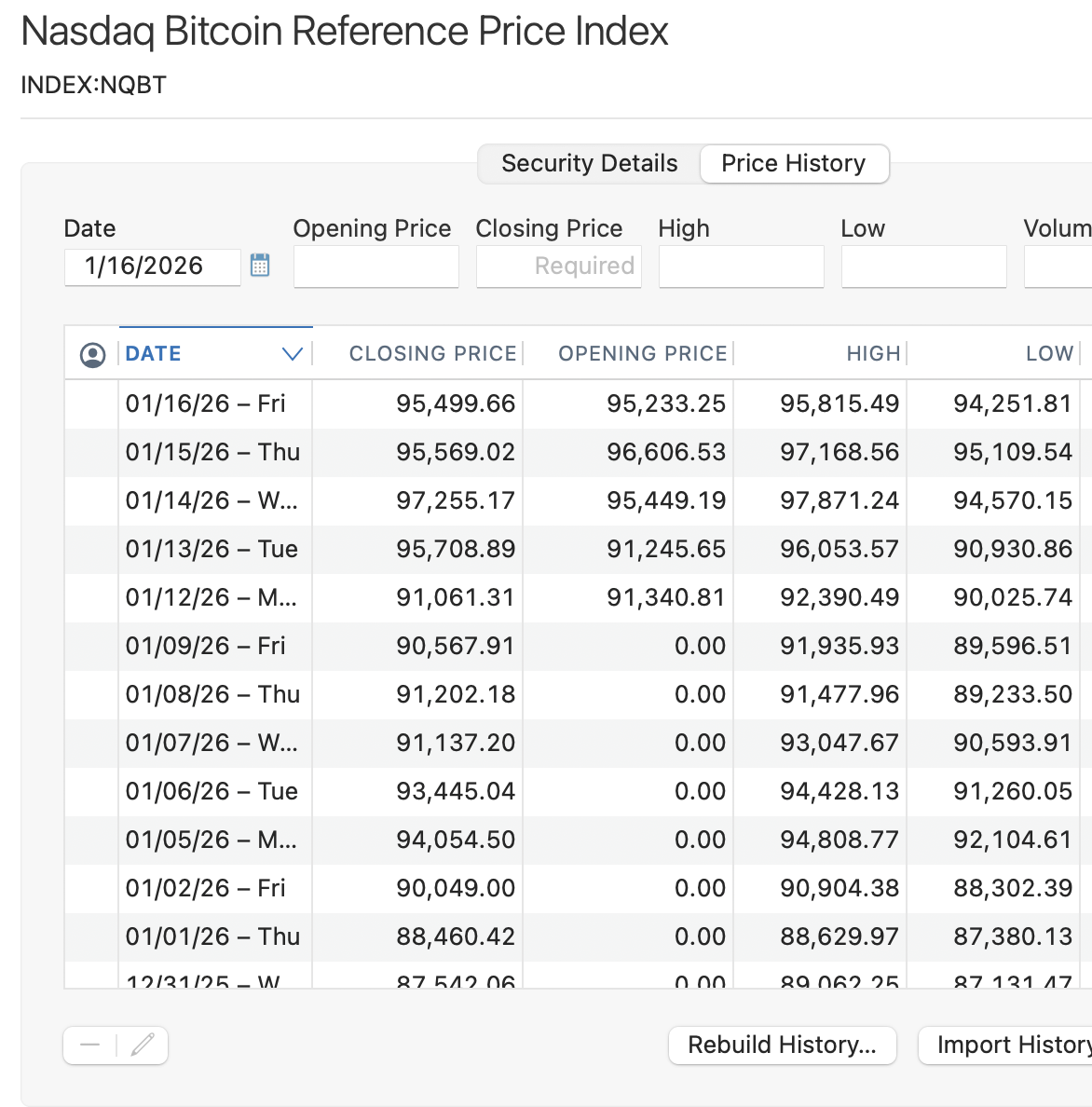
Quicken recognizes that ticker symbol. The only thing you'll want to do is change the Type to not be INDEX, because you can't buy shares on an Index. Here, I just changed it to Type=Other. Quicken downloaded price history for this new security:
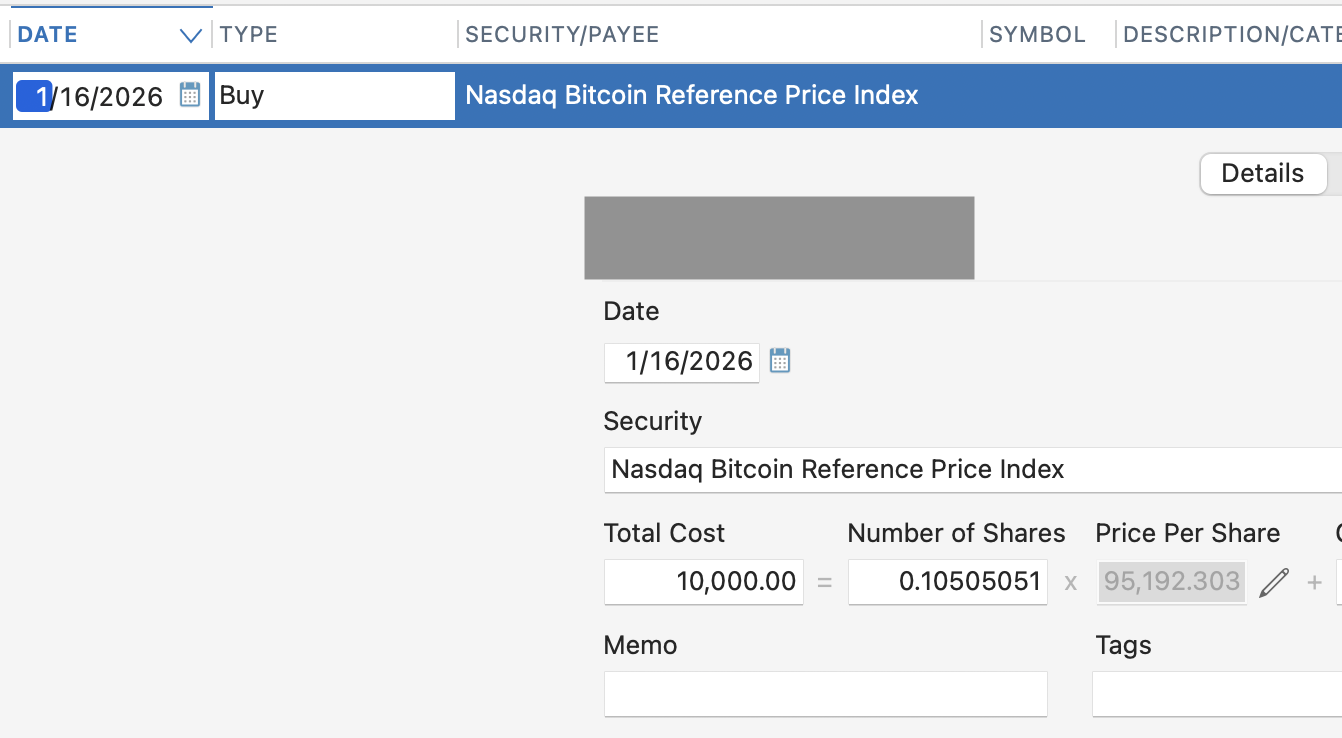
Then I created a Buy transaction for this security, just as I would a stock:
And this shows up as expected in my Portfolio:

So to me, this does seem as easy as entering a stock transaction. What I don't know is whether that particular ticker will automatically update prices over time. (But if it doesn't you can download price history elsewhere and upload it into Quicken.) Again, hopefully someone who owns Bitcoin and tracks it in Quicken Mac will chime in with better information, but hopefully this is enough that you can experiment with it and see it it works as expected.
Quicken Mac Subscription • Quicken user since 19930 -
Thank you! I'm new to Quicken, but had no problem finding how to create transactions for stocks I own. I couldn't find a Bitcoin security, I didn't know about using and index and changing the type. Because I couldn't find the security name I never actually got to the point of putting in the number of shares. Every time I searched for adding bitcoin in quicken I'd find long explanations about how to set the accuracy to 8 decimal places so I assumed that was something that needed ot be done. And I tried following some of those instructions and couldn't find the setting in my version of quicken. Following your instructions everything just works, I can use the index now and my version of quicken apparently already handles 8 decimal places. Still not as easy as finding a stock by its name or ticker symbol, but now that I have it added as an investment it should be easy going forward. Thanks again.
0
