Trying to add an additional Osaic eQuipt Account but Quicken won't recognize it.

I'm on Quicken Classic Premier v 8.4.2 Build 804.59835.100.
I have three accounts at Osaic which were properly connected to Quicken via direct connect. I've successfully downloaded transactions for almost a year. We recently closed one of the three accounts and opened a new one.
When trying to set up the new account, the Add Account window only shows the old account, which is closed. It does not show the new account. I have removed all of the accounts and tried to rebuild from scratch but it still just recognizes the legacy accounts, not the new one.
I'm trying to determine if there's a data error on the Osaic or Quicken side that's not recognizing the new.
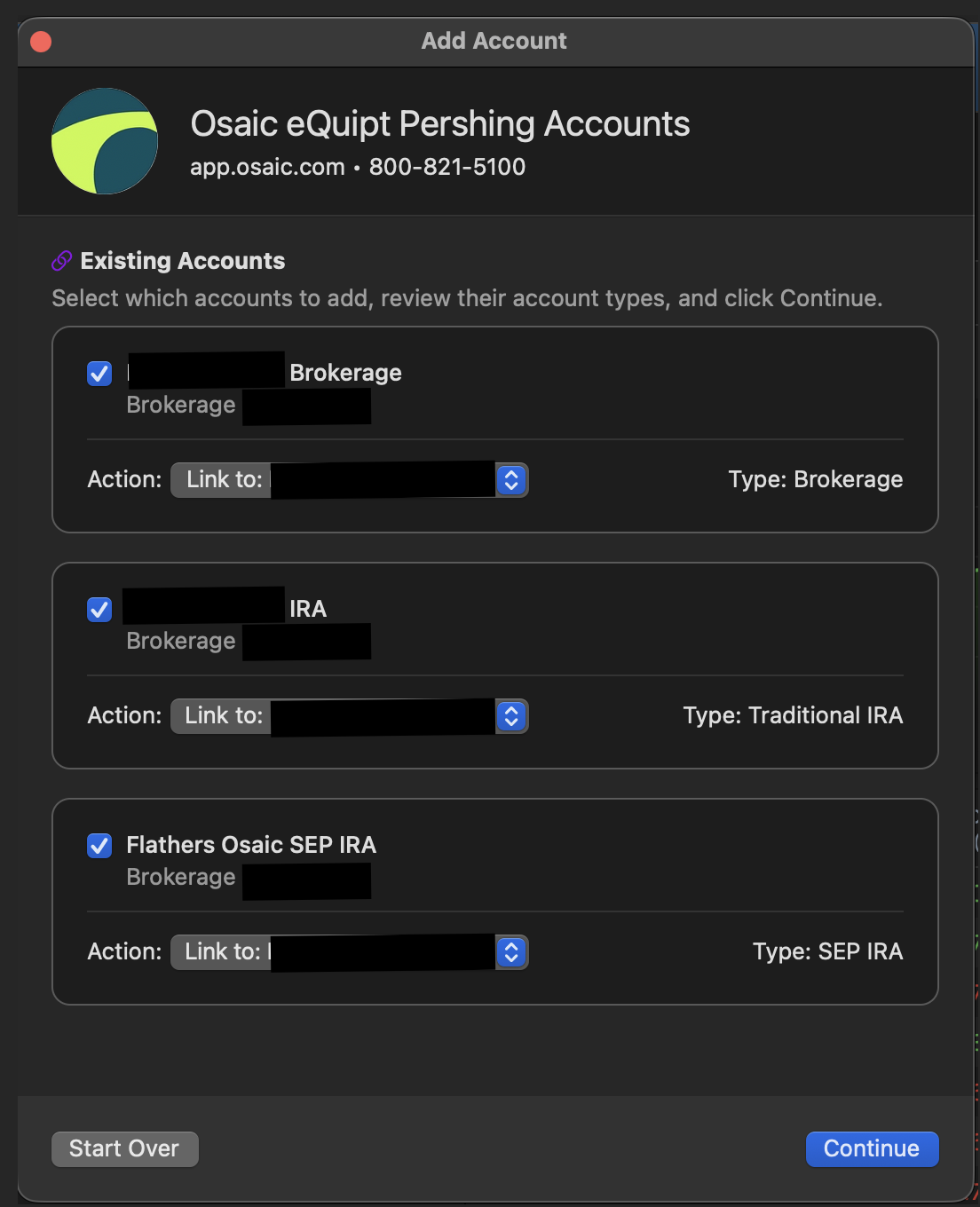
[Edited-Screenshot Size]
Answers
-
Hello @jeffjdekorte,
Thank you for sharing your experience.
Based on what you have described, it sounds like the bank isn't sending over the information for the new account. Depending on how recently this happened, the change may not have taken effect on their website yet.
I would give the bank a call first to see if they can provide some insight as to why it isn't showing up. Unfortunately, with Direct Connect accounts, you are using the bank's servers to transmit data, and we don't have visibility there.
If you are unable to get anywhere with the bank, please reach out to Quicken Support directly. They may be able to escalate from our end if needed.
Hope this helps!
Quicken Alyssa
Make sure to sign up for the email digest to see a round up of your top posts.
0
