One Step Update / OSU not listing all accounts in results?

Version R65.29
Previously, all accounts included in OSU would be listed in the summary screen, even if no transactions were downloaded.
I download weekly. Today, at least one of my investment accounts (which had no new transactions to download) is omitted from the summary.
[Edited-Readability]
Quicken Classic Premier (Windows) R65.29 Build 27.1.65.29
Comments
-
Hello @EmKay,
Thank you for sharing your experience.
I think we should try disconnecting and reconnecting this account. If you have any other accounts with this financial institution, those should be disconnected and reconnected with this one.
Here is a Support Article with steps on how to do this.
To Deactivate an account
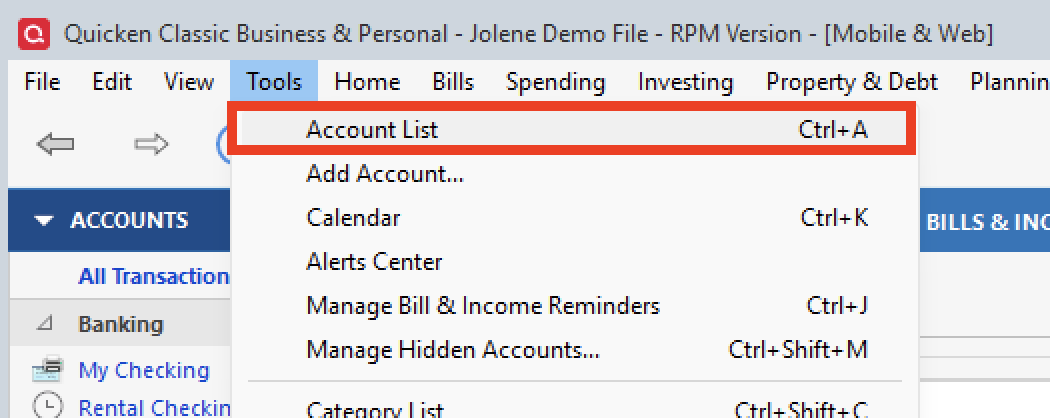
1. Select the Tools menu and select Account List....
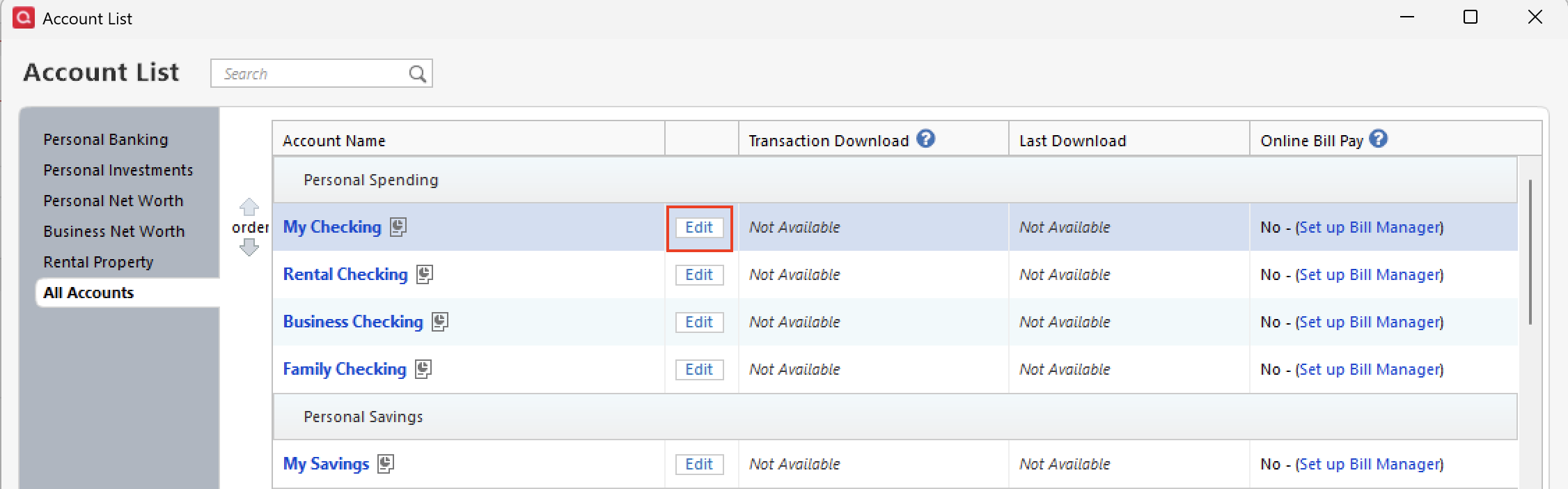
2. In the Account List, select the account you want to deactivate, and then click Edit.
3. In the Account Details window, click the Online Services tab.
4. Click Deactivate next to the service you want to disable.
5. Click Yes to the message confirming if you want to disable this service. Note: If you do not receive this message, additional information is available below.
- Direct Connect users: If you are deactivating a Direct Connect account, you may see an additional prompt advising you to contact your bank to cancel the Direct Connect service. This is only recommended if you intend to deactivate an account permanently and need to contact the bank to stop any related fees.
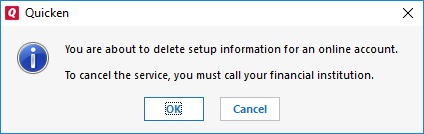
6. Click OK to the confirmation message.
7. (Optional) If you do not intend to reactivate, contact your financial institution to cancel any fees they may charge for access to Quicken's online services. Deactivating the account in Quicken typically will not stop the service fee.
If you have an investment account that is linked to a cash account, you need to deactivate the online services from the investment account, which will automatically deactivate the linked cash account.
Important: If you are deactivating/reactivating an account to fix an issue, you'll need to deactivate all the accounts with the affected financial institution that you have activated in Quicken (including hidden ones). Once they're all deactivated, then you can follow the steps to reactivate.
Please review the linked article for the rest of the steps.
Let us know how it goes!
Quicken Alyssa
Make sure to sign up for the email digest to see a round up of your top posts.
0 -
Pretty sure it was MORE than ONE financial institution's accounts. And disconnecting/reconnecting when you have multiple accounts at a given FI is kind of a pain. Am I the only one reporting this?
Quicken Classic Premier (Windows) R65.29 Build 27.1.65.29
0 -
Thank you for following up.
I have not seen others reporting this issue. Were you able to try the steps? If so, did they resolve the issue?
Looking forward to your response!
Quicken Alyssa
Make sure to sign up for the email digest to see a round up of your top posts.
0 -
@Quicken Alyssa The issue resolve itself.
Quicken Classic Premier (Windows) R65.29 Build 27.1.65.29
1 -
Thank you for following up!
I am happy to hear the issue has been resolved. If you need more help, don't hesitate to reach back out!
Thanks again!
Quicken Alyssa
Make sure to sign up for the email digest to see a round up of your top posts.
0
