How to add a 401K account portion that is not based on ticker

I have added a couple of 401K accounts and the portion that is part of the 401k provider portfolio that is not based on ticker doesn't come down when I "update positions" or IF the position was there, the update takes down the "shares" down to zero (in the activity history) and there is no way to delete the "activity" that brought it down to 0
the 401k provider in question is Empower Retirement
I have a portion that is like a bucket of cash
Lincoln Stable Value Account
My wife, also with Empower, has a similar bucket called
Guaranteed Interest Account
I have added both of these as a security in the Security List panel, as Other/Unclasified, and unchecked the Download Quotes.
But have not been able to add any of those securities to either of my 401k investing accounts
So what I have done in the meantime is add a CASH portion to both of these, and will simply update the cash value.
Can someone help me add either of these "securities" to either of my 401K accounts?
[Edited - Readability]
Answers
-
Hi @cfauvel,
Thank you for providing those details. I’m happy to help you troubleshoot this further.
To better understand what may be causing the issue, could you please confirm whether the account is connected for transaction downloads? If it is, have you seen a message indicating a “security mismatch”? If that window appears, you may be able to correct the security information directly there.
As another possible solution, we can go through the following steps to help correct the security value. You can stop once the security displays the correct value.
1. Make sure the security is not hidden
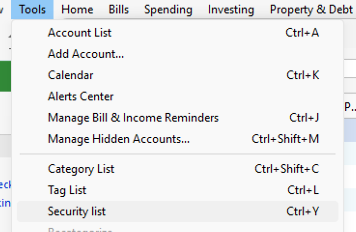
Go to Tools > Security List and check the Hide column.
The security in question should not be marked as hidden. If it is, uncheck that box.-
-
 2. Check for placeholders
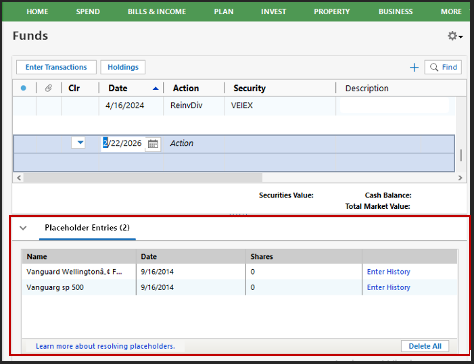
Open the affected 401(k) account and scroll to the bottom of the transaction list. If you see any Placeholder entries, these can impact the share balance and value.
If placeholders are present, please delete them (make sure to save a backup before).
3. Look for hidden transactions
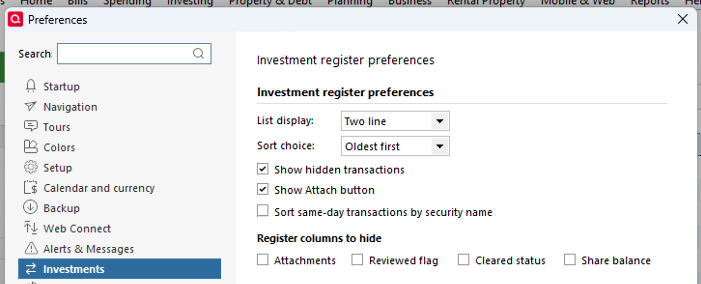
Go to Edit > Preferences > Investments and make sure Show hidden transactions is checked.
Then return to the account register and review any hidden transactions that may be causing the holding’s value to show as $0. You can delete or correct them as needed (again, after backing up).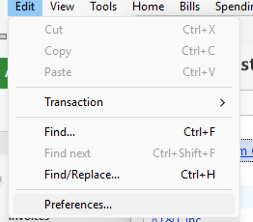
4. Manually adjust if necessary
If the holding still isn’t reflecting correctly, you can manually enter a transaction such as Add Shares or Buy Shares to properly establish the balance and value.Please let me know how it goes!
Quicken Laura
Make sure to sign up for the email digest to see a round up of your top posts.
0 -
-
ok so the two securities were not hidden.
Under
Edit > Preferences > Investments> Show hidden transactionswere checked.
When I clicked on the Download Positions button while in the retirement/investment account, it removed my previously entered Cash balance for the retirement account in question.
I don't see were I can Add Shares or Buy Shares. I also don't see where I can SEE the transaction history on this account.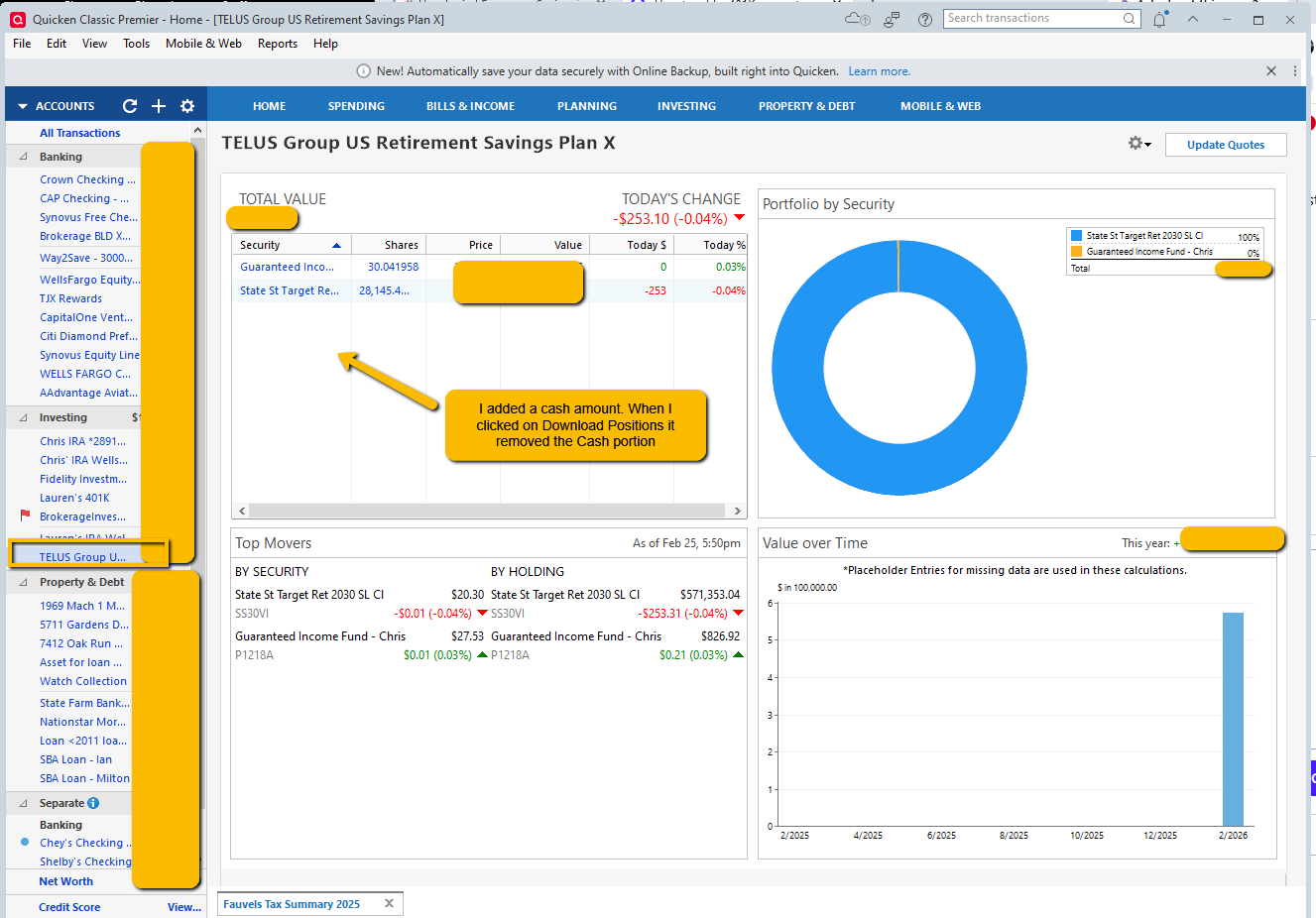 0
0 -
Hi @cfauvel,
Thank you for providing additional details.
I have a few more questions to help us better determine what might be happening:
- Which bank are these accounts connected to?
- Are these brand-new accounts in Quicken, or are you reconnecting existing accounts?
- If they are previously connected accounts, when did they stop working?
- What connection method are they currently set to?
You can check the connection method by following these steps:
- Click the Gear icon in the upper-right corner of the account register.
- Select Edit Account Details.
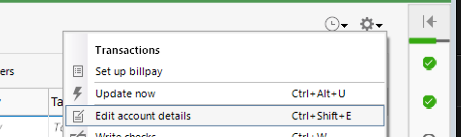
- Click the Online Services tab
- The connection type will be listed below the Financial Institution name.
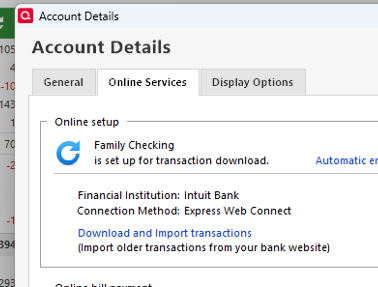
Your answers will help us narrow this down. I look forward to your response!
Quicken Laura
Make sure to sign up for the email digest to see a round up of your top posts.
0 -
@cfauvel The account you presented is set up to present Simple tracking of the account assets. That setting bypasses individual transactions such as Buys and Adds. It dominantly relies on downloads from the brokerages and attempts to match those resulting positions. If the brokerage does not report the cash, Simple Tracking will “remove” cash you add.
Perhaps you’d prefer the Complete Tracking setup which presents a detailed list of transactions. To switch, edit the account details to find where you can choose Complete rather than Simple.
1 -
@Laura
- Which bank are these accounts connected to?
- Are these brand-new accounts in Quicken, or are you reconnecting existing accounts?
- If they are previously connected accounts, when did they stop working?
- What connection method are they currently set to?
Empower is a 401K provider that was previously Prudential
This is a new account, it started acting funny upon the second time of clicking "Update Positions"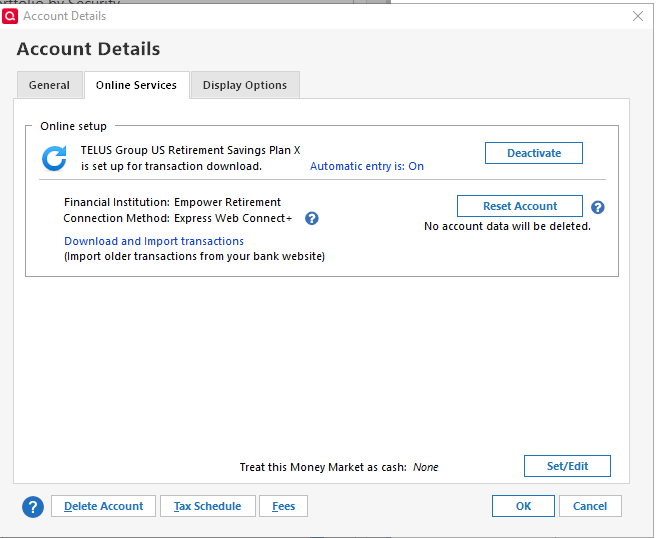 0
0 -
@q_lurker
it looks like I can't change it to Complete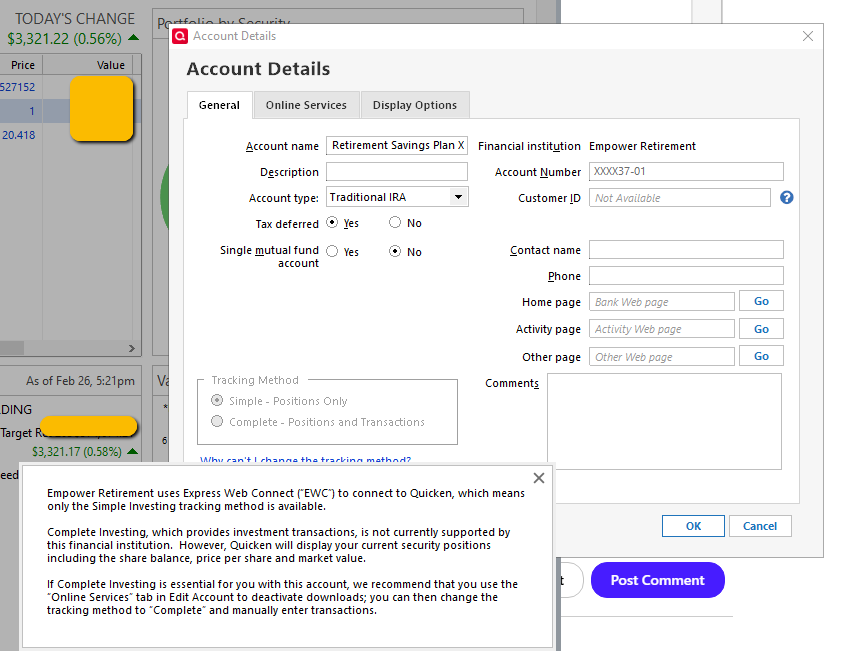 0
0 -
Hi @cfauvel,
Thank you for sharing the screenshot; that helps clarify the situation. The tracking method cannot be changed because of the connection method, so the account should download the correct information from the initial connection.
To help rule out possible file corruption, could you please test your accounts in a new file?
- Choose File menu > New Quicken File.
- Select New Quicken File.
- Click OK.
- In the File name field, enter a name for the new file, then click Save.
- Don’t use these characters:
* ? < > | " : \ / - Also, don’t add the .qdf extension—Quicken will add it automatically.
- Don’t use these characters:
- Sign in with your Quicken ID. If you are prompted to create a Quicken ID but already have one, click Sign In under the Create Account prompt.
- Select if you want to use Mobile.
- Click Add Account to start adding accounts to the new file.
Once you have a new file created, please add your account with the following steps:
- Go to Tools > Add Account.
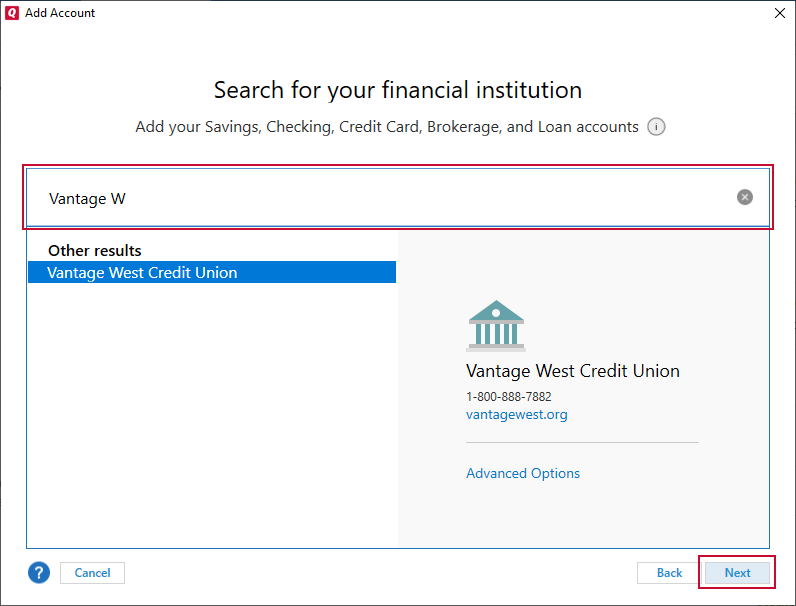
- Search for and select your financial institution.
- If prompted, choose the appropriate connection method.
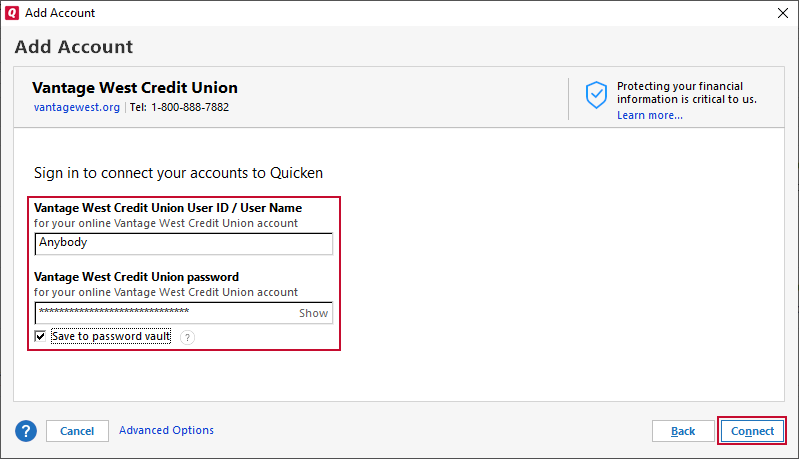
- Follow the on-screen instructions.
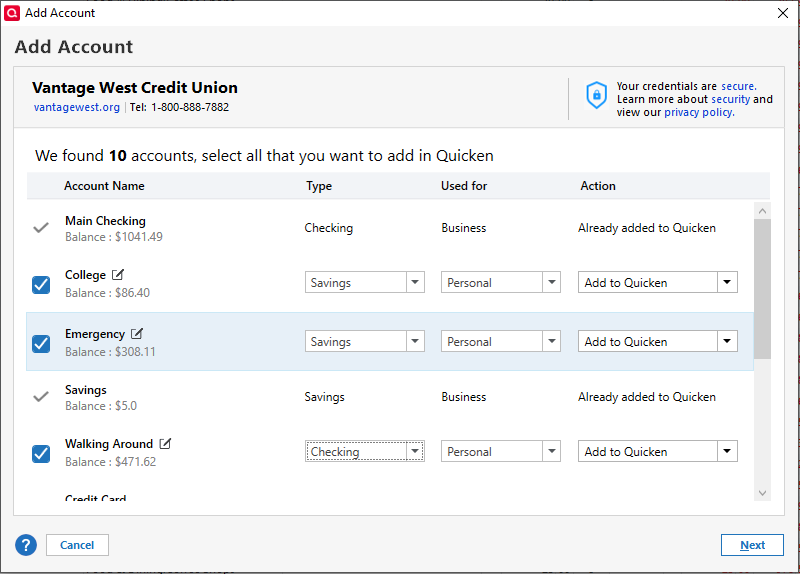
- When the list of found accounts appears, be sure to select Link to connect them to your existing accounts (do not add duplicates).
Please let me know if the same issue occurs in the new file.
Quicken Laura
Make sure to sign up for the email digest to see a round up of your top posts.
0
