How do I clear everything and start over?

I've had a problem with duplicate IRAs showing up in Life Hub since the beginning. (Feb. 2025). I stopped using LifeHub because no one could help me remove the duplicate accounts. Now I'd like to start over - from scratch - to try again. My LifeHub account expired. If I try to start again, will it start with a fresh, empty file? I hope so…
Answers
-
Hi @PamJPH,
Thank you for sharing your concern with us. I’m sorry you’re experiencing this issue, and I’ll be happy to help.
If you renew your subscription and sign back in to LifeHub, your information will still be available. If you would like it deleted entirely, you can contact LifeHub technical support for assistance.
LifeHub support:
- Phone number: at (650) 606-5433
If you prefer to disconnect only your Quicken Classic file and start fresh, follow these steps:
To Disconnect LifeHub from Quicken
- Open LifeHub.
- Go to Overview.
- Select Connect Quicken > Manage Connection.
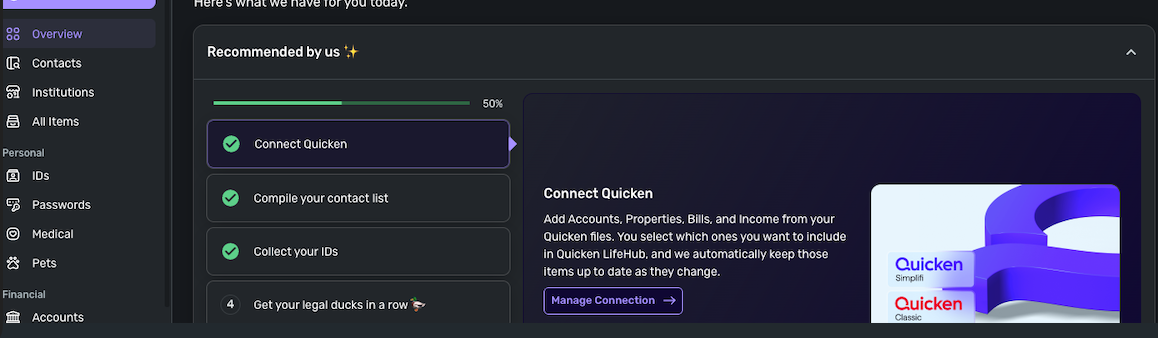
- Click the three-dot menu in the top-right corner.
- Choose Disconnect & Delete All.
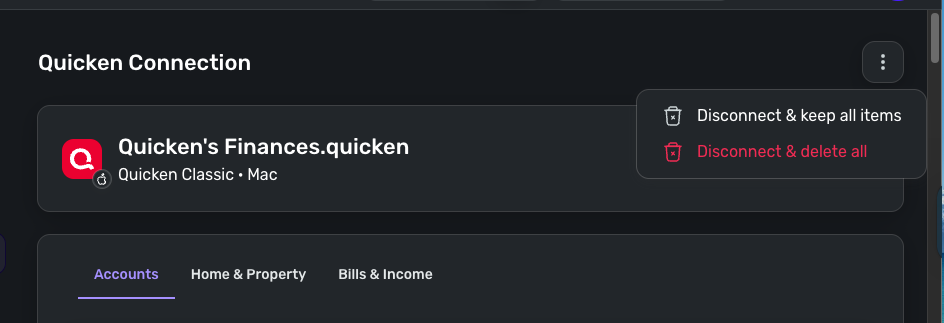
- Confirm the action.
To Reconnect Your Quicken File
- Select the Quicken file you want to connect.
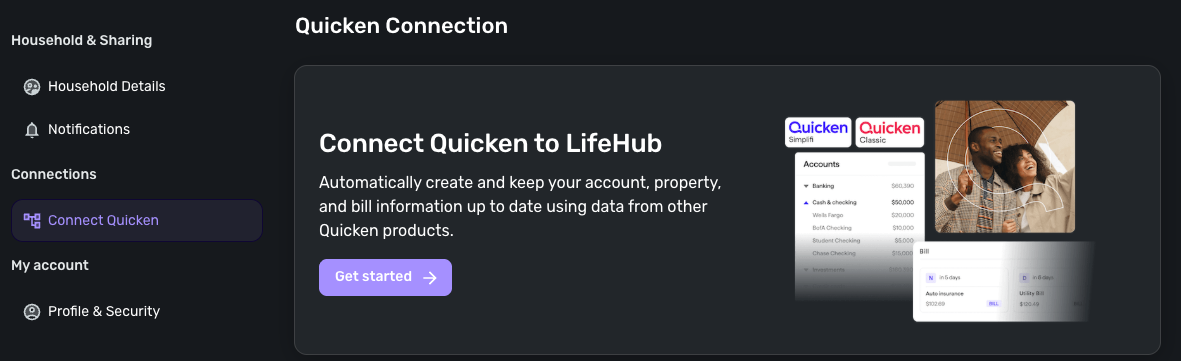
- Choose the accounts you’d like to include (uncheck any you do not want to add).
- Click Continue.
- Select the Home & Property accounts.
- Click Continue.
- Select the Bills & Income items you want to sync.
- Click Done.
This will allow you to reconnect and rebuild your LifeHub data from your selected accounts.
I hope this helps!
Quicken Laura
Make sure to sign up for the email digest to see a round up of your top posts.
0
