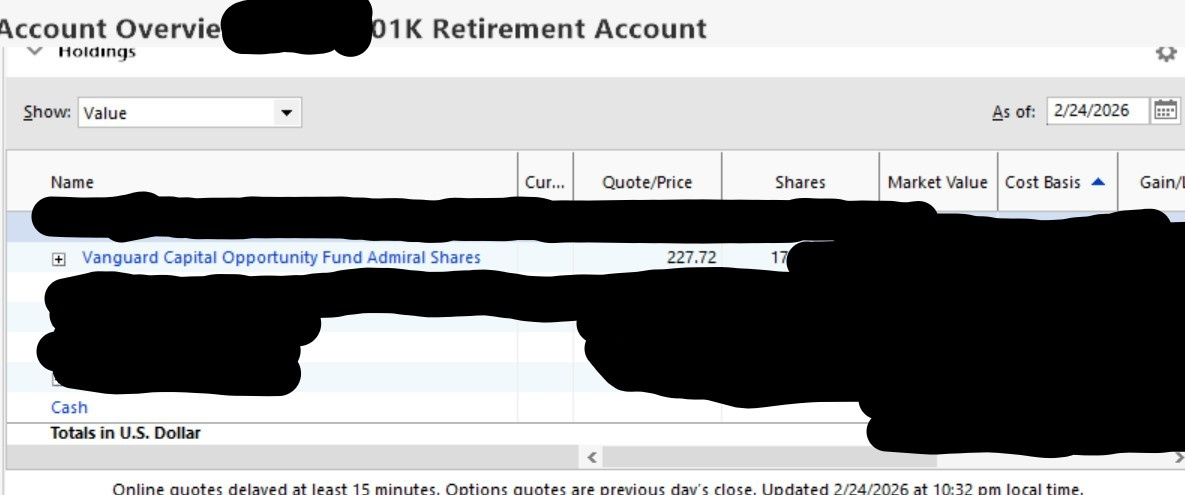
Account Overview Holdings VIew (latest version of Quicken Classic Windows)

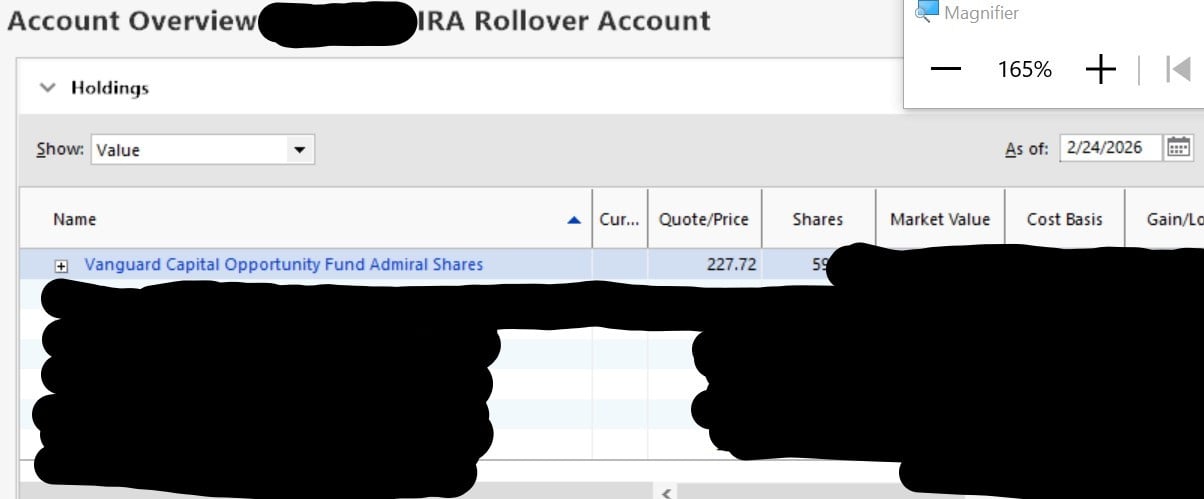
I was recently reconciling my most recent 401k account b/w Quicken and my 401k site and in comparing the holdings, I noticed that one of the securities in this 401k account is also bought during a different timeline in another rollover IRA account.
The security in the 401k was sold (in 2022) but the holdings for that 401k still shows it. I noticed the balance of it is from when it was getting bought in the IRA, but shouldn't it only show the holdings of the security in the account view of that account?
In the below, you'll see there's still the security is listed.
In the below shows the security in the view of the account where it is active:
The below shows the security view that shows the last time the amount in 401k is sold (I had to redact some info for obvious reasons) and the IRA account still has the same security:
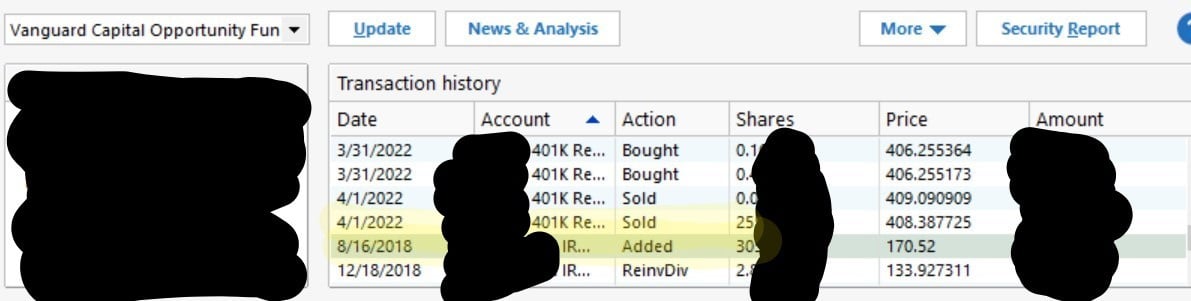
Is this how it should be? I would think in the account view it should only be what is bought and sold within that account only.
Answers
-
Hello @Tiomasai,
Thank you for reporting this issue, though we apologize that you are experiencing this.
We have received reports of multiple Fidelity issues this morning, and we are working to identify the cause. We will be forwarding this issue to the proper channels to have this further investigated. However, we request that you please navigate to Help > Report a problem within your Quicken program and submit a problem report with log files and screenshots attached in order to contribute to the investigation.
It would also aid the investigation to include a sanitized file when submitting the problem report. A sanitized file is a data file that removes personally identifiable information so you can comfortably share this file with the Quicken team.
While you will not receive a response through this submission, these reports will help our teams in further investigating the issue. The more problem reports we receive, the better.
Please let us know once you have sent them so we can add them to the ticket.
Thank you.
[CBT-1053]
Quicken Alyssa
Make sure to sign up for the email digest to see a round up of your top posts.
0 -
Thank you again for taking the time to report this!
We have forwarded these Fidelity issues along to the proper channels, and our teams are actively investigating.
While we do not have an ETA available on resolution, in the meantime, please refer to this Community Alert for any and all available updates and information.
Thank you!Quicken Alyssa
Make sure to sign up for the email digest to see a round up of your top posts.
0 -
I have sent you a direct message. Please navigate to the inbox in the top right-hand corner of the Community page and check your inbox.

Thank you!
Quicken Alyssa
Make sure to sign up for the email digest to see a round up of your top posts.
0 -
Hi, this thread can be closed. My issue is not related to Fidelity but I thought my problem was suspect from my end so after working on it for 24 hours, I think I found the issue (incorrect download from my provider) which I have no fixed. Thanks!!
0 -
Thank you for following up to let us know the issue has resolved.
If you need more help, don't hesitate to reach back out.
Thanks again!
Quicken Alyssa
Make sure to sign up for the email digest to see a round up of your top posts.
0

Categories
- All Categories
- 6 Product Ideas
- 34 Announcements
- 248 Alerts, Online Banking & Known Product Issues
- 19 Product Alerts
- 265 Welcome to the Community!
- 301 Before you Buy
- 1.5K Product Ideas
- 55.8K Quicken Classic for Windows
- 16.9K Quicken Classic for Mac
- 1K Quicken Mobile
- 834 Quicken on the Web
- 129 Quicken LifeHub