Quicken Classic and Credit Union in Houston

Hi Quicken,
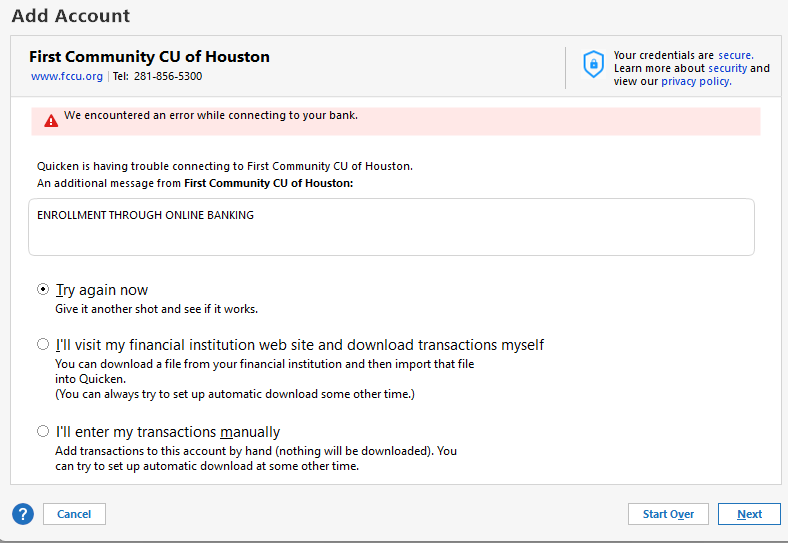
The last few months Ihave been battling connecting to my financial institution. For nearly 2 decades, no issues. It randomly will connect, but then disconnects, and sometimes will not even connect. I have tried so many things, but still no success.
- Reinstall Quicken.
- Purged cache.
- Verified I can log into my account on the browser.
- Tried both Edge and Chrome
- Tried a new Quicken file.
- Reboots PC after each modification to be sure.
For kicks, I tried Quicken Simplifi, all works well, but Classic? No.
Contacted the institution, and they say it's not on their end.
See attached.
Stuck. I much prefer Classic over Simplifi, mainly due to more flexibility.
[Edited - Readability]
Comments
-
Hi @BCWC2C,
Thank you for reporting this issue and for providing the additional details. I’m happy to help you troubleshoot.
After reviewing your account, I can see that in one of your recent files, the accounts need to be reauthorized in order to download transactions. However, the screenshot you shared appears to show a different issue.
To ensure you’re using the correct connection method, please try reconnecting the account in the new test file you created by following these steps:
- Open Tools.
- Click Add Account.
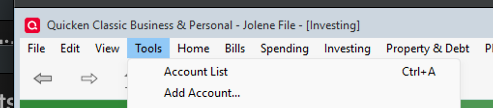
- Search for your financial institution (FI) and select it.
- Click Advanced Options.
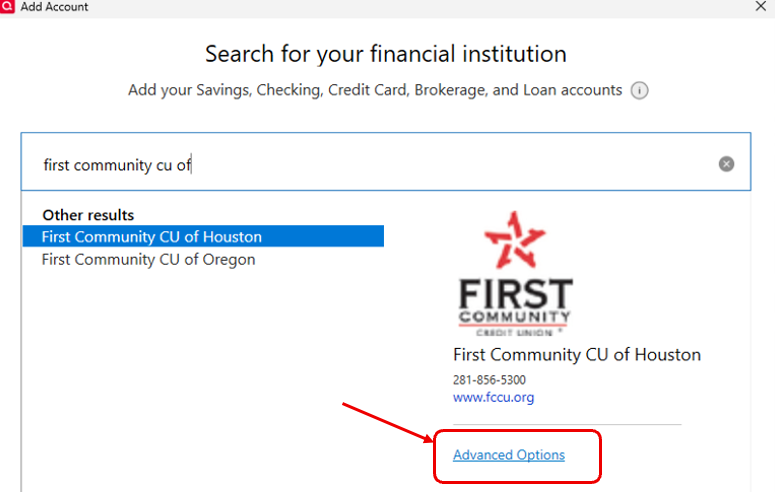
- Select Express Web Connect, then click Next.
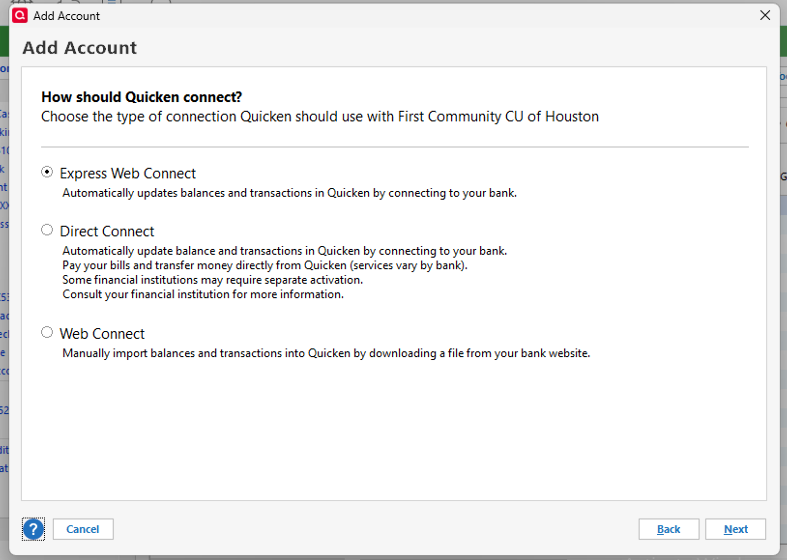
- Enter your credentials and click Connect.
- When the list of found accounts appears, choose Link to connect them to your existing accounts (please do not add duplicates).
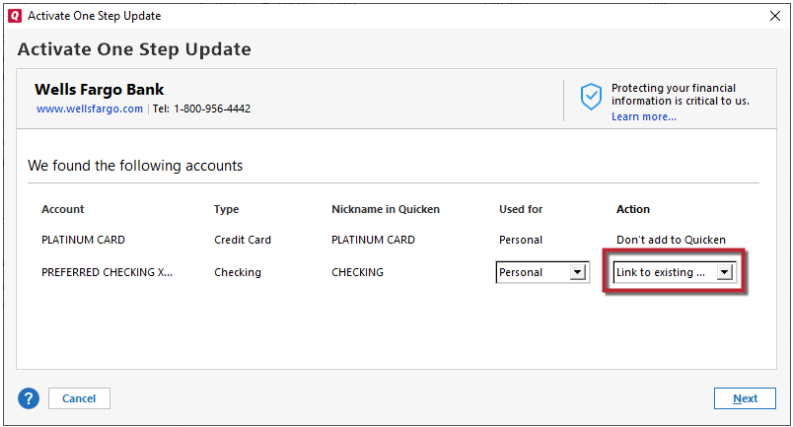
Please let me know if this works or if you receive a different error message. I’ll be glad to continue assisting you.
Quicken Laura
Make sure to sign up for the email digest to see a round up of your top posts.
0 -
Thanks for Detail. Yes. The reset was due to recent login credentials as one my troubleshoot. Just this morning, I get this which is same. Still same issue.
 0
0 -
As previous stated, access is random. For some reason, system just granted me access.
I keep trying for 10 minutes straight.
Though no changes were done. Strange.
Just hope NO re-authorization request must be done. I will likely be back in square 1. Like playing hop-scotch getting access.
0 -
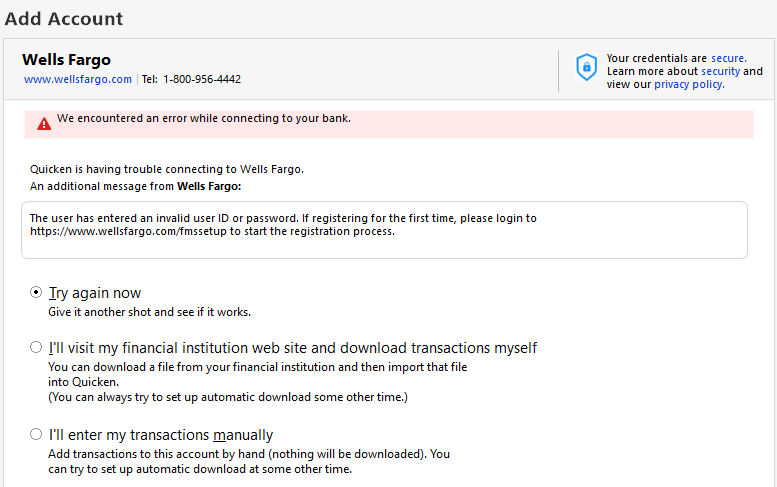
Now. Wells Fargo. URRRRRRRRRRRRRRRRRRRRRRRRRRRRRRRRRRRRRRRRRRRRRRRRRRRRRRRRRRR
 0
0 -
Hi @BCWC2C,
Thank you for providing the additional information.
It appears the connection is defaulting to Direct Connect. Before signing in, were you prompted to select a connection method?
To ensure the correct connection method is selected (Express Web Connect), please go back and carefully follow steps 4 and 5 outlined above, and choose the appropriate option.
Please let me know how it goes!
Quicken Laura
Make sure to sign up for the email digest to see a round up of your top posts.
0 -
No. I was unfortunately not prompted.
Prior going to next step. Went to "Advanced options" and made a selectin to make sure not defaulting to "Direct Connect"
Just connected.
I wonder if that is what it is doing on other accounts. Don't have much time today to test. I will next day or so and report back.
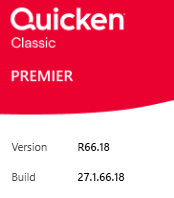
Just for reference:
Thank You! Not something I can see on my end.
Stay Safe! Crazy World.
 0
0 -
Hi @BCWC2C,
That’s great news! I’m glad to hear that one of your banks connected successfully.
I’ll be happy to help if you have any additional questions or need further assistance.
Quicken Laura
Make sure to sign up for the email digest to see a round up of your top posts.
0


Categories
- All Categories
- 6 Product Ideas
- 34 Announcements
- 248 Alerts, Online Banking & Known Product Issues
- 19 Product Alerts
- 265 Welcome to the Community!
- 301 Before you Buy
- 1.5K Product Ideas
- 55.8K Quicken Classic for Windows
- 16.9K Quicken Classic for Mac
- 1K Quicken Mobile
- 834 Quicken on the Web
- 129 Quicken LifeHub