Cannot add Schwab brokerage accounts

Quicken Classic R66.233 Build 27.1.66.23 Windows 11 Pro 10.0.26200
Attempting to add Schwab brokerage accounts via "Add Account".
All goes well with the sign-in handshake:
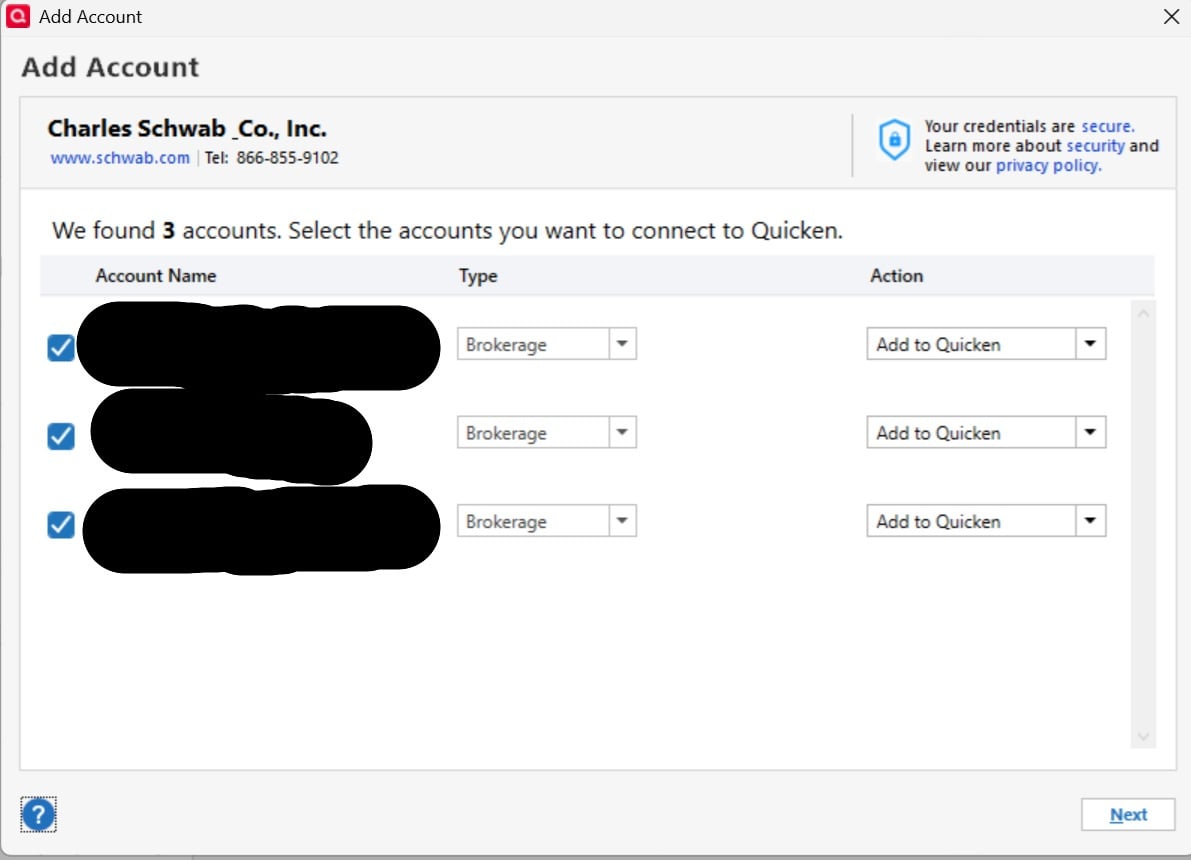
When I get to the next form, it does not matter whether I choose complete investing or simple investing — I've tried both, including trying to add it to a new empty Quicken file. When clicking "Next" the form just disappears and no accounts get added. No error message, it just silently fails.
It seems that one cannot create an Investing account by hand — Add Account / Offline only offers Banking or Cash.
Stuck. Any suggestions appreciated.
Comments
-
Hello @rj3230987,
Thank you for sharing your experience and reporting the issue you are running into.
I was thinking this may be a file-specific issue, but you ruled that out by trying to add these to a new file. Good job there! After reviewing your connections internally, I can see the same thing you are seeing, where the accounts are presented and ready to be added, but never actually added.
Are you the primary account holder of these accounts? Are these accounts that you just opened at Schwab?
One thing you can try is signing out of Quicken and signing back in. Please follow the steps below in order to do so.
- Navigate to Edit
- Preferences...
- Quicken ID & Cloud accounts
- Click Sign in as a different user (or it might say Sign in using a different Quicken ID)

- Follow the prompts to Sign Out

- Sign back in using your Quicken ID (email) and password
Once that is done, try adding the accounts again.
Let us know how it goes!
Quicken Alyssa
Make sure to sign up for the email digest to see a round up of your top posts.
0 -
Just checking in, we haven't heard back from you in a while.
Do you still need assistance?
Thank you!
Quicken Alyssa
Make sure to sign up for the email digest to see a round up of your top posts.
0

Categories
- All Categories
- 23 Product Ideas
- 34 Announcements
- 248 Alerts, Online Banking & Known Product Issues
- 19 Product Alerts
- 265 Welcome to the Community!
- 301 Before you Buy
- 1.5K Product Ideas
- 55.8K Quicken Classic for Windows
- 16.9K Quicken Classic for Mac
- 1K Quicken Mobile
- 834 Quicken on the Web
- 129 Quicken LifeHub