Print setup (Q Mac)

I really miss print setup, being able to adjust columns on a print preview to save paper and condense the view of each page.
Comments
-
The old Page Setup in Quicken Mac contained only a few controls:
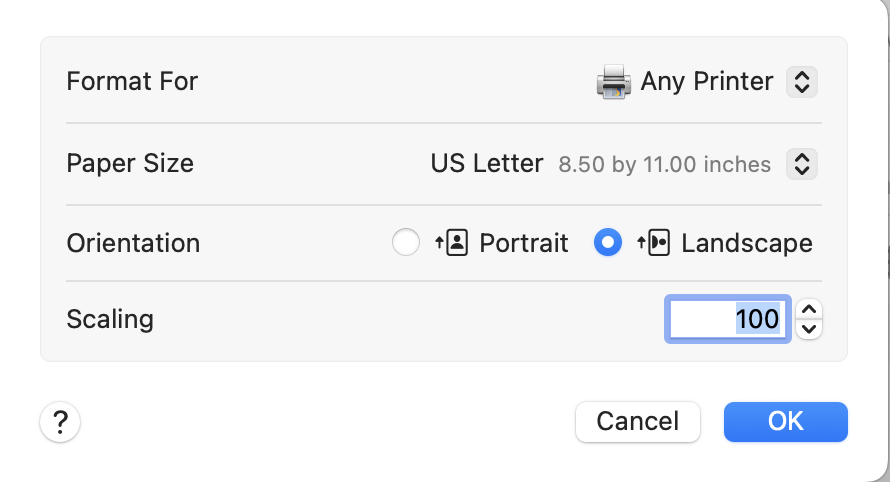
The Paper Size and Orientation have been moved into the Print dialog box in the newer reports. What is missing is Scaling, which could be very useful in trying to get more data per page. Instead, the current Print dialog box adds the option to scale to fit a report to one (or more) pages wide:
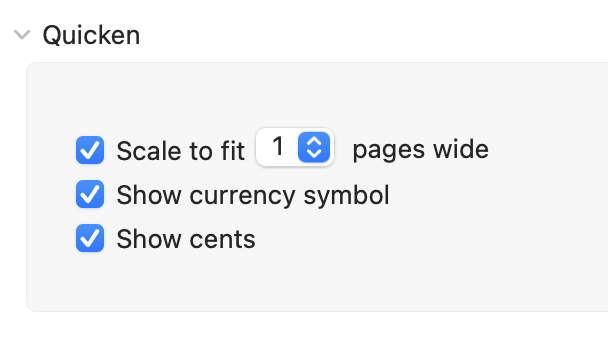
I find the "scale to fit 1 page wide" useful in some instances, but in other instances I wish we still had the scaling by percentage control.
As for adjusting column widths from Page Setup, that was never available in modern Quicken Mac in its 12 years of existence. (If you're referring to the legacy Quicken Mac 2007, that program definitely did cram more data on the page.) I'd note that you can make columns narrower in your report on screen, and they will appear narrower in the printed version as well, but it entails some trial-and-error if you're trying to achieve a specific goal for the column widths.
You should add your vote to two existing Idea topics regarding print formatting:
Quicken Mac Subscription • Quicken user since 19931 -
Thanks. This is exactly what I am talking about. And yes, I was refering to Q2007 for Mac where you could attach column size, etc. How do I vote? When I go to the posts you mention I seee comments but no voting selection.
1 -
To vote on an Idea locate the big yellow box near the top of the webpage (or go to page 1 for long discussions) and click the "Up" triangle under the voting count.

Wait a moment for the vote count to be registered and updated before you continue.
The little triangle changes from black to grey after you have registered your vote.
Adding extra comments helps but does not automatically increment the vote count.0


Categories
- All Categories
- 24 Product Ideas
- 34 Announcements
- 248 Alerts, Online Banking & Known Product Issues
- 19 Product Alerts
- 265 Welcome to the Community!
- 301 Before you Buy
- 1.5K Product Ideas
- 55.8K Quicken Classic for Windows
- 16.9K Quicken Classic for Mac
- 1K Quicken Mobile
- 834 Quicken on the Web
- 129 Quicken LifeHub